
Want this set up for your business?
Hermes agent skills are getting attention because they promise the thing every operator wants: reusable work that gets better instead of another prompt you have to babysit. The useful question is not whether skills sound impressive. It is whether the skill layer fits the way your team actually runs work.
For a business owner comparing Hermes Agent with OpenClaw, the decision usually comes down to control. Hermes leans into self-improvement and skill creation. OpenClaw leans into explicit instructions, local tools, scheduled automations, channel routing, and human-readable operating files. Both approaches can be useful. But they create different risks.
This guide breaks down how to evaluate Hermes agent skills against OpenClaw skills, what to check before installing any reusable workflow, and where setup help can prevent a clever demo from turning into a fragile system.
Hermes agent skills: what they actually do
In plain English, a skill is a saved instruction set that teaches an agent how to do a repeatable job. Instead of explaining your research process, code review process, or report format every time, the skill stores the pattern so the agent can reuse it.
Hermes documents skills as a reusable workflow layer. Its public docs say Hermes can install skills from GitHub repositories and GitHub-based taps, including default taps such as OpenAI, Anthropic, Hugging Face, and NVIDIA. The bundled catalog also says Hermes ships skills into the local ~/.hermes/skills/ directory on install and can restore missing bundled skills through its reset flow.
The interesting part is the learning loop. Nous Research describes Hermes Agent as a self-improving agent that can create skills from experience, improve them during use, persist knowledge, search past conversations, and build continuity across sessions. That is powerful. It is also where buyers need to slow down.
A reusable workflow is only as good as the guardrails around it. If the skill is vague, overbroad, outdated, or allowed to run risky tools without review, it can make the same mistake more consistently.
Want a clean skill setup before you automate?
We can help map which workflows belong in skills, crons, tools, or human review.
Hermes agent skills vs OpenClaw skills
Hermes agent skills and OpenClaw skills solve a similar problem, but they sit in different operating models.
Hermes is pitching a more self-evolving pattern. It is useful when the agent should observe repeated work, preserve the best version of that work, and reuse it later. That can help with research procedures, software development routines, planning templates, and repeatable analysis.
OpenClaw is usually stronger when the workflow needs explicit ownership. A typical OpenClaw setup can use SKILL.md files for specialized instructions, AGENTS.md for workspace rules, memory files for durable context, cron jobs for scheduled tasks, and Gateway routing for message delivery. That makes the workflow easier to inspect.
The tradeoff is not simple. Self-improvement can reduce manual setup, but it can also hide how decisions changed over time.
For most businesses, the better setup is not “Hermes or OpenClaw” as a religion. It is choosing the model that matches the job. A weekly research brief may benefit from reusable skill logic. A customer-facing escalation workflow needs tighter control, logs, approval paths, and clear rollback steps.
When Hermes agent skills make sense
Hermes agent skills are a good fit when the work is repeatable, judgment-heavy, and not too dangerous if the first draft needs review. Think research summaries, internal briefs, codebase orientation, draft planning, repository checks, or document cleanup.
But here is the nuance: the more autonomous the skill becomes, the more boring your controls need to be. Permissions, logs, source review, test runs, and rollback rules matter more than the prompt wording.
Use Hermes-style skill evolution for workflows where learning is useful and failures are contained. Do not start with anything that can send external messages, move money, delete files, publish content, change customer records, or alter production systems without a hard approval step.
When OpenClaw skills are the better fit
OpenClaw skills are often a better fit when the team needs local control, clear routing, and scheduled execution. OpenClaw’s own automation docs describe cron as the Gateway’s built-in scheduler for timed tasks that can wake the agent and deliver output to a chat channel or webhook endpoint. That matters for real operations.
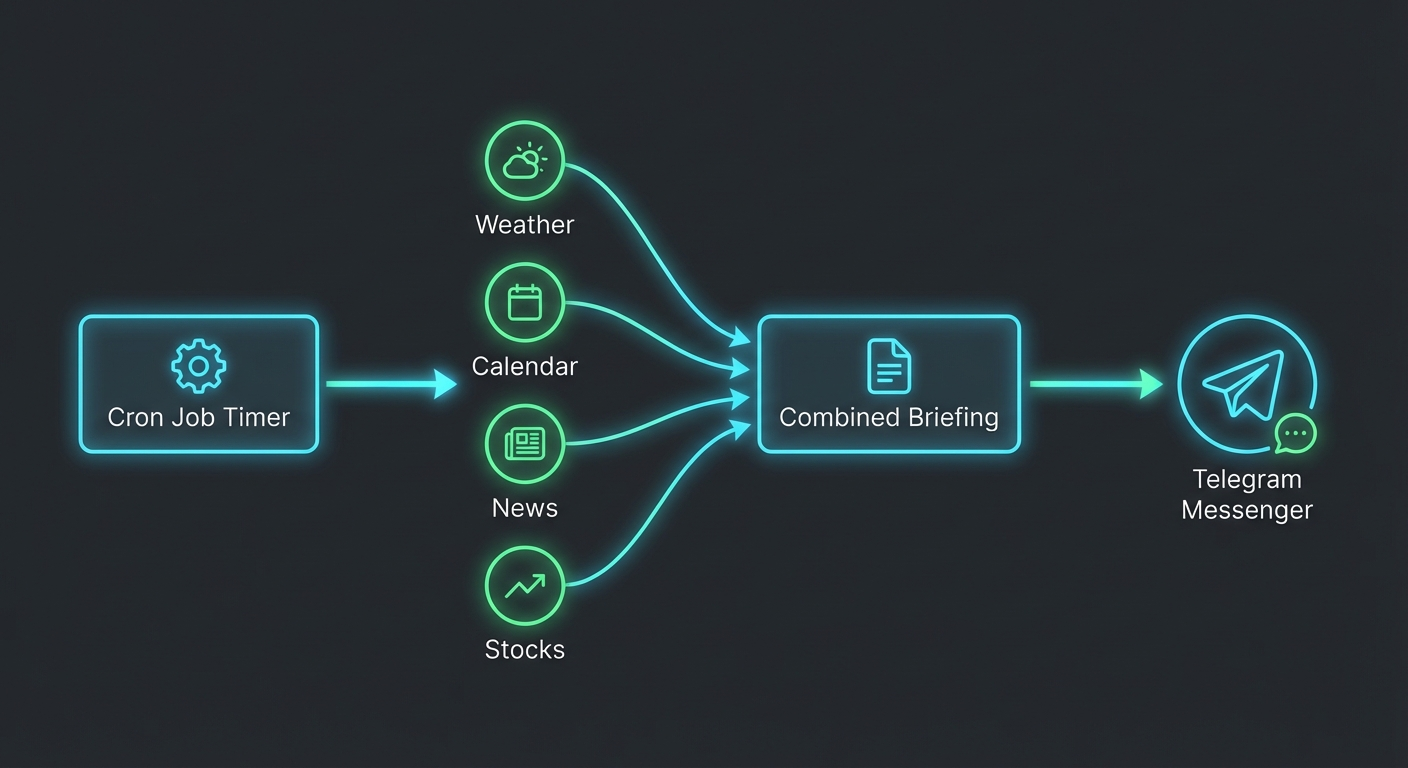
If a workflow must run every morning, check a dashboard, pull a calendar, summarize exceptions, and post one clean message to a specific channel, OpenClaw’s cron-first architecture is practical. It is not just about the skill. It is about the surrounding operating system.
OpenClaw also has a strong advantage when the workflow needs to respect workspace-specific rules. A skill can teach the agent how to use a tool, while OpenClaw AGENTS.md templates define how the agent should behave inside a given workspace. That separation helps teams avoid one giant instruction file that nobody wants to maintain.
If your workflow depends on scheduled tasks, see the OpenClaw cron job examples guide. If you are building reusable workflows from scratch, the best OpenClaw skills guide is a useful companion.
Not sure where a workflow belongs?
A quick setup review can separate skills, crons, tools, and approval gates before the system grows messy.
How to evaluate Hermes agent skills before you use them
Do not judge a skill by how clever the demo looks. Judge it by how well it survives boring questions.
Check the source
If the skill comes from GitHub, read the files before installing it. Look for shell commands, external API calls, credential handling, hidden downloads, and broad file access. A skill is still code-adjacent behavior, even when it is written in Markdown.
Check the permissions
Ask what the skill can touch. Can it read private files? Can it run shell commands? Can it send messages? Can it change records in a CRM? The answer should match the job. Anything broader is a setup smell.
Check the failure mode
A good skill explains what to do when data is missing, a tool fails, or the requested action is risky. A weak skill barrels forward because the prompt sounds confident.
Check the maintenance path
Reusable workflows rot. APIs change, team rules change, and the business changes. If nobody owns the skill, it will eventually become a source of quiet errors.
Common mistakes with Hermes agent skills
The first mistake is installing too many skills too quickly. More skills can make the agent look capable, but they also increase ambiguity. If two skills seem relevant, the agent may choose the wrong procedure or blend instructions in a way you did not intend.
The second mistake is treating a self-written skill as automatically correct. The fact that an agent learned from experience does not mean it learned the right lesson. You still need review.
The third mistake is skipping test runs. Run the skill against harmless examples first. Watch what it reads, what it writes, which tools it calls, and where it gets stuck. Then decide whether it belongs in production.
The fourth mistake is ignoring retrieval. If the skill depends on memory or previous work, make sure the source of truth is explicit. Otherwise the agent may mix old assumptions with current instructions.
And the fifth mistake is letting a workflow publish, send, delete, or update anything without a gate. Autonomy is useful. Unreviewed external action is where small setup errors become expensive.
A practical setup path for reusable agent workflows
Start with one workflow that already happens every week. Do not begin with the most sensitive process in the business.
Write the current human process in plain language. What triggers it? What sources does it use? What should the output look like? Who reviews it? What should never happen?
Then decide the right layer. If the process is mostly instructions, use a skill. If it is scheduled, pair the skill with a cron. If it depends on workspace policy, put the policy in AGENTS.md.
After that, run the workflow in shadow mode. Let the agent produce the output, but do not let it take the final action. Compare results against the human version for a few cycles. Fix the instructions where the agent is consistently wrong.
Only then should you automate the handoff. Even then, keep logs and alerts. The goal is not to remove humans from the system. The goal is to stop using humans for repetitive judgment that a well-scoped agent can handle.
Bottom line on Hermes agent skills
Hermes agent skills are worth watching because they push reusable workflows toward self-improvement. That is a real step forward for agent operators.
But business setups need more than a clever skill layer. They need permissions, review gates, scheduled execution, internal documentation, and a way to know what changed when something breaks. OpenClaw is strong in that operational layer, especially for teams that want local control and predictable automations.
If you are comparing Hermes and OpenClaw, do not ask which one has the cooler skill demo. Ask which one gives your team a workflow you can inspect, maintain, and trust next quarter.
Build the workflow before you scale the agent
Get help turning reusable agent skills into a setup your business can actually run.