Want this set up for your business?
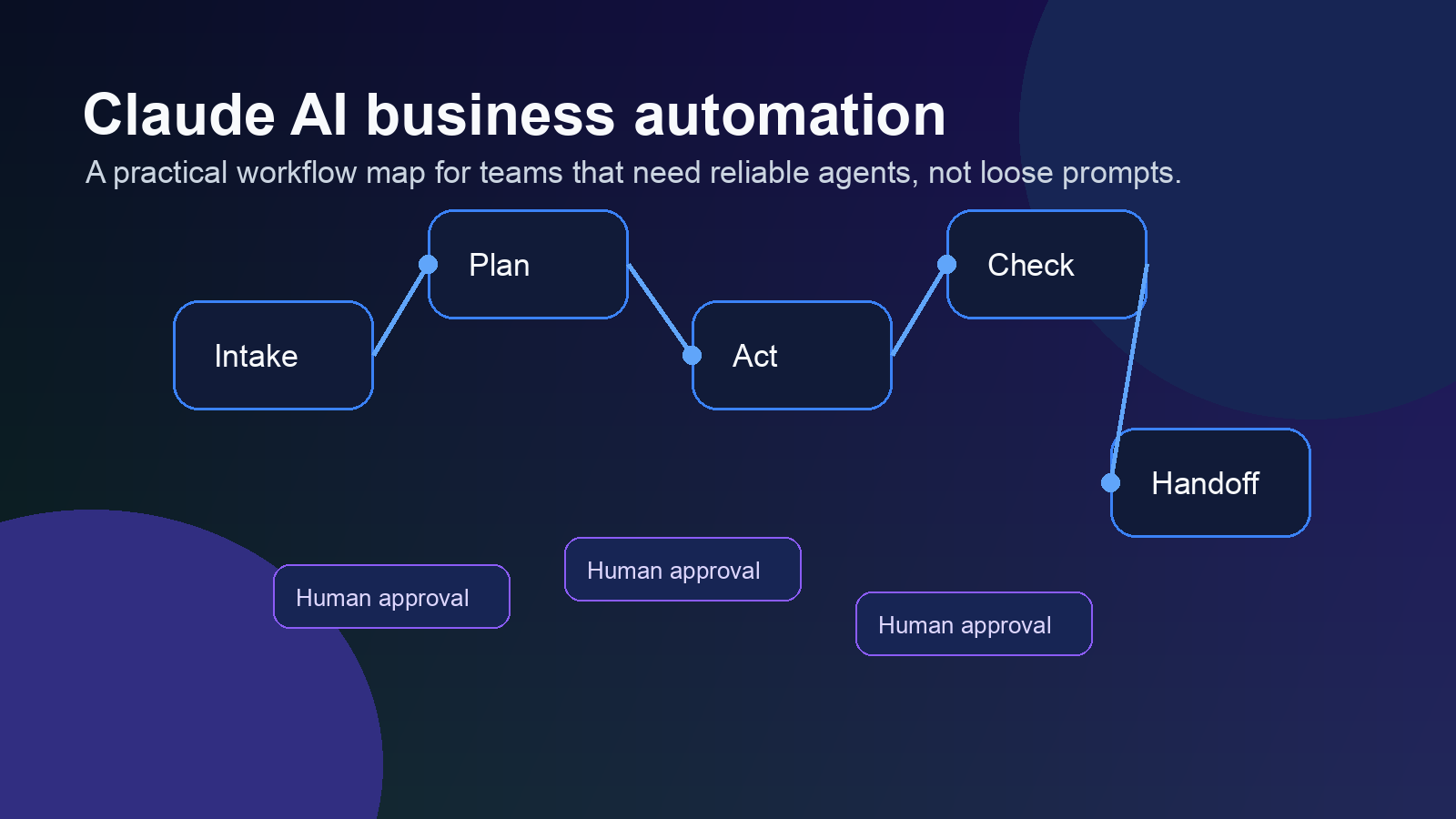
Claude AI business automation works best when it is treated like an operating system for repeatable decisions, not a magic prompt box. Claude can draft replies, summarize messy inputs, reason through tasks, and use tools, but the business value comes from the workflow around it: permissions, context, checks, logs, and a clear human handoff when the answer is uncertain.
That is where many teams get stuck. They try one impressive prompt, get a useful output, and assume they are ready to automate a real process. Then the first edge case shows up. A customer asks something weird. A CRM field is missing. A browser task hits a cookie banner. A draft looks right but uses the wrong tone for a high-value lead.
The fix is not to abandon Claude. The fix is to build the automation like a business process instead of a chat session.
Claude AI business automation works when the task has clear boundaries
The strongest Claude workflows have a defined input, a defined output, and a defined owner. That sounds basic. It is also the part most teams skip.
A good candidate is something like: summarize every sales call, pull objections, update the CRM notes, and draft a follow-up email for review. The input is the transcript. The output is structured notes and a draft. The owner is still the salesperson, who reviews the message before it goes out.
A weak candidate is: handle sales. That is too broad. Claude may be able to help with research, lead scoring, replies, reminders, and CRM cleanup, but each of those needs its own rules. Bundle everything into one vague agent and you get behavior nobody can audit.
Anthropic describes agents as systems that plan, act, observe results, and adjust until the task is done or they need human input. That loop is powerful. It also means your setup needs guardrails before the loop touches live business tools.
Want a safer automation plan before you connect tools?
OpenClaw Ready helps turn Claude workflows into practical systems with permissions, logs, and handoffs built in.
Where Claude AI business automation fits inside OpenClaw
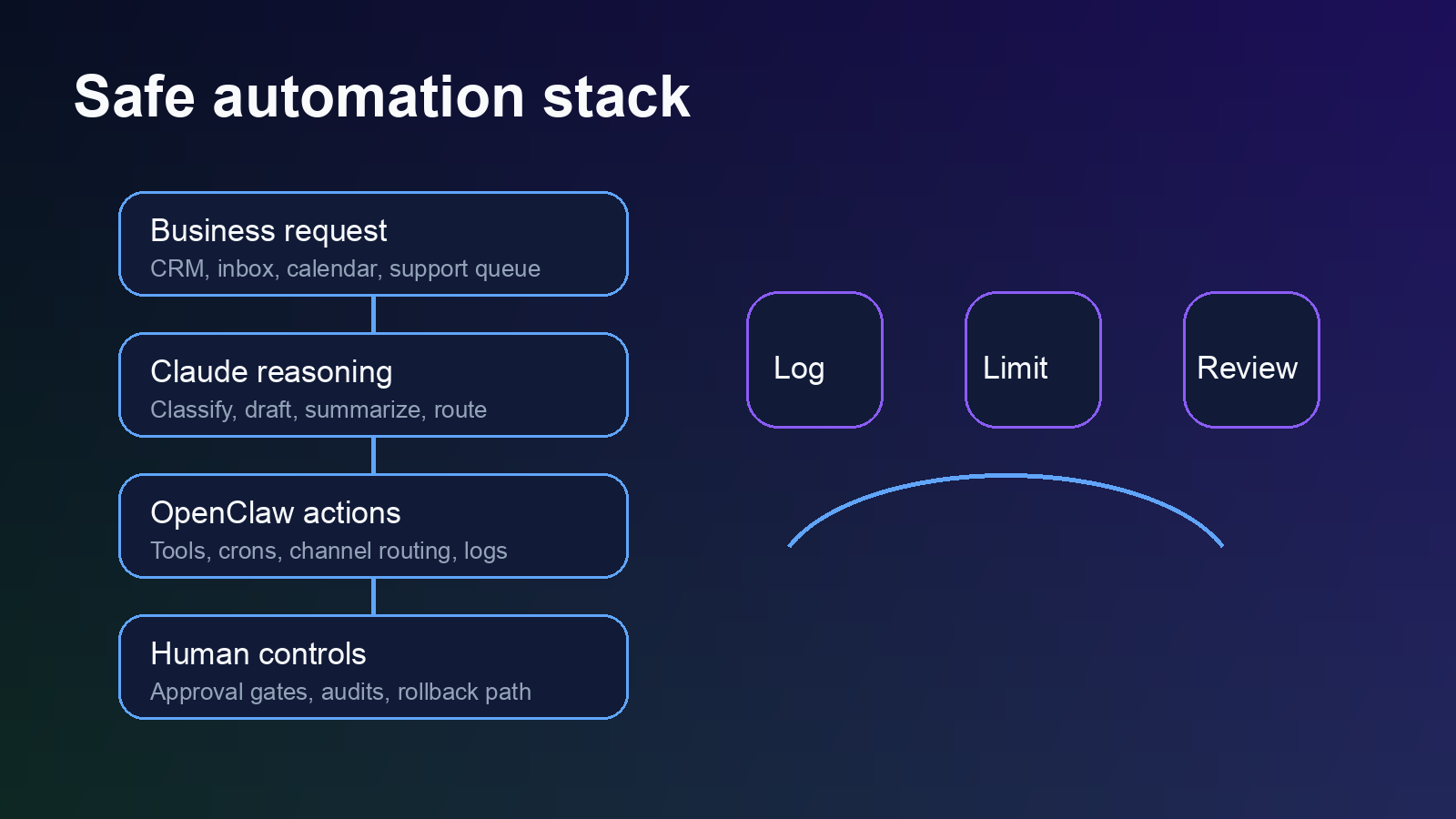
Claude is the reasoning layer. OpenClaw is the operating layer around it. In a practical setup, Claude reads the request, decides what needs to happen, and prepares the next action. OpenClaw handles routing, scheduled checks, tool access, memory, channel messages, and escalation paths.
For example, a support workflow might look like this:
- New customer email arrives in a monitored inbox.
- Claude classifies the issue as billing, setup, bug, cancellation risk, or general question.
- OpenClaw routes the item to the right channel and attaches account context.
- Claude drafts the answer and cites the policy or help document it used.
- A human approves risky replies, while low-risk internal summaries can move automatically.
That is safer than asking Claude to “run support” because the workflow separates judgment from authority. Claude can reason. OpenClaw can enforce the process.
If you are building this around customer messages, the same principles apply to Claude AI for customer support automation. Start with classification and drafts before you let anything send without review.
The business workflows that usually work first
The best first workflows are boring. That is good. Boring processes have patterns, and patterns are what automation needs.
Lead qualification and follow-up
Claude can read form submissions, call notes, or inbox threads and sort leads by fit, urgency, and missing information. OpenClaw can then create a task, draft a reply, and remind the owner if nothing happens. This pairs well with a structured Claude AI lead generation workflow because the output is easy to review.
Meeting notes and action items
Claude is useful at turning long transcripts into decisions, blockers, and next steps. OpenClaw can route those summaries to the right Discord or Slack channel, update a task board, and keep a running memory of decisions. The hard part is not the summary. The hard part is making sure the right person sees it and the next step does not disappear.
CRM cleanup
Teams waste time copying notes from calls, emails, and chats into CRM fields. Claude can extract the useful pieces. OpenClaw can map those fields into the CRM, flag missing data, and stop when a record is ambiguous. For this, a controlled OpenClaw CRM integration is usually better than a free-form agent with broad access.
Internal reporting
Weekly updates, missed follow-ups, unresolved tickets, and stale opportunities are good automation targets. Claude can explain what changed. OpenClaw can schedule the report and deliver it to the right place. No one needs a dramatic AI agent for this. They need a reliable one.
Need Claude connected to the right business tools?
A good setup starts with one workflow, clear limits, and a review path before anything touches customers or revenue.
Where Claude AI business automation breaks
Most failures are setup failures. The model gets blamed, but the workflow was vague from the start.
The first failure mode is missing context. Claude cannot reliably act on account history, policies, or business rules it cannot see. If your documents are scattered across inboxes, Notion pages, old PDFs, and tribal knowledge, the agent will either ask too many questions or guess. Guessing is where trust breaks.
The second failure mode is excessive tool access. Anthropic’s computer use documentation warns that browser and desktop control create unique risks, especially around sensitive data, malicious web content, and actions with real-world consequences. That is not theoretical. If an agent can click, type, submit forms, and access customer records, then every permission matters.
The third failure mode is no review layer. Some tasks can run automatically. Others need approval. A good setup makes that distinction before launch. Sending an internal summary is low risk. Refunding an order, changing a contract, accepting terms, or emailing a frustrated customer is not.
There is a nuance here: too many approval gates can kill the benefit. If the human has to approve every tiny step, the system becomes a slower assistant. The better pattern is to approve plans, risky actions, and exceptions while letting routine internal work run.
How to set up Claude AI business automation without building a fragile mess
Start with one workflow that already happens every week. Do not start with the flashiest use case. Pick the one where your team can describe the current process in plain English.
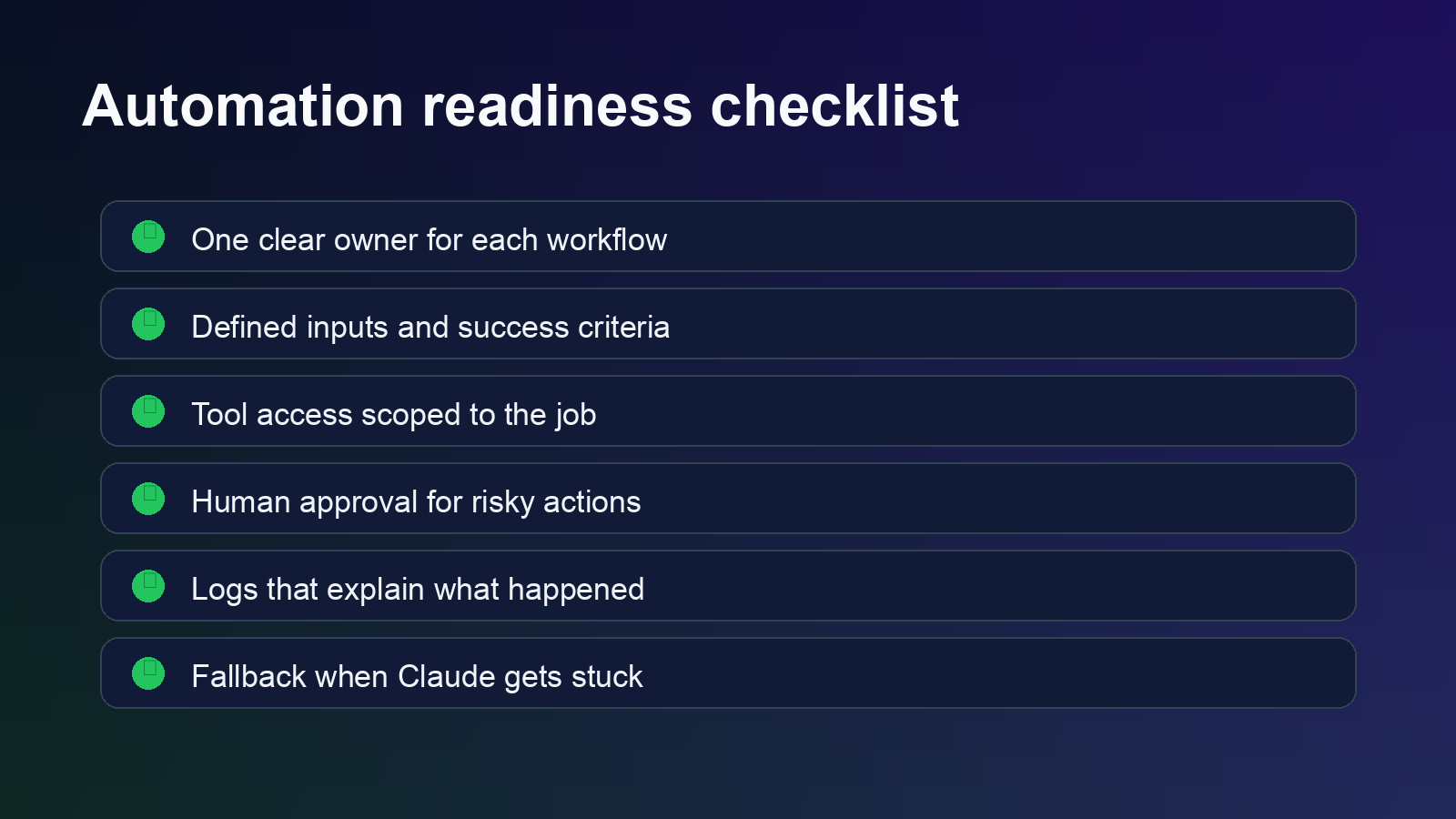
- Map the current workflow. Write the trigger, input sources, decisions, tools, owner, and final output.
- Define what Claude is allowed to decide. Separate drafting, classification, summarizing, and tool actions.
- Scope tool access. Give the agent only what the workflow needs. Use separate credentials when possible.
- Add human review for risky actions. Decide what needs approval before the agent ever runs.
- Log every meaningful step. You need to know what happened, what source was used, and where the output went.
- Test with ugly examples. Include missing fields, angry customers, duplicate records, unclear requests, and bad data.
The testing step matters more than the demo. Demos use clean inputs. Businesses do not. Real workflows have typos, missing context, stale CRM fields, weird customer requests, and two people using different names for the same thing.
One more setup detail is easy to miss: decide what happens when the agent is unsure. The safest answer is rarely silence. A better fallback is a short escalation note with the source, the confusing part, and the exact decision needed from the owner. That keeps the workflow moving without forcing Claude to invent certainty.
Also keep the first version narrow. If the workflow handles sales calls, do not also make it clean the CRM, write proposals, update billing notes, and chase renewals on day one. Add those later after the first loop proves it can handle messy inputs for a few weeks.
A practical OpenClaw setup path
For most small teams, the right path is not to automate the whole company. It is to build one workflow, prove it works, then reuse the pattern.
A clean first build could be a sales follow-up assistant. It watches for new call notes, summarizes the conversation, identifies the next step, drafts an email, and posts everything to a review channel. The salesperson approves or edits. OpenClaw logs the outcome. Over time, the workflow can expand into CRM updates, reminders, and lead scoring.
That gives you operational lift without pretending the agent is perfect. Claude does the thinking work it is good at. OpenClaw keeps the system organized. The human still owns the outcome.
That is the real promise of Claude AI business automation. Not replacing judgment. Removing the repeated admin work that keeps judgment buried under tabs, inboxes, and half-finished follow-ups.
Start with one automation that can survive real work.
OpenClaw Ready can help map, build, and test the workflow before it becomes part of your daily operations.
{“@context”:”https://schema.org”,”@type”:”Article”,”headline”:”Claude AI Business Automation: What Works, What Breaks, and When You Need More Than Prompts”,”author”:{“@type”:”Organization”,”name”:”OpenClaw Ready”},”publisher”:{“@type”:”Organization”,”name”:”OpenClaw Ready”,”logo”:{“@type”:”ImageObject”,”url”:”https://openclawready.com/wp-content/uploads/2026/01/openclawready-logo.png”}},”datePublished”:”2026-05-05T10:15:00+00:00″,”dateModified”:”2026-05-05T10:15:00+00:00″,”mainEntityOfPage”:{“@type”:”WebPage”,”@id”:”https://openclawready.com/blog/claude-ai-business-automation/”},”url”:”https://openclawready.com/blog/claude-ai-business-automation/”,”description”:”Claude AI business automation guide for safer workflows, better handoffs, and reliable OpenClaw setup.”,”image”:”https://openclawready.com/wp-content/uploads/2026/05/claude-ai-business-automation-hero.png”}