Want this set up for your business?
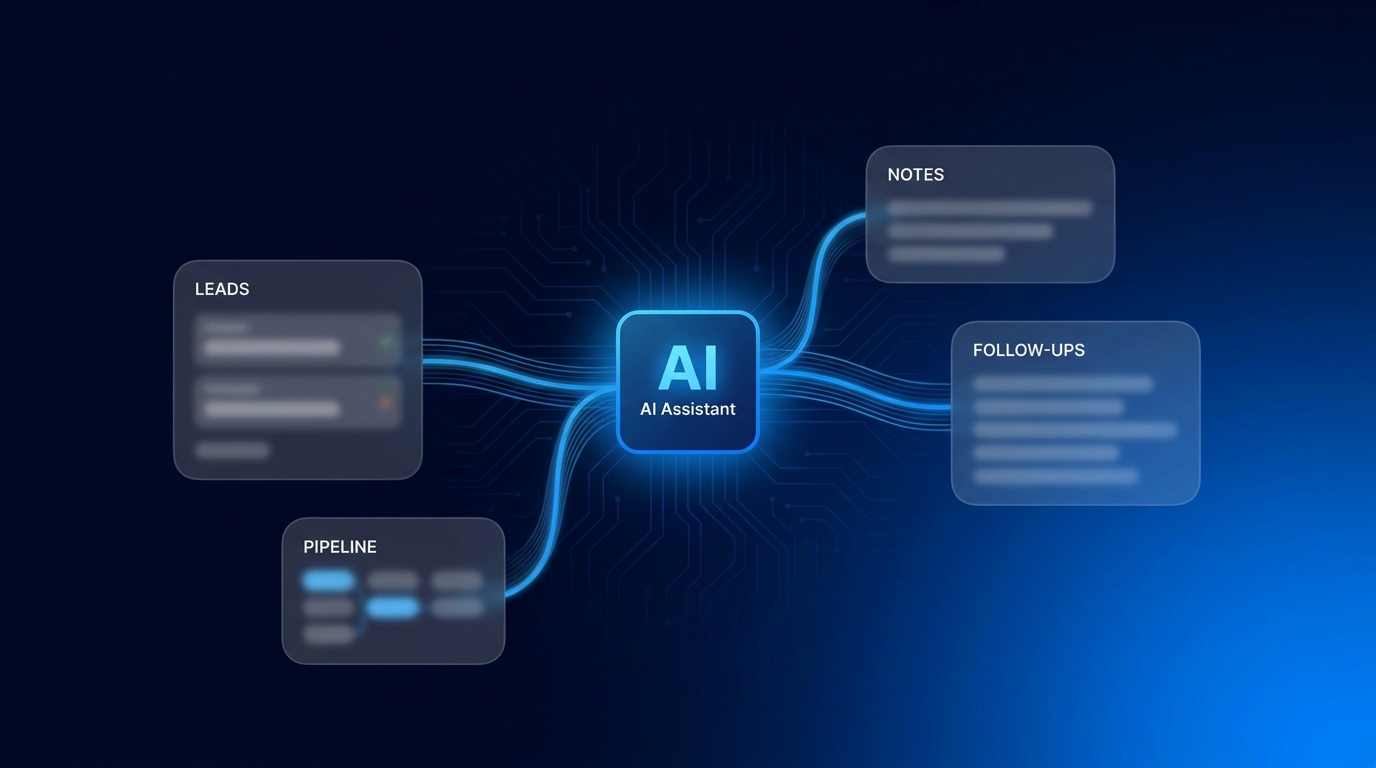
OpenClaw CRM integration is where an AI assistant starts acting like part of the revenue team instead of another tab someone forgets to update. The goal is simple: capture lead context, push the right notes into your CRM, trigger the next follow-up, and avoid turning your pipeline into a messy pile of duplicate contacts.
That sounds clean on paper. In practice, CRM integration is where a lot of AI workflows get fragile. The assistant may know what happened in a conversation, but the CRM needs structured fields, clean ownership, reliable deduplication, and permissions that do not expose more customer data than necessary.
This guide breaks down how to plan an OpenClaw CRM integration for small teams that use tools like HubSpot, Salesforce, Pipedrive, or a lightweight custom CRM. The exact connector may differ, but the operating model is the same.
OpenClaw CRM integration starts with one clear workflow
Do not start by asking, “How do I sync everything?” That is how teams build a noisy integration that nobody trusts.
Start with one business workflow. For most teams, the best first workflow is lead capture to follow-up. OpenClaw collects context from email, chat, forms, Discord, Telegram, or another source. Then it creates or updates a CRM record with the useful parts: name, email, company, source, need, urgency, next action, and owner.
That first workflow should answer three questions:
- What event should trigger the CRM update?
- Which CRM fields should OpenClaw write to?
- What should happen if the contact already exists?
If those questions are fuzzy, the integration will be fuzzy too. A good CRM integration does not just move data. It decides what data deserves to become part of the sales record.
Want the CRM workflow mapped before you connect tools?
OpenClaw Ready can help turn your lead, note, and follow-up process into a cleaner setup plan.
Map fields before OpenClaw writes anything to the CRM
Field mapping is the difference between a helpful integration and a cleanup project.
HubSpot’s data sync documentation explains that mappings control which properties sync, which direction they sync, and how conflicts are handled. That same idea applies to an OpenClaw CRM integration. Some fields should be one-way from OpenClaw to the CRM. Some should be read-only. Some should never be touched by automation.
A practical starting map looks like this:
- Email: primary deduplication field, usually required before creating a contact.
- Name and company: safe to create, but risky to overwrite if a human edited the record.
- Lead source: write once, then preserve the original source.
- AI summary: store in a dedicated field or note, not over core CRM fields.
- Next action: update only when the assistant has a clear task or human approval.
- Owner: assign through a rule, not a guess.
The safest pattern is to create OpenClaw-specific fields for assistant-generated context. For example, use fields like “OpenClaw summary,” “OpenClaw suggested next step,” or “OpenClaw last interaction source.” This avoids overwriting important CRM data that sales or support already relies on.
OpenClaw CRM integration needs deduplication rules
Duplicates are not a small annoyance. They break follow-up.
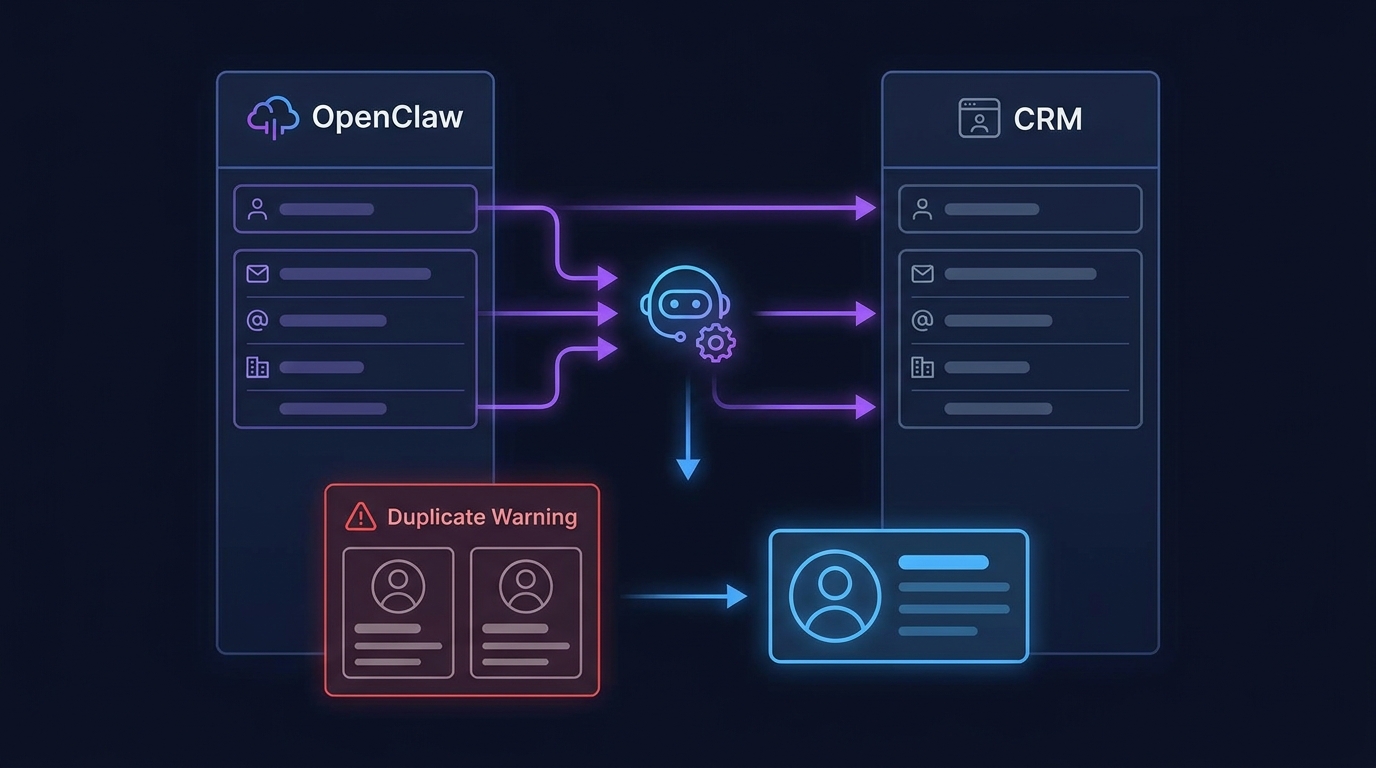
HubSpot notes that it identifies duplicate Salesforce leads and contacts by email address in that integration context. It also warns that duplicate records with the same email can cause contact data to be overwritten as systems decide which record to sync. The lesson is broader than HubSpot and Salesforce: your CRM needs a clear identity rule before OpenClaw starts creating records.
For most small teams, email should be the first matching key. If there is no email, OpenClaw should usually create a task for human review instead of creating a low-confidence contact. Phone number can help, but phone-only matching gets risky when assistants collect partial or reformatted numbers.
Use this simple deduplication order:
- Search the CRM for an exact email match.
- If found, update allowed fields and append a note.
- If no email exists, search for a strong phone or company plus name match.
- If confidence is low, create a review task instead of a contact.
- If no match exists and required fields are present, create a new contact or lead.
This is one place where being conservative is better. A missed automation can be fixed. A bad merge can damage the sales record.
Use notes for context, not core fields
OpenClaw is useful because it can summarize messy human conversation. But a summary is not the same thing as structured CRM truth.
Put longer context into notes. Keep core fields clean. A note can include what the lead asked for, what objections came up, which product or service seems relevant, and what the assistant recommends next. The CRM fields should stay boring: lifecycle stage, owner, deal value if known, source, status, next activity date, and contact details.
This keeps humans in control. A salesperson can read the note and decide what matters. The assistant helps them move faster without silently rewriting the pipeline.
If you are still deciding what to automate first, the guide to Claude AI for lead generation is a useful companion because it covers qualification and follow-up logic before the CRM layer gets involved.
Need OpenClaw connected without dirty CRM data?
A cleaner setup starts with field rules, dedupe logic, and human review points.
Set permissions around what OpenClaw can read and write
CRM access should be narrow. OpenClaw does not need full administrative control to update a lead note or create a follow-up task.
Use the least access that supports the workflow. If the assistant only needs contacts, notes, and tasks, do not give it broad access to billing data, private owner settings, or unrelated objects. If your CRM supports separate API users, scopes, or app permissions, use them.
Then decide which actions need approval. For example, writing a note may be automatic. Changing a deal stage may require a human. Reassigning ownership should probably use a rule, especially if your team has territory, account, or client ownership rules.
This is also where the broader OpenClaw setup matters. If your assistant already runs through Discord, Slack, or email, route sensitive CRM actions to the right private channel. The OpenClaw Slack integration guide explains how routing decisions can prevent notification chaos when multiple workflows are active.
Build follow-up automation that sales can actually trust
The best CRM integration is not the one with the most automation. It is the one your team trusts enough to leave on.
For follow-up, start with assistant-drafted tasks instead of fully autonomous outreach. OpenClaw can read the latest context, propose the next step, and create a CRM task with a due date. A human can approve, edit, or ignore it.
Once the workflow proves itself, you can add stronger automation. Maybe qualified inbound leads get an instant acknowledgment. Maybe stale leads get a reminder task after a set number of days. Maybe high-intent replies get routed to a sales channel with the CRM link attached.
But keep the line clear. OpenClaw should not invent promises, discounts, timelines, or commitments. It should summarize what happened and help the next human respond with better context.
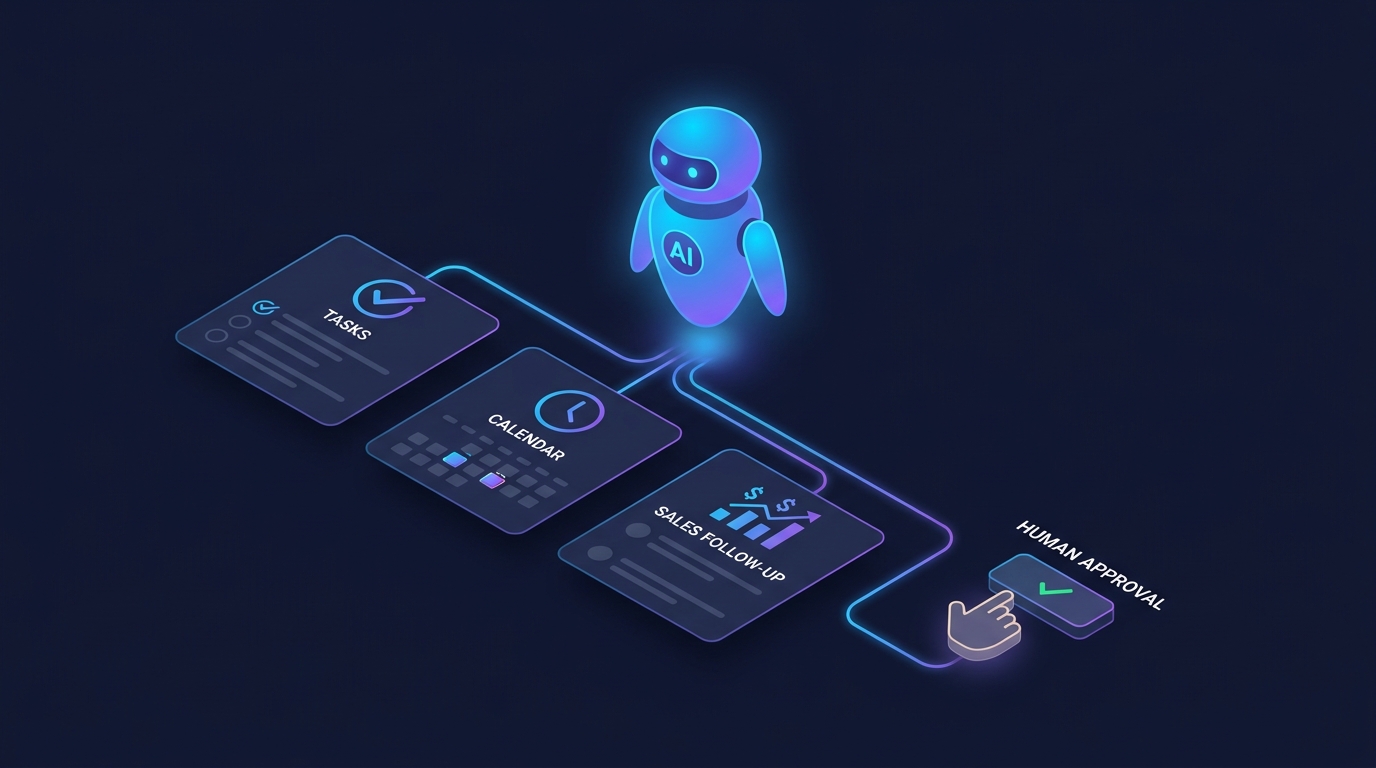
One more detail matters: log failures where humans can see them. If OpenClaw cannot reach the CRM, cannot find the matching contact, or receives a permission error, the right answer is not silence. Route the issue to a private operations channel with the lead source, attempted action, and CRM record if available. That turns errors into small fixes instead of hidden pipeline gaps. It also gives the team a short audit trail when a lead asks why a promised follow-up did not happen.
A simple OpenClaw CRM integration checklist
Use this checklist before connecting OpenClaw to your CRM:
- Pick one first workflow, such as lead capture to follow-up.
- Define the trigger that starts the CRM update.
- Choose required fields for contact creation.
- Create OpenClaw-specific fields for AI summaries and suggestions.
- Set dedupe logic around email first.
- Decide which fields are read-only, one-way, or two-way.
- Limit API permissions to the objects the workflow needs.
- Add a human review path for low-confidence records.
- Test with sample leads before connecting live traffic.
- Review the first week of CRM changes manually.
If OpenClaw is already handling broader business automation, you may also want to compare this workflow with the OpenClaw client onboarding setup. CRM integration and onboarding often overlap once a lead becomes a customer.
Final take on OpenClaw CRM integration
An OpenClaw CRM integration should make your pipeline easier to trust. That means fewer missing notes, faster follow-up, cleaner lead context, and less manual copy paste.
But the setup needs restraint. Map fields first. Protect core CRM data. Use notes for assistant-generated context. Treat deduplication as a serious design choice. Keep humans involved where the assistant is making judgment calls.
Do that, and OpenClaw becomes a useful layer between conversation and revenue operations. Skip those basics, and the CRM becomes another place where automation creates work instead of removing it.
Get help setting up OpenClaw with your CRM
If you want the integration planned and configured cleanly, OpenClaw Ready can help.
{
“@context”: “https://schema.org”,
“@type”: “Article”,
“headline”: “OpenClaw CRM Integration: Sync Leads, Notes, and Follow-Ups Without Manual Copy Paste”,
“author”: { “@type”: “Organization”, “name”: “OpenClaw Ready” },
“publisher”: { “@type”: “Organization”, “name”: “OpenClaw Ready”, “logo”: { “@type”: “ImageObject”, “url”: “https://openclawready.com/wp-content/uploads/2026/01/openclawready-logo.png” } },
“datePublished”: “2026-04-29T10:20:00+00:00”,
“dateModified”: “2026-04-29T10:20:00+00:00”,
“mainEntityOfPage”: { “@type”: “WebPage”, “@id”: “https://openclawready.com/blog/openclaw-crm-integration/” },
“url”: “https://openclawready.com/blog/openclaw-crm-integration/”,
“description”: “OpenClaw CRM integration guide for syncing leads, notes, and follow-ups without messy duplicate records or risky automation.”,
“image”: “https://openclawready.com/wp-content/uploads/2026/04/openclaw-crm-integration-hero-8ba75819-23ff-418b-90c1-51fc8dea44e2.jpg”
}