Want this set up for your business?
OpenClaw for insurance agents works best when it handles the repetitive parts of agency operations: intake, reminders, routing, status updates, and task follow-up. It should not replace licensed judgment. That distinction matters because insurance workflows touch sensitive information, regulated advice, and decisions that customers can misunderstand quickly.
The practical goal is simple: give producers and service reps fewer manual touches while keeping the human agent in control of anything that affects coverage, claims, binding, cancellations, or recommendations. If you set OpenClaw up that way, it becomes a dependable operations layer instead of a risky chatbot bolted onto your inbox.
Where OpenClaw for insurance agents actually helps
Most agencies do not need a flashy AI assistant that tries to sell policies on its own. They need cleaner handoffs. They need fewer leads sitting untouched. They need renewal conversations to start before the customer is already frustrated. They need someone, or something, to turn messy inbound messages into clear next actions.
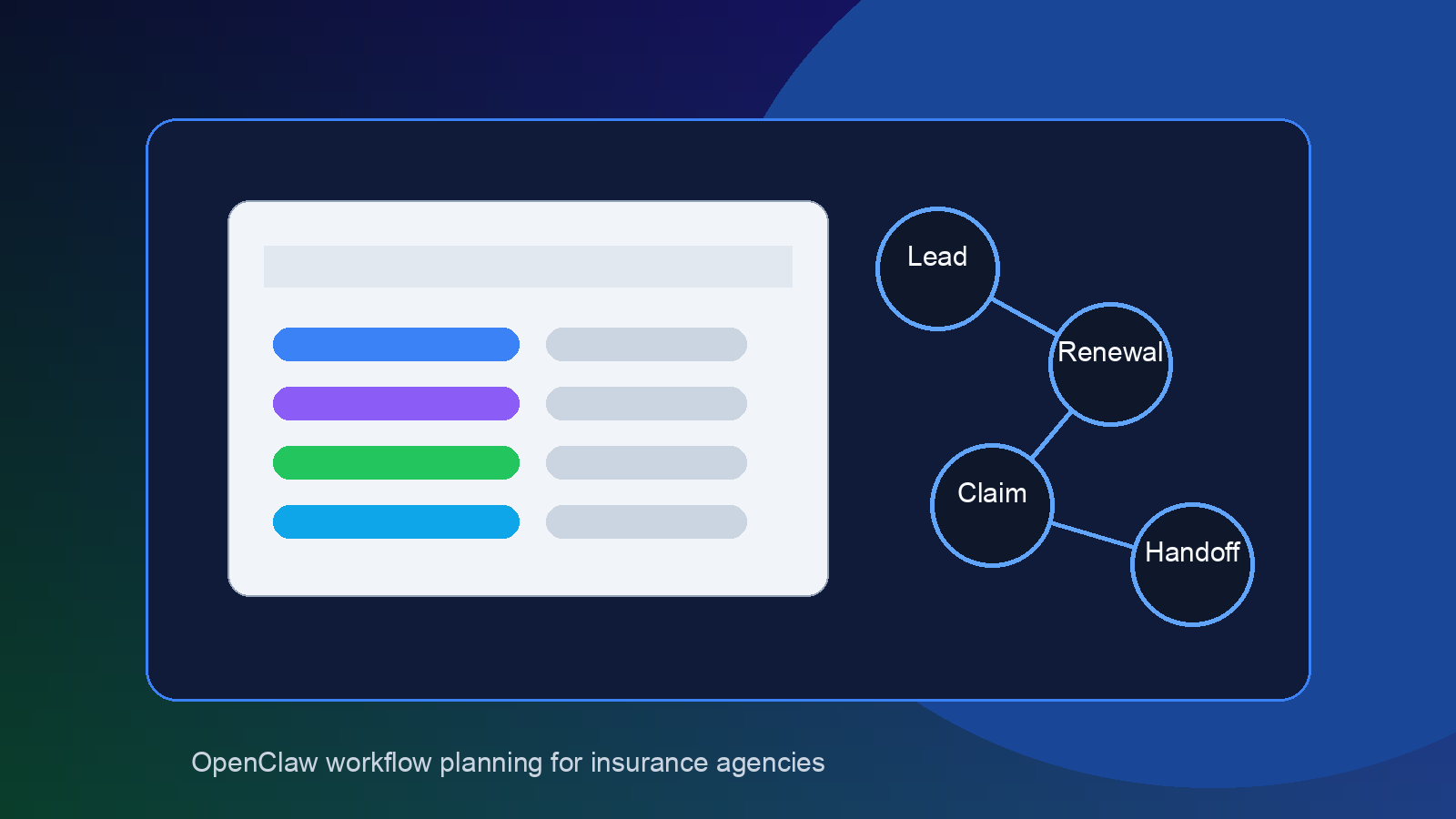
That is where OpenClaw fits. A well-built setup can monitor intake forms, shared inboxes, website chats, Discord or Slack channels, CRM alerts, and calendar events. Then it can summarize the request, tag the policy type, create the follow-up task, route it to the right person, and draft a response for approval.
For example, a personal lines agency might use OpenClaw to separate auto quote requests from billing questions. A commercial agency might use it to flag certificate of insurance requests, renewal timeline questions, or claims updates. The win is not magic. It is less switching between tabs.
Want OpenClaw mapped to your agency workflow?
OpenClawReady can help you design safe intake, renewal, and follow-up automations around your existing tools.
Lead intake without losing context
Insurance lead intake breaks down when the first message is vague. “Need a quote” is not enough. A producer still needs line of business, location, timing, current coverage, contact preference, and basic risk details before the conversation becomes useful.
OpenClaw can help by collecting missing context before a licensed agent spends time on the lead. The safe version does not recommend coverage. It asks structured questions, stores the answers, and creates a clean summary for the agent.
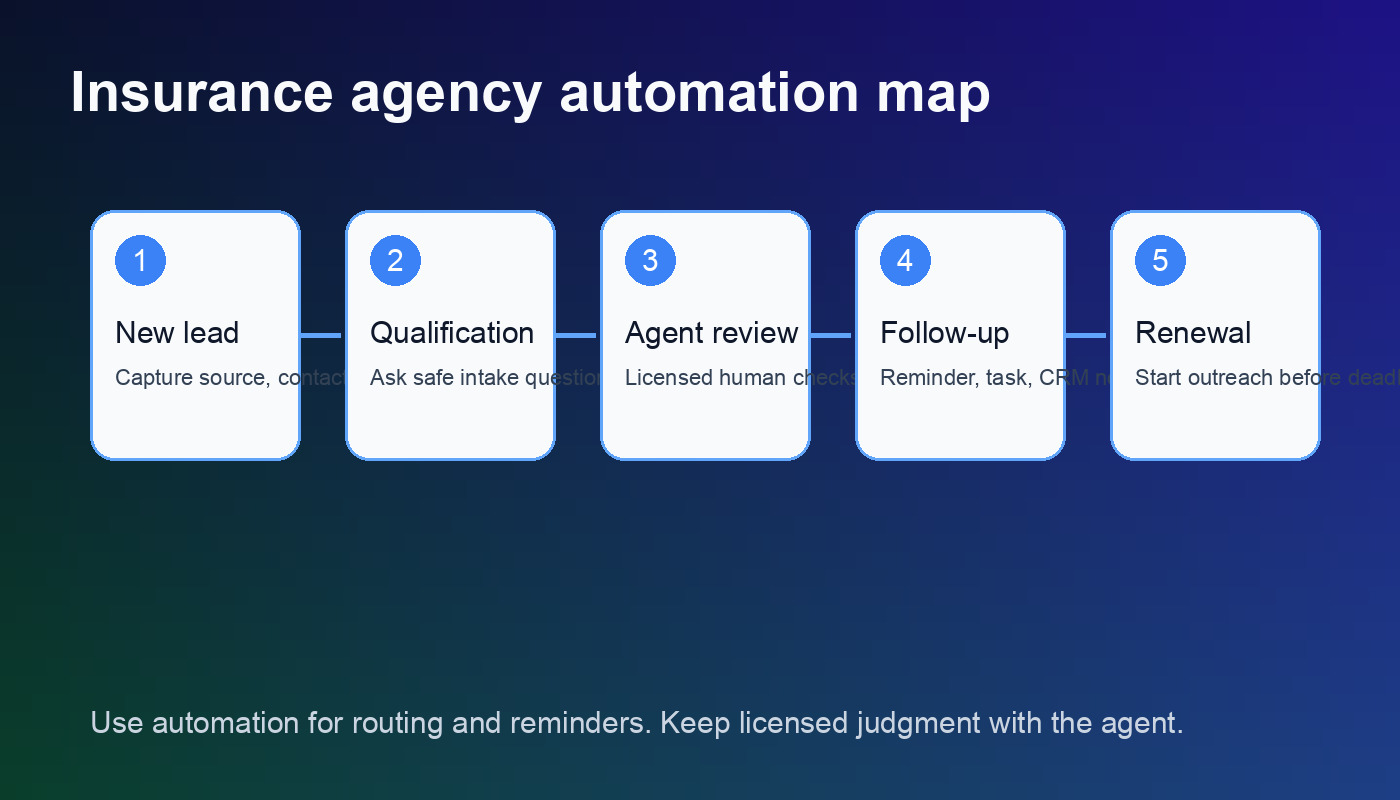
A good intake flow might look like this:
- Capture the inbound message, source, timestamp, and contact details.
- Classify the request as auto, home, life, business, benefits, claims, billing, or unknown.
- Ask only the minimum follow-up questions needed to route the lead.
- Create a task in the CRM or agency management system with the intake summary.
- Notify the right person based on line of business, state, account size, or urgency.
This pairs well with broader channel routing setups like an OpenClaw CRM integration or an OpenClaw email connection. The point is to reduce dead air after someone raises their hand.
OpenClaw for insurance agents and renewal follow-up
Renewals are a better use case than fully automated selling. The timing is known. The account history already exists. The customer expects communication. And the agency can build a repeatable review process without pretending AI should make coverage decisions.
OpenClaw can watch renewal dates, create pre-renewal tasks, draft check-in messages, and remind the account owner if there has been no response. It can also pull together notes for the human review: recent claims, open service issues, missing documents, prior objections, and the customer’s preferred communication channel.
There is some nuance here. Automation can make renewal outreach more consistent, but it can also make the agency sound careless if every customer gets the same generic message. A homeowners renewal with a recent claim should not receive the same tone as a low-touch auto policy with no changes. Build segments. Keep the copy plain.
The strongest renewal workflow usually has three boundaries. OpenClaw can remind, summarize, and draft. The licensed agent reviews coverage implications, approves advice, and handles anything that could change the policy. That line keeps the system useful without making it dangerous.
Claims, service requests, and status updates
Claims are emotional. Customers are usually stressed, confused, or annoyed. That makes them a poor place for robotic responses and a good place for careful coordination.
OpenClaw can help by logging the first notice, checking whether required details are missing, routing the issue to the right service person, and sending a neutral acknowledgment. It can also remind staff to check in when an open issue has not moved.
But the language needs guardrails. OpenClaw should not promise claim outcomes, interpret policy language, or imply that coverage exists before a human confirms it. A safe acknowledgment sounds like: “I received your message and sent it to our service team for review. They will follow up with the next step.” Boring is fine here. Boring protects trust.
For agencies that already use customer service workflows, this connects naturally with OpenClaw customer service automation. The same principle applies: automate triage and reminders, not judgment.
Build the boring parts right first
A safe OpenClaw setup starts with routing, logging, reminders, and approval rules before advanced automation.
Compliance and privacy guardrails to set before launch
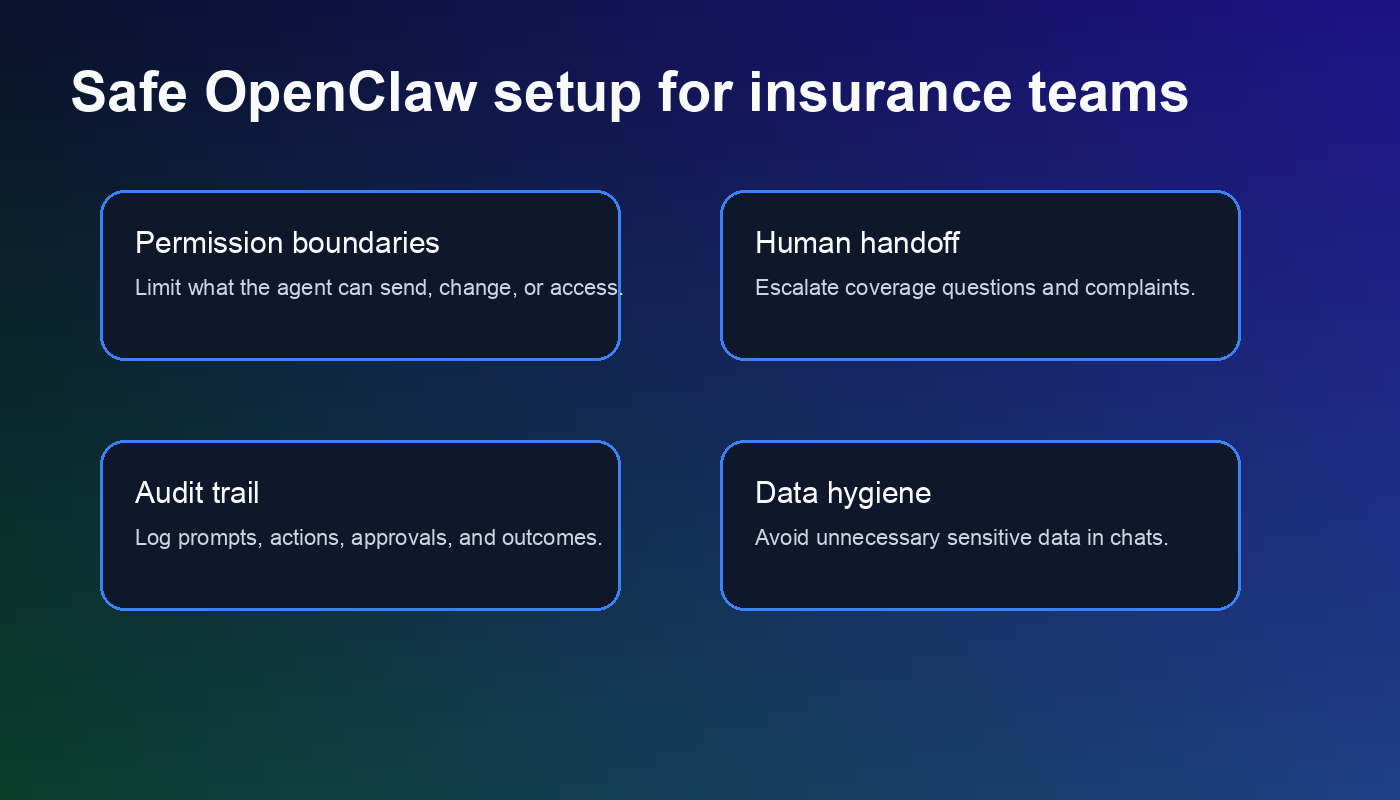
Insurance agencies handle personal data, financial details, health-adjacent context, business records, and claim information. Even when a workflow feels simple, the data inside it may be sensitive. That means the setup needs permission boundaries before anyone gets excited about automation.
Start with access control. OpenClaw should only see the channels, inboxes, documents, and systems required for the workflow. If it does not need full mailbox access, do not give it full mailbox access. If it only needs to create tasks, do not give it permission to modify customer records without review.
Next, define escalation rules. Coverage advice, cancellation requests, complaints, claims disputes, binding questions, and anything involving legal or regulatory language should route to a human. The agent can still use OpenClaw’s summary, but the final response should come from a licensed person.
Finally, keep logs. A practical audit trail should show what triggered the workflow, what OpenClaw drafted, who approved it, what was sent, and when. If something goes wrong, you need facts, not guesses.
How to set up OpenClaw for insurance agents safely
The cleanest setup starts with one workflow, not the whole agency. Pick a high-friction process that has clear inputs and a human checkpoint. Lead intake, renewal reminders, review requests, and appointment scheduling are usually better starting points than claims interpretation or policy advice.
Use this rollout sequence:
- Map the current workflow. Write down where the request starts, who handles it, what information is needed, and where it gets recorded.
- Choose the system of record. Decide whether the CRM, agency management system, inbox, or task board is the source of truth.
- Set allowed actions. OpenClaw might be allowed to draft, tag, summarize, and create tasks. It may need approval before sending messages or editing records.
- Write escalation triggers. Route sensitive questions to a human by default.
- Test with real examples. Use past emails and form submissions. Look for bad classifications, awkward wording, missing fields, and permission problems.
- Launch with review mode first. Let staff approve the drafts until the workflow proves itself.
This slower path is usually faster in the end. Agencies get into trouble when they launch broad automation before they understand the exception cases. OpenClaw is powerful, but insurance has too many edge cases for a loose setup.
What a strong insurance agency setup looks like
A strong OpenClaw setup feels almost invisible. Leads get routed faster. Renewal tasks appear on time. Staff get cleaner summaries. Customers receive acknowledgments without waiting a full day. Producers spend less time digging through inbox threads and more time talking to qualified people.
The system should also be easy to shut down or adjust. If a workflow starts creating bad tasks, sending the wrong tone, or confusing customers, the agency needs a simple way to pause it. Do not bury controls in a developer-only setup.
OpenClaw for insurance agents is not about replacing producers or service reps. It is about removing the drag around them. Start with the workflows that are repetitive, measurable, and safe to route through approval. Then expand only after the first workflow is boringly reliable.
Common mistakes to avoid with OpenClaw for insurance agents
The first mistake is giving OpenClaw too much authority too early. If the system can send messages, edit records, and trigger follow-ups before staff have reviewed the workflow, small errors can spread across the agency fast.
The second mistake is treating every request like a sales lead. Billing questions, claims frustration, certificate requests, and renewal objections need different routing. A simple classification step prevents a lot of awkward outreach.
The third mistake is skipping staff training. Producers and account managers need to know what OpenClaw is doing, where its notes live, and how to override it. Otherwise the automation becomes one more inbox to babysit, which defeats the whole point for everyone.
Need a safer insurance automation plan?
Get help setting up OpenClaw with intake rules, human review points, and practical agency workflows.
{
“@context”: “https://schema.org”,
“@type”: “Article”,
“headline”: “OpenClaw for Insurance Agents: Automate Intake, Renewals, and Follow-Up Safely”,
“author”: { “@type”: “Organization”, “name”: “OpenClaw Ready” },
“publisher”: { “@type”: “Organization”, “name”: “OpenClaw Ready”, “logo”: { “@type”: “ImageObject”, “url”: “https://openclawready.com/wp-content/uploads/2026/05/openclaw-insurance-agents-hero.png” } },
“datePublished”: “2026-05-04T10:15:00+00:00”,
“dateModified”: “2026-05-04T10:15:00+00:00”,
“mainEntityOfPage”: { “@type”: “WebPage”, “@id”: “https://openclawready.com/blog/openclaw-for-insurance-agents/” },
“url”: “https://openclawready.com/blog/openclaw-for-insurance-agents/”,
“description”: “OpenClaw for insurance agents can automate intake, renewals, and follow-up while keeping licensed humans in control.”,
“image”: “https://openclawready.com/wp-content/uploads/2026/05/openclaw-insurance-agents-hero.png”
}