Want this set up for your business?
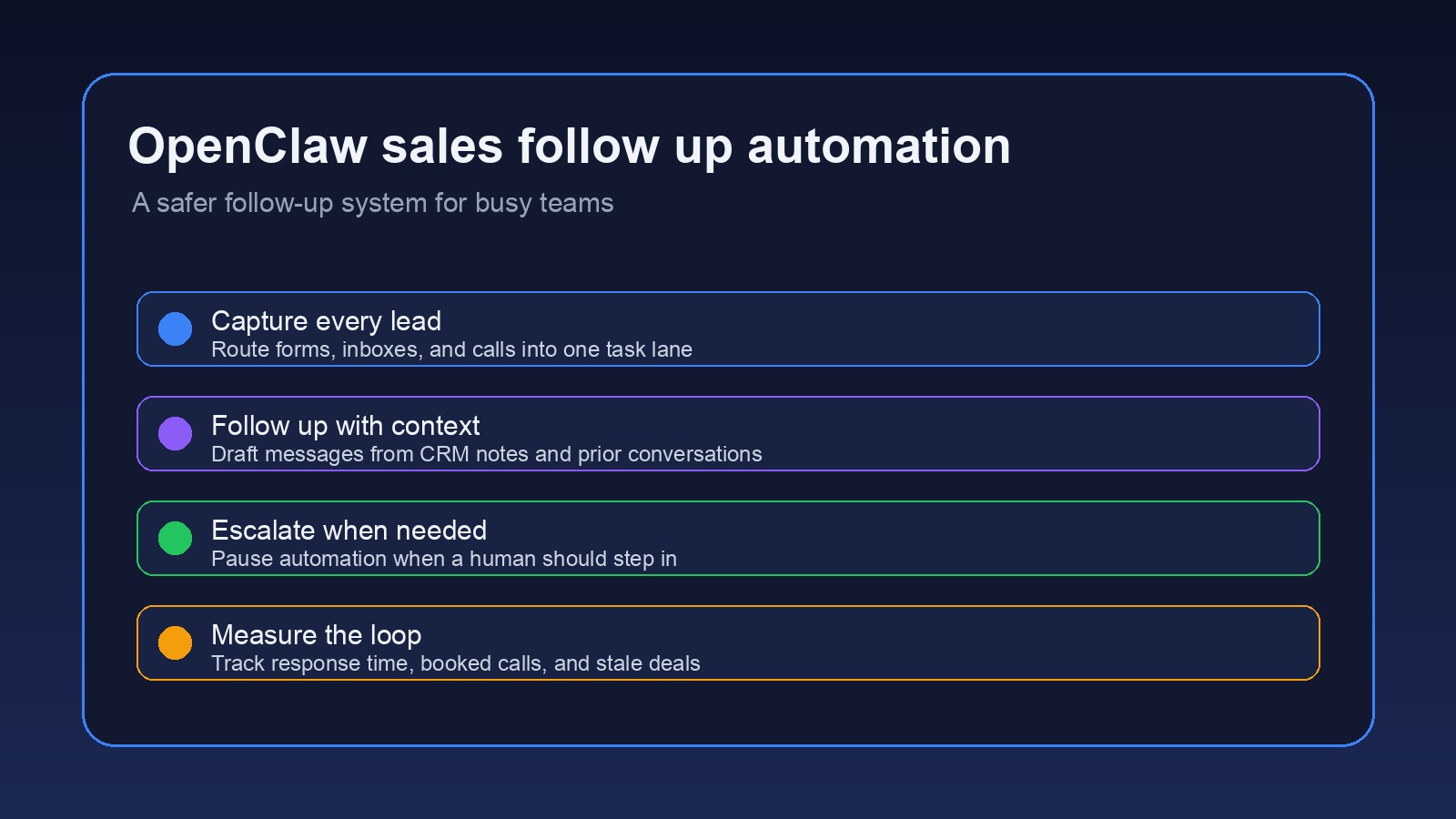
OpenClaw sales follow up automation is useful when your leads are real, your pipeline is messy, and your current follow-up system depends on memory. That is the normal problem. Most small teams do not lose deals because they hate sales. They lose deals because the next step gets buried in an inbox, a CRM note, a calendar event, or a half-finished Slack thread.
The fix is not to let an AI assistant blast every prospect with generic messages. That usually creates a different problem. The better approach is to use OpenClaw as the operating layer between your tools, your notes, and your judgment.
This guide walks through a practical setup for sales follow-up automation that feels useful instead of creepy. It is written for solopreneurs, agencies, consultants, and small sales teams that need consistency without giving up control.
Why openclaw sales follow up automation works best as a workflow, not a spam engine
The first mistake is treating follow-up automation like a sequence builder. A sequence builder sends message one, waits, sends message two, waits, then sends message three. That can work for simple outbound. But most real sales conversations are not that clean.
A prospect might fill out a form, reply from a different email address, book a call, miss the call, text you later, then ask a pricing question in a separate thread. If your system only knows how to send scheduled emails, it misses the point.
OpenClaw is better suited for the messy middle. It can watch the places where sales context appears, create tasks, draft replies, route conversations, and remind you when a lead is going stale. The goal is not full autopilot. The goal is a tighter loop.
A good follow-up workflow should answer five questions before anything gets sent:
- Who is this lead?
- What did they ask for?
- Where are they in the sales process?
- What was the last human touch?
- Should OpenClaw draft, remind, or pause?
Need a follow-up system that fits your actual sales process?
OpenClaw Ready can help you map the workflow, connect the tools, and keep human review where it belongs.
Start with the handoff points before writing messages
Most weak automations start with copy. Strong ones start with handoffs.
Map every place a sales lead can enter your world. Common sources include website forms, email, calendar bookings, paid ads, referrals, CRM imports, and chat widgets. Then decide what should happen within the first few minutes after each source fires.
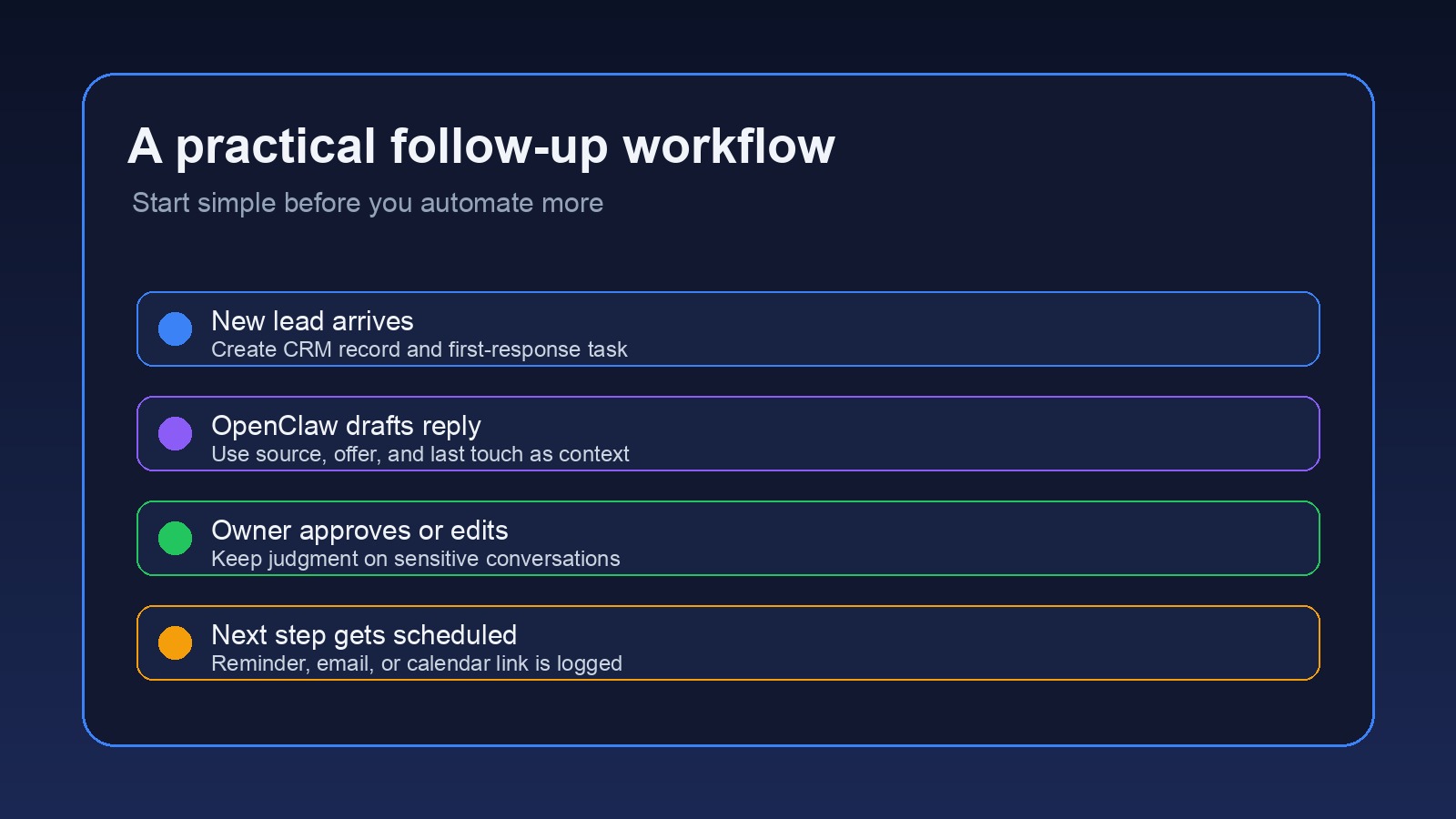
For a service business, the basic workflow might look like this:
- A new lead comes from the website form.
- OpenClaw creates or updates the CRM record.
- It checks whether the lead already exists.
- It drafts a short reply based on the form details.
- It creates a follow-up task if the reply needs human approval.
- It logs the action back to the CRM.
If you already use a CRM, read the OpenClaw CRM integration guide before you build the follow-up layer. CRM hygiene matters here. If stages are vague, owners are missing, or old deals never close, OpenClaw will inherit that confusion.
Where openclaw sales follow up automation should stay human
There is a line between helpful automation and weird automation. I would rather have a system that asks for approval too often than one that sends a tone-deaf reply to a serious prospect.
Keep human review in the workflow when the lead is high value, angry, confused, asking for terms, negotiating scope, or replying after a long silence. Those moments need context. OpenClaw can prepare the draft, summarize the thread, and surface the likely next step. A person should still make the call.
On the other hand, low-risk follow-ups can be automated more directly. Examples include confirming that a form was received, reminding a lead about an upcoming call, sending a post-call recap after approval, or nudging a prospect when a proposal has had no response.
The useful middle ground is draft-first automation. OpenClaw writes the follow-up, attaches the relevant context, then waits for approval in Discord, Slack, Telegram, or whatever channel your team actually checks. That keeps speed high without pretending every conversation is the same.
If your current issue is basic reliability, fix that before building a sales workflow. The OpenClaw not connecting guide is a better starting point when channels or tools are failing.
Build useful triggers instead of noisy ones
A trigger is only useful if it points to a real decision. “Lead opened email” is sometimes useful, but it is easy to overreact to. “Lead asked for implementation timeline” is a much stronger trigger.
Good sales follow-up triggers are tied to intent, time, or missing ownership. For example, OpenClaw can flag a lead when no owner is assigned, no reply has been sent after a form submission, a meeting happened but no recap was logged, or a proposal has been open for several days without a next step.
So start with a small trigger set:
- New inbound lead with no CRM owner
- Booked call with no prep summary
- Completed call with no recap task
- Proposal sent with no follow-up date
- Lead reply containing an objection or buying signal
That is enough for most teams. More triggers can wait until the first set is clean.
Want OpenClaw to draft follow-ups without taking over the relationship?
A clean setup can draft, route, log, and pause messages before automation gets awkward.
Write follow-up prompts with constraints, not vibes
Prompt quality matters, but not in the mystical way people talk about it. The prompt should tell OpenClaw what information to use, what to ignore, and when to stop.
A practical follow-up prompt might include the lead source, company name, offer requested, last message, CRM stage, assigned owner, and approved call to action. It should also include stop rules. Do not send if the lead opted out. Do not invent availability. Do not mention discounts unless the CRM record says one was approved. Do not claim a human reviewed the account unless that actually happened.
For email-heavy workflows, pair this setup with the guide on connecting OpenClaw to email. Email permissions, sender identity, and logging rules should be clear before you let any assistant near prospect communication.
Use safety checks before any sales message leaves the system
The safety layer is where most DIY setups are too thin. A sales assistant should not only ask, “What should I send?” It should ask, “Should I send anything at all?”
Useful checks include duplicate detection, unsubscribe detection, angry-reply detection, blocked-domain rules, CRM ownership checks, and channel matching. If the lead contacted you by email, do not randomly switch to SMS unless they gave permission. If the CRM says a deal is closed lost, do not keep sending nurture messages as if nothing happened.
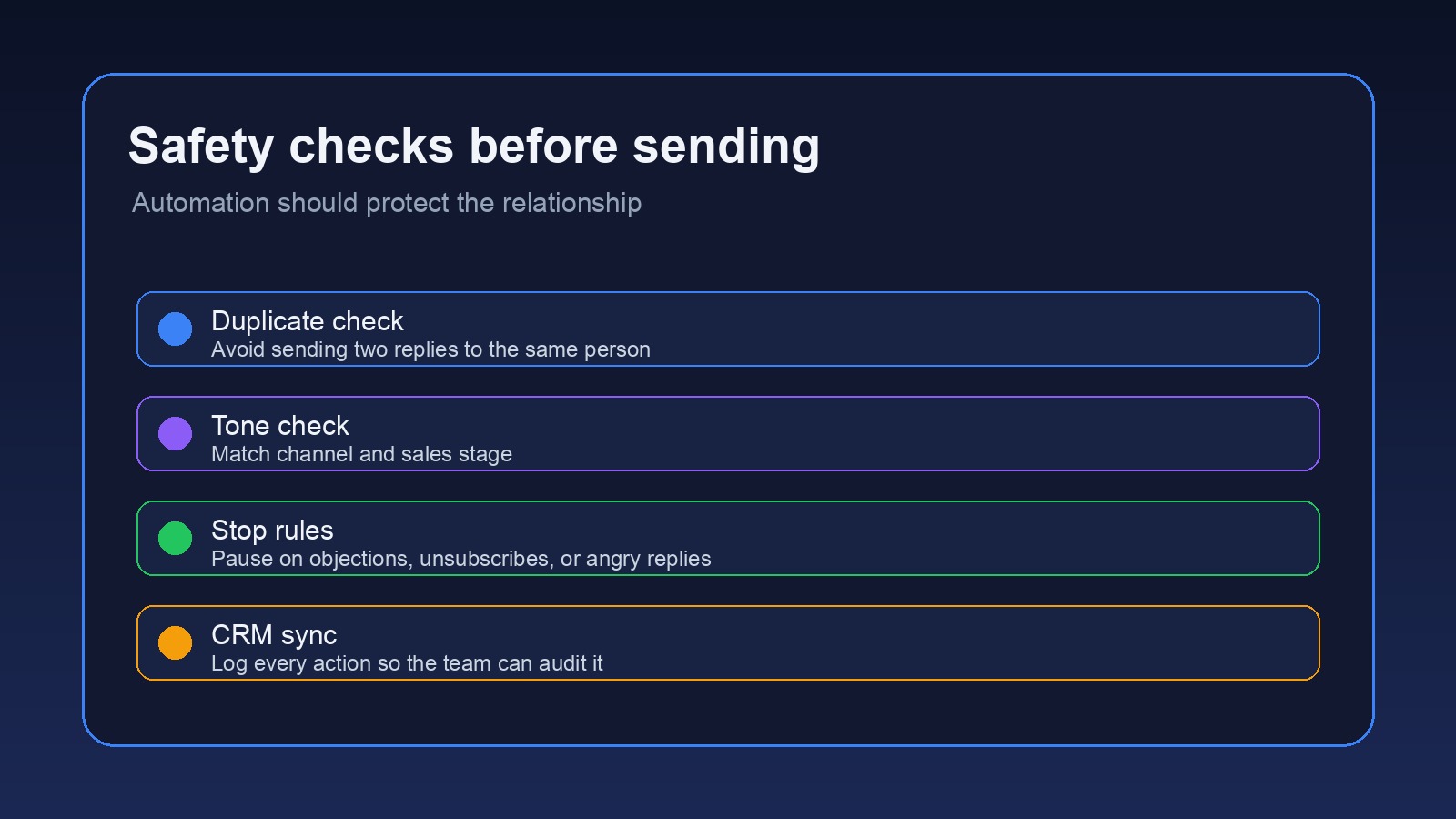
Also log every automated action. The log does not need to be fancy. It needs to answer what happened, when it happened, what source triggered it, and whether a human approved it. When a prospect asks why they received a message, you should be able to trace the answer in seconds.
One more practical detail: decide who owns the fallback path before launch. If OpenClaw cannot match a lead to a CRM record, if the calendar link is missing, or if the last message is unclear, the workflow should create a review task instead of guessing. That small rule prevents most embarrassing follow-up mistakes before they reach a prospect.
What to measure after the workflow goes live
Do not judge the system by how many messages it sends. That is the wrong scoreboard.
Measure response time, stale leads, booked calls, missed follow-ups, manual edits to drafts, and human override rate. If humans edit every draft, the prompt or CRM context is weak. If humans never override anything, you may not be reviewing enough. There is no perfect number here, which is annoying but true. The pattern matters more than the single metric.
Review the workflow after the first full sales cycle. Look for dropped handoffs, weird wording, missing context, and triggers that create noise. Then tighten the system. Small improvements compound fast when they touch every lead.
The simple version to build first
If you want a clean starting setup, build this:
- Capture every inbound lead in one CRM or spreadsheet.
- Have OpenClaw summarize the lead and source.
- Create a first-response draft for approval.
- Set a follow-up reminder if no reply comes back.
- Pause automation when objections, pricing questions, or negative replies appear.
- Log every action to the contact record.
That version will not impress automation nerds. Good. It will help a real business stop dropping leads without turning every prospect into a sequence target.
OpenClaw sales follow up automation works when it protects the relationship first. Use it to remember, prepare, route, draft, and log. Keep judgment in the loop for anything that affects trust.
If your follow-up process lives in your head, build the system first.
OpenClaw Ready can turn your sales process into a safer assistant workflow.
{
“@context”: “https://schema.org”,
“@type”: “Article”,
“headline”: “OpenClaw Sales Follow Up Automation: Keep Prospects Warm Without Robotic Outreach”,
“author”: {
“@type”: “Organization”,
“name”: “OpenClaw Ready”
},
“publisher”: {
“@type”: “Organization”,
“name”: “OpenClaw Ready”,
“logo”: {
“@type”: “ImageObject”,
“url”: “https://openclawready.com/wp-content/uploads/2026/04/cropped-openclawready-logo.png”
}
},
“datePublished”: “2026-05-02T10:16:00+00:00”,
“dateModified”: “2026-05-02T10:16:00+00:00”,
“mainEntityOfPage”: {
“@type”: “WebPage”,
“@id”: “https://openclawready.com/blog/openclaw-sales-follow-up-automation/”
},
“url”: “https://openclawready.com/blog/openclaw-sales-follow-up-automation/”,
“description”: “OpenClaw sales follow up automation helps teams reply faster, stay organized, and protect real conversations.”,
“image”: “https://openclawready.com/wp-content/uploads/2026/05/openclaw-sales-follow-up-hero.jpg”
}