Want this set up for your business?
Claude AI code review sounds useful on paper. It can scan pull requests, flag likely bugs, and give busy teams another set of eyes before merge. But if you expect it to replace human review, you will run into trouble fast.
The better question is not whether Claude can review code. It can. The real question is what kind of review you actually need, how much trust you should place in it, and where a setup starts to get fragile.
What Claude AI code review is actually good at
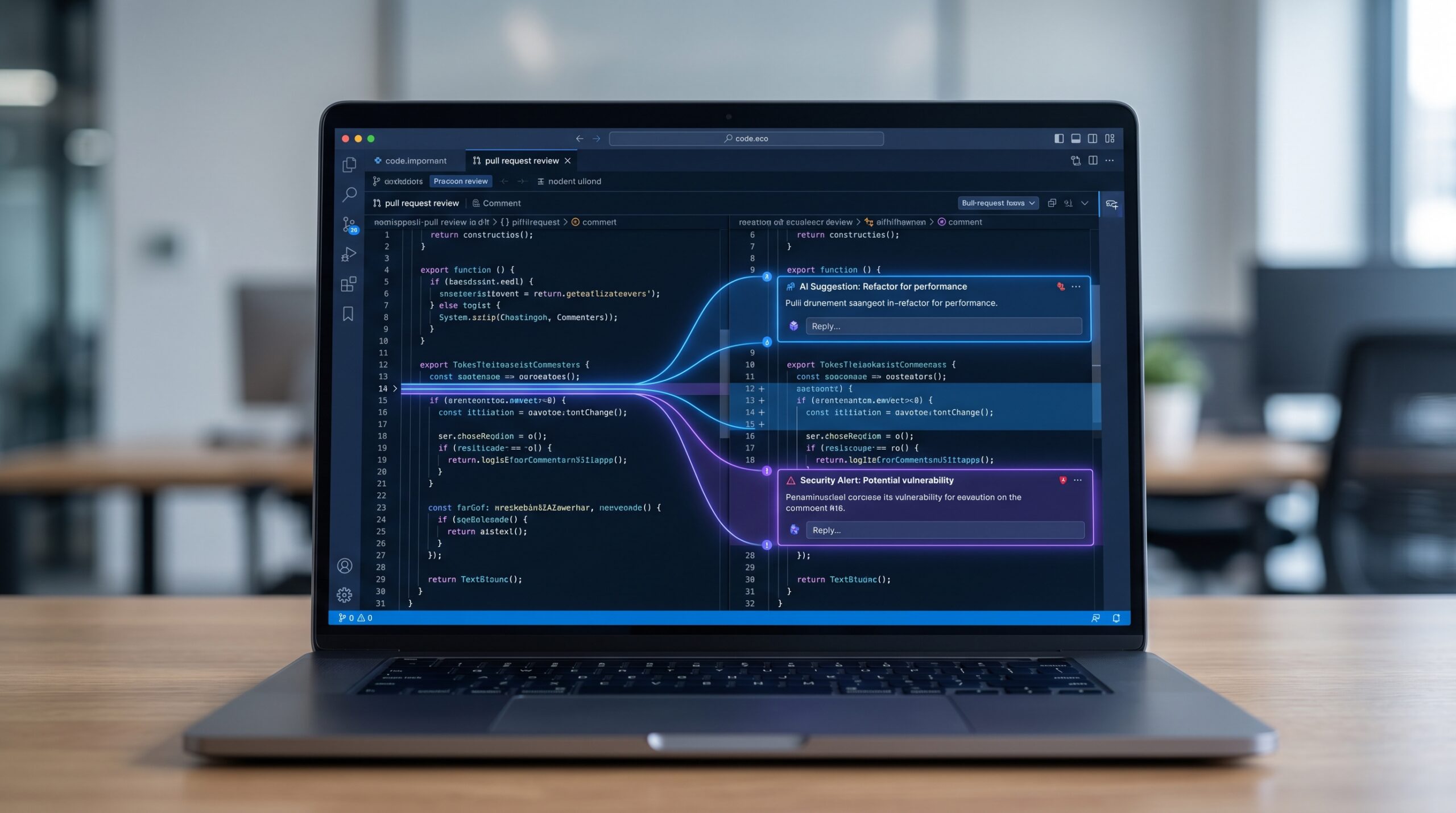
Claude AI code review works best as a second-pass reviewer that catches things humans skim past. Anthropic’s current Code Review system for Claude Code analyzes pull requests with multiple agents, checks findings, and ranks issues by severity. According to Anthropic, reviews average about 20 minutes and do not approve or block pull requests automatically.
That matters because the product is designed to support an existing workflow, not become the workflow. For teams with thin engineering bandwidth, that alone can be valuable.
Need Claude AI code review set up the right way?
If you want a clean workflow around prompts, repo rules, and review routing, OpenClaw Ready can help without turning your process into a mess.
In practice, Claude tends to help most in a few areas:
- Spotting logic mistakes hidden in small diffs
- Flagging edge cases that were not covered in the pull request description
- Calling out security or auth issues that deserve a closer look
- Reviewing large pull requests that a teammate would otherwise skim

Anthropic says 84% of internal pull requests with more than 1,000 changed lines generated findings, while small pull requests under 50 lines generated far fewer. That tracks with common sense. Larger changes give an AI reviewer more surface area and more ways to notice broken assumptions.
Claude AI code review still misses the parts humans care about most
This is where people oversell it. Claude can reason about code, but code review is not just bug hunting. Strong review also checks whether the change fits product intent, team conventions, maintenance costs, and long-term architecture. AI usually has less context on those points unless you hand it very explicit rules.
Even Anthropic positions the tool as non-blocking and keeps final approval with humans. That is the right design choice. A review system that comments confidently is not the same thing as a reviewer who understands business impact.
For example, Claude might flag a possible regression in a session handler. Useful. But it may not know that the whole feature is headed for deprecation next sprint, or that the team accepted a short-term tradeoff to ship an urgent fix. Those judgment calls still belong to people.
How to evaluate Claude AI code review before you trust it
If you are testing Claude AI code review, use criteria that match real engineering work instead of shiny demo outputs. I would look at five things:
- Signal quality – how many comments are genuinely useful
- False positive rate – how often the tool sounds right but is wrong
- Coverage by PR size – whether it helps more on large changes than tiny ones
- Workflow fit – whether developers actually read and act on the findings
- Review latency – whether waiting for the tool slows merges too much
Anthropic reports that fewer than 1% of findings were marked incorrect during internal use. That is promising, but it is still vendor-reported data. I would treat it as a starting point, not a universal benchmark. Your codebase, naming patterns, test quality, and repo hygiene will change the outcome.
A better rollout looks like this: run Claude on the same pull requests your team already reviews, compare what it catches, log accepted versus dismissed comments, and only then decide where it belongs. That is slower up front. But it keeps you from blindly trusting a system because the first few reviews looked smart.
Want a practical Claude review workflow, not just another tool install?
OpenClaw Ready can help you define repo instructions, review triggers, and human handoff rules so Claude adds signal instead of noise.
Common mistakes teams make with Claude AI code review
The first mistake is assuming AI review means you can merge with less human attention. That is backwards. AI review is most helpful when it sharpens human attention, not when it replaces it.
The second mistake is skipping repository guidance. Anthropic lets teams tune review behavior with files like CLAUDE.md or REVIEW.md. If you do not define what matters in your codebase, Claude has to guess. And when a model guesses inside a production review process, noise climbs fast.
The third mistake is feeding it giant, messy pull requests and then blaming the tool when the output is messy too. AI review works better when changes are scoped well. So does human review. Nothing magical changes there.
The fourth mistake is treating every comment as equal. A tool that ranks severity is useful, but teams still need a policy for what counts as must-fix, what counts as discussion, and what gets ignored. Without that, review comments pile up and trust drops.
When manual review is still non-negotiable
Some review tasks should stay human-led even if Claude is in the loop:
- Changes tied to regulatory, privacy, or contractual risk
- Security-sensitive auth, billing, and permission logic
- Architecture changes that affect future maintainability
- Product decisions where correctness depends on business context
- Incidents and hotfixes where speed and accountability both matter
You can still use Claude here. But use it as an assistant, not the decision-maker. That line matters more than people think.
If your team already uses Claude for broader workflow automation, this distinction gets even more important. The same model can draft code, explain diffs, and review pull requests. Convenient, yes. But a closed loop where the model writes and reviews its own work needs tighter controls, not looser ones.
Where Claude AI code review fits in a real workflow
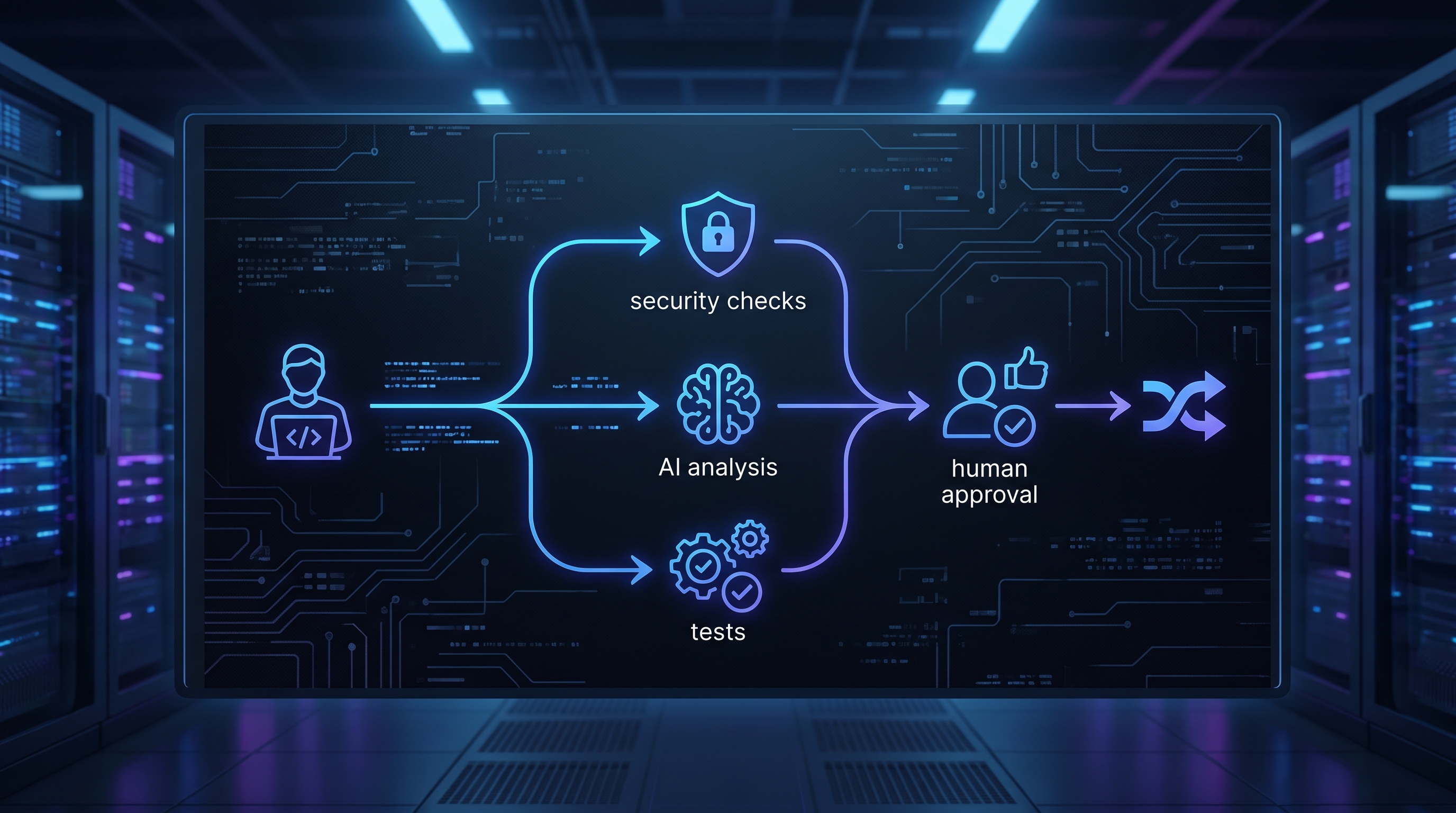
The strongest setup is usually layered. Static analysis catches lint and predictable patterns. Tests cover expected behavior. Claude reviews the pull request for logic gaps and subtle regressions. Then a human reviewer decides whether the change should ship.
That layered approach is much safer than asking one tool to do everything. It is also easier to maintain. If Claude produces noise on one repository, you can tune the prompts, tighten the review scope, or change when it runs. You are not rebuilding your whole engineering process around a single vendor feature.
Teams already using AI for support, ops, or internal tooling may see the biggest upside here because they are used to building guardrails. If that is your situation, these guides on Claude AI for customer support automation and Claude AI API cost optimization are worth reading next. They cover the same basic lesson: the model is rarely the hard part. The workflow is.
How to keep Claude AI code review from getting noisy
A lot of disappointment with AI review has less to do with the model and more to do with bad process design. Teams turn it on, let it comment on every repository, and never define what a useful finding looks like. A month later everyone mutes the bot.
You can avoid that by narrowing the scope early. Start with a few repositories that already have decent test coverage and readable pull requests. Set expectations for what Claude should focus on, such as risky logic changes, auth flows, validation gaps, and edge cases in state handling. Leave style nits and formatting to existing tools.
It also helps to review accepted findings once a week. If the same false positive keeps appearing, update the repo instructions. If useful comments cluster around certain file types or services, that tells you where the tool is pulling its weight. This kind of cleanup sounds boring. It is. But it is what turns an AI reviewer from novelty into infrastructure.
What a sensible rollout looks like for small teams
Small teams usually do not need the most advanced setup on day one. They need a review layer that adds signal without slowing shipping to a crawl. In most cases, that means starting with one branch policy, one review path, and one clear owner for tuning the system.
A simple rollout might look like this: enable Claude AI code review on pull requests above a certain size, require human approval for production-facing changes, and document how developers should respond to false positives. If a comment is useful, fix the code or explain why the tradeoff is intentional. If the comment is wrong, mark it and move on. The goal is not to create perfect automation. The goal is to make the review queue less fragile.
If you are also thinking about broader agent workflows, it helps to compare this review use case with where OpenClaw fits in production systems. Articles like OpenClaw for developers and OpenClaw vs ChatGPT for business automation help frame the bigger decision. Code review is one slice of the stack. Orchestration and guardrails are the bigger job.
Should you use Claude AI code review?
Yes, if you treat it like a serious review assistant and not a magic replacement for engineering judgment. Claude AI code review can add real value on larger pull requests, overloaded teams, and codebases where review quality is inconsistent. But it is still a tool with blind spots, especially around intent, tradeoffs, and business context.
So the smart move is simple. Test it on real pull requests. Track what it catches. Keep humans in the approval path. And write down the repo-specific instructions that make its feedback more useful.
Need Claude AI code review deployed with real guardrails?
OpenClaw Ready can help you set up review rules, internal routing, and safe automation so the system actually holds up in production.
{
“@context”: “https://schema.org”,
“@type”: “Article”,
“headline”: “Claude AI Code Review: What Developers Actually Get From It in 2026”,
“author”: {“@type”: “Organization”, “name”: “OpenClaw Ready”},
“publisher”: {“@type”: “Organization”, “name”: “OpenClaw Ready”, “logo”: {“@type”: “ImageObject”, “url”: “https://openclawready.com/wp-content/uploads/2026/02/openclaw-ready-logo.png”}},
“datePublished”: “2026-04-23T10:21:10+00:00”,
“dateModified”: “2026-04-23T10:21:10+00:00”,
“mainEntityOfPage”: {“@type”: “WebPage”, “@id”: “https://openclawready.com/blog/claude-ai-code-review/”},
“url”: “https://openclawready.com/blog/claude-ai-code-review/”,
“description”: “Claude AI code review can catch real issues, but it still needs human oversight. Here is how to evaluate it, where it helps, and where it falls short.”
}