Want this set up for your business?
claude agent for proactive customer churn analysis sounds advanced, but the job is pretty simple. You want a system that notices risk before an account quietly slips toward cancellation. In practice that usually means watching for changes in product usage, support activity, renewal timing, payment issues, and customer sentiment, then surfacing the right accounts for a human to review before outreach happens.
That matters because churn rarely appears out of nowhere. Northbeam describes churn analysis as the process of studying why customers leave, when it happens, and which patterns predict it. Momentum makes the same point from an operations angle: teams usually get warning signs first, including declining usage, lower satisfaction, and spikes in support tickets. A Claude-based agent can help organize those signals fast. But it should not be the system that makes final account decisions on its own.
What a claude agent for proactive customer churn analysis should actually do
A useful claude agent for proactive customer churn analysis does not replace your customer success team. It acts more like an analyst that never gets tired. It can pull structured data from your CRM, product analytics stack, support desk, and survey tools, then turn that mess into a ranked review queue.
For a small SaaS team, that often means summarizing accounts where weekly active use drops, renewal dates are getting close, or recent support conversations point to unresolved friction. For a larger team, it may mean creating account-level digests for CSMs, tagging likely root causes, and routing the highest-risk accounts to Slack or Discord for same-day review.
Need help turning churn signals into a usable OpenClaw workflow?
If you want this built properly, a good setup usually includes data-source connections, alert routing, review gates, dashboard views, and QA so the team trusts what lands in the queue.
The best version of this workflow is narrow. It answers questions like:
- Which accounts have changed behavior in the last 14 or 30 days?
- Which high-value accounts show multiple warning signals at the same time?
- Which accounts need a human follow-up before the next renewal checkpoint?
That narrower scope is what keeps the system useful. If you try to make one agent do forecasting, outreach, sentiment analysis, account planning, and executive reporting all at once, the outputs usually get noisy.
Core churn signals the agent should watch
Most churn workflows start with a health model. Not because health scores are magical, but because teams need one place to combine weak signals that do not mean much on their own. Our research across churn analysis sources shows the same categories coming up again and again.
Product usage decline
Momentum points to reduced product usage as one of the clearest early warnings. That can mean fewer logins, lower seat activity, or a drop in use of the feature that originally drove the purchase. In a proactive workflow, the agent should compare recent activity to each account’s own baseline instead of using a one-size-fits-all threshold.
That nuance matters. A seasonal business may have a normal usage dip. A team with one power user may look healthy in total event volume while the rest of the account has gone cold. So the agent should summarize what changed, not just assign a scary label.
Support friction and unresolved issues
Support activity is tricky. A high number of tickets does not always mean churn risk. CustomerGauge makes the point that engaged accounts still contact support, and that raw ticket count alone is not enough. But a sudden uptick in complaints, repeated bug references, or long resolution times can be meaningful when paired with lower usage or poor survey feedback.
This is where an LLM agent can help. It can cluster ticket themes, detect repeated mentions of the same blocker, and give the CSM a short plain-English summary instead of a pile of transcripts. That is a much better use of AI than letting it draft desperate save emails with no review.
Sentiment and survey signals
Northbeam and CustomerGauge both point to NPS and related feedback as useful churn indicators. Detractor responses, negative renewal comments, and survey language about missing value all deserve attention. But survey data is sparse in many businesses. Sometimes you just do not get enough responses to rely on it heavily.
So a claude agent for proactive customer churn analysis should treat sentiment as one input, not the whole model. If NPS is down and usage is down, that is meaningful. If one unhappy comment appears while the account is expanding, the right move may be to investigate, not escalate.
Renewal and payment triggers
Voluntary churn and involuntary churn are different problems. Northbeam separates deliberate cancellations from things like failed payments or expired cards, and that distinction matters operationally. An agent should know the difference too.
For example, accounts with payment failures may need a billing workflow, not a customer success save plan. Accounts within 30 or 45 days of renewal may need a cleaner executive summary, proof of adoption, and a human-led check-in. Different triggers should create different queues.
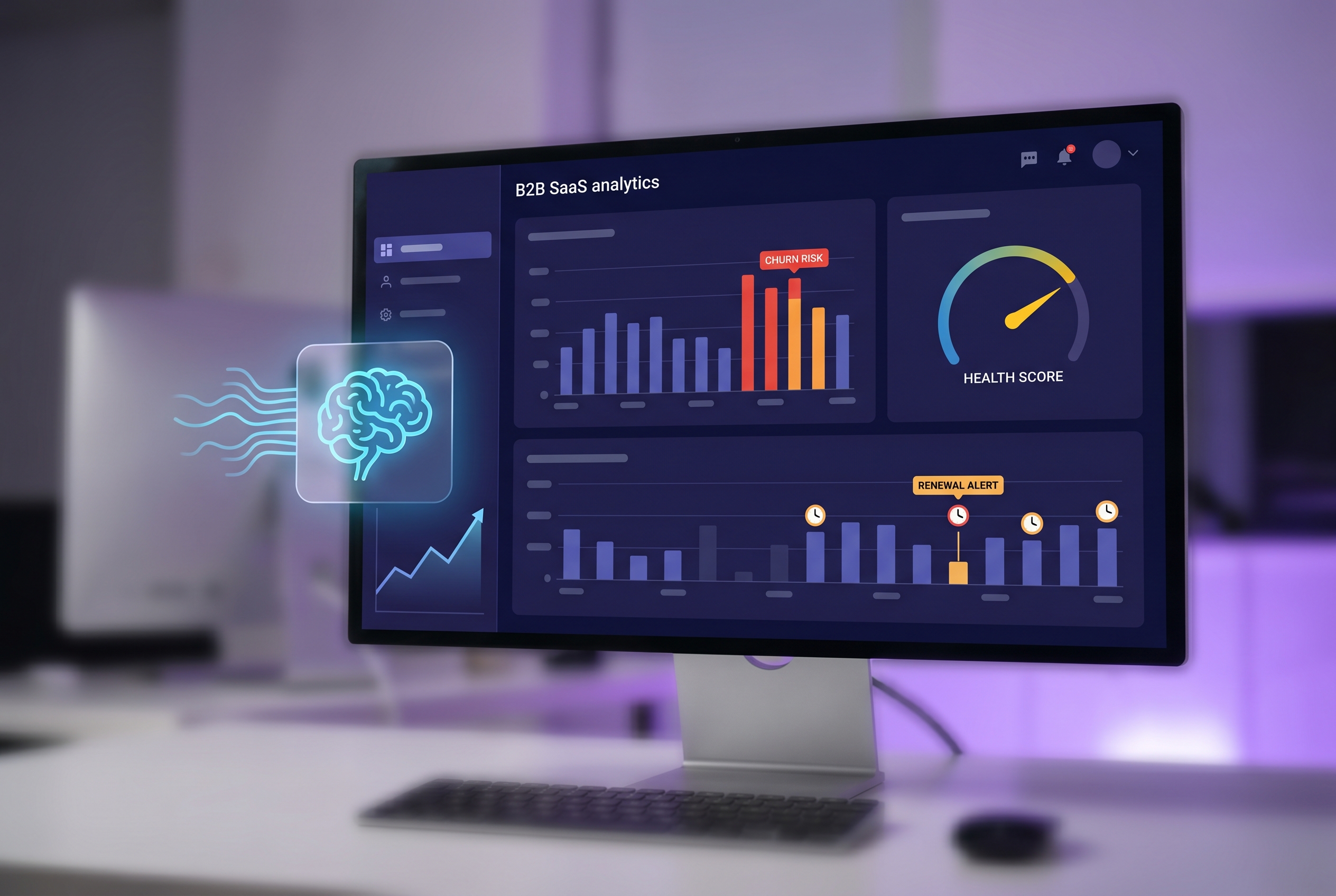
How to build the workflow without letting the agent make bad calls
There is a clean way to use Claude here. The model reads account context, summarizes likely issues, and proposes next actions with confidence notes. Then a human approves what happens next.
A solid setup usually looks like this:
- Data ingestion from CRM, product analytics, help desk, billing, and survey tools
- Rule-based thresholds to flag accounts for review
- Claude prompt that summarizes the account state and likely risk factors
- Routing to a review channel with a required human decision
- Logged actions so the team can see what happened after each alert
A simple starting checklist is enough for most teams: pull product usage weekly, flag open support issues older than your target SLA, watch renewal dates inside the next 45 days, and surface detractor feedback or failed payments in the same alert. That gives the reviewer something concrete to work from instead of a vague risk score.
Need a cleaner review queue before renewal risk gets missed?
Setup help can include account scoring rules, routing, dashboard views, and approval steps so alerts are useful instead of noisy.
If you are already using Claude AI for customer support automation, this retention workflow should stay separate from live support replies. It needs slower judgment and cleaner escalation paths. And if your team is still evaluating architecture choices, the tradeoffs in OpenClaw vs Zapier help frame when an agentic setup makes sense versus a simpler automation stack.
One more thing: do not let the prompt be the only logic layer. Keep core business rules outside the model. Renewal windows, ARR tiers, account ownership, and escalation policies should be deterministic. Claude should interpret context, not invent policy.
Common mistakes that make churn agents noisy or unsafe
The most common failure is overreacting to a single signal. A drop in weekly active users might reflect a holiday period, an implementation phase, or a team restructure. If your agent treats every dip like a rescue event, the customer success team will stop trusting it.
The second mistake is stuffing too much unstructured text into one summary prompt. Long prompts with ticket logs, CRM notes, call transcripts, and product events often produce vague writeups. Better results usually come from pre-processing first: extract structured facts, summarize each source separately, then ask Claude for a final account brief.
The third mistake is automating outreach too early. I would be careful here. Churn-risk messaging can make a healthy account feel watched, and a poorly timed email can expose internal scoring logic you never meant to share. Keep the agent on the analysis side until the review process is stable.
A related mistake is ignoring feedback loops. If CSMs mark alerts as false positives, that label should go back into the system. If a flagged account renews without intervention, that matters too. Otherwise the workflow never gets sharper.
What success looks like for a claude agent for proactive customer churn analysis
Success is not a flashy dashboard. It is a smaller set of higher-quality alerts that help your team act sooner. In practical terms, that means fewer surprise cancellations, better prep before renewals, and faster understanding of why a risky account landed in the queue.
You should also expect the workflow to improve in stages. First, it will surface obvious risk. Later, it may get better at classifying root causes such as onboarding failure, support friction, missing features, or weak stakeholder adoption. But even then, the system should stay humble. Prediction is useful. Certainty is not.
If you want more background on how Claude fits into operational workflows, Claude AI for data analysis is a useful companion read because the same issue shows up there too: the model helps most when the data pipeline and review path are clean.
Want this running without building a fragile retention stack?
A done-right setup can connect product data, support logs, billing alerts, and renewal timing into one review flow that your team can trust.
One practical metric to track after launch is review efficiency. How many flagged accounts were genuinely at risk, and how many were just noisy alerts? If that number stays ugly, the problem is usually not Claude. It is weak input data, loose thresholds, or missing account context.
A claude agent for proactive customer churn analysis can absolutely save time and help teams catch risk earlier. But the win does not come from handing retention strategy to a model. It comes from combining real signals, sane thresholds, and human review in one workflow that your team will actually trust.
{“@context”: “https://schema.org”, “@type”: “Article”, “headline”: “Claude Agent for Proactive Customer Churn Analysis: How to Spot Risk Before Renewal”, “author”: {“@type”: “Organization”, “name”: “OpenClaw Ready”}, “publisher”: {“@type”: “Organization”, “name”: “OpenClaw Ready”, “logo”: {“@type”: “ImageObject”, “url”: “https://openclawready.com/wp-content/uploads/2026/02/openclaw-ready-logo.png”}}, “datePublished”: “2026-04-25T10:15:00+00:00”, “dateModified”: “2026-04-25T10:15:00+00:00”, “mainEntityOfPage”: {“@type”: “WebPage”, “@id”: “https://openclawready.com/blog/claude-agent-for-proactive-customer-churn-analysis/”}, “url”: “https://openclawready.com/blog/claude-agent-for-proactive-customer-churn-analysis/”, “description”: “Claude agent for proactive customer churn analysis: a practical guide to churn signals, safe workflows, and retention ops that do not break trust.”, “image”: “https://openclawready.com/wp-content/uploads/2026/04/ocr-featured.jpg”}