
Want this set up for your business?
If you’re a one-person business, the real problem usually is not ideas. It’s drag. Inbox cleanup, client follow-up, scheduling, proposal prep, note wrangling, and the weird little tasks that eat the middle of the day. OpenClaw for solopreneurs makes sense when you want those jobs handled without duct-taping five tools together or hiring before the business is ready.
That said, this is where a lot of solo founders get burned. OpenClaw is powerful, but power and easy setup are not the same thing. The system can absolutely save time. It can also turn into a fragile mess if you rush the config, skip channel routing, or let automations touch customer communication before the guardrails are in place.
Why openclaw for solopreneurs is getting attention
Small business owners are still carrying too much operational weight themselves. In the U.S. Chamber of Commerce Small Business Index for Q4 2025, 37% of small businesses said they were spending more time on compliance. That stat is broader than solo businesses, but it still points to a familiar reality. In a one-person company, there usually is no operations team to absorb the extra load. It lands on the founder.
For workload pressure, a productivity survey covered by Forbes found entrepreneurs spend 36% of the work week on small administrative tasks like invoicing, data entry, and coordination. Whether your number is exactly that high or not, the larger point is hard to miss. Founders lose momentum when the day gets chopped into shallow admin work.
Need the setup without the trial and error?
If you want OpenClaw handling the busywork but do not want to spend nights debugging configs, you can get help setting it up cleanly with workflow design, guardrails, and handoff documentation.
For a solopreneur, the best use of OpenClaw is not “automate everything.” It’s building a small stack of dependable workflows that remove repeat work while keeping final judgment in your hands.
What openclaw for solopreneurs does well
OpenClaw is strongest when the work repeats, follows a pattern, and benefits from context. That last part matters. Basic automations can move data around. OpenClaw can keep working memory, read instructions from your workspace, and coordinate across channels and tools.
For solo founders, that opens up practical use cases:
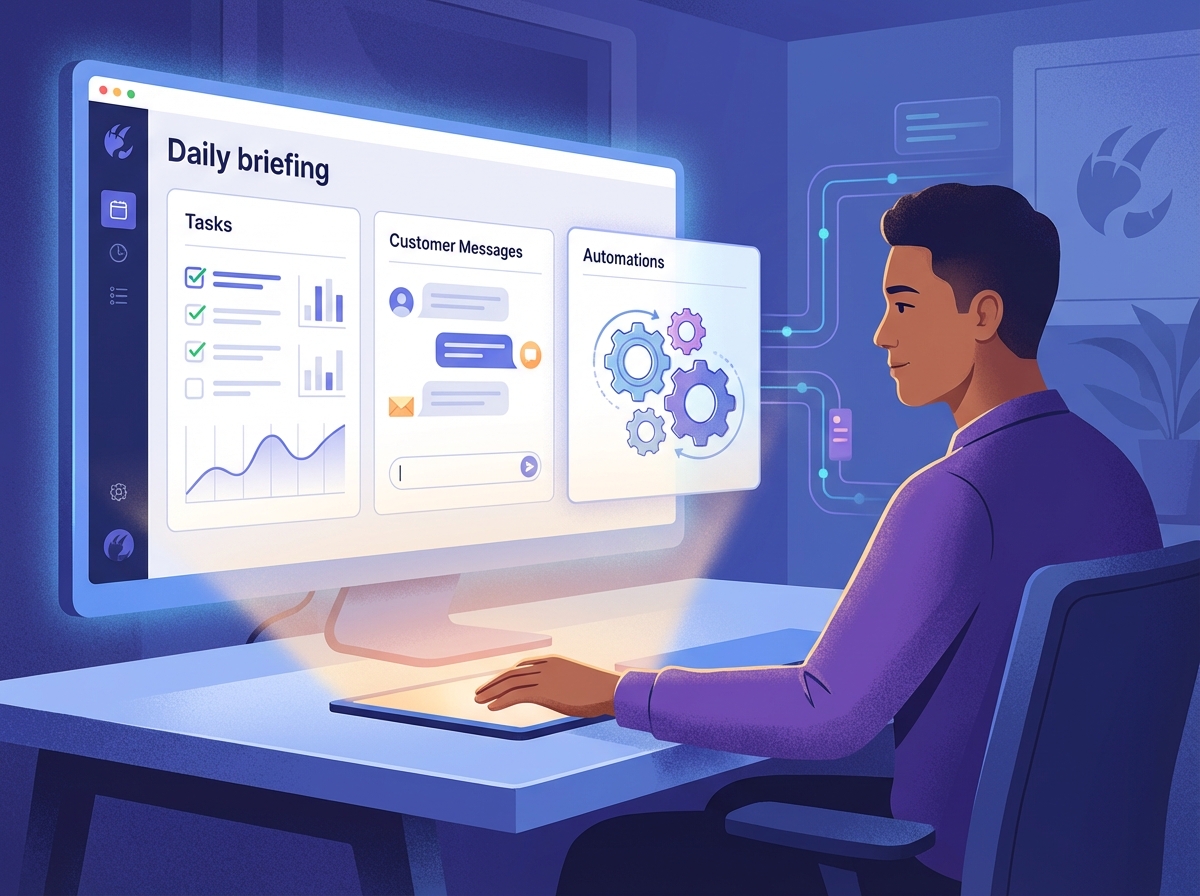
- Morning briefings that summarize inbox, calendar, priorities, and urgent follow-ups
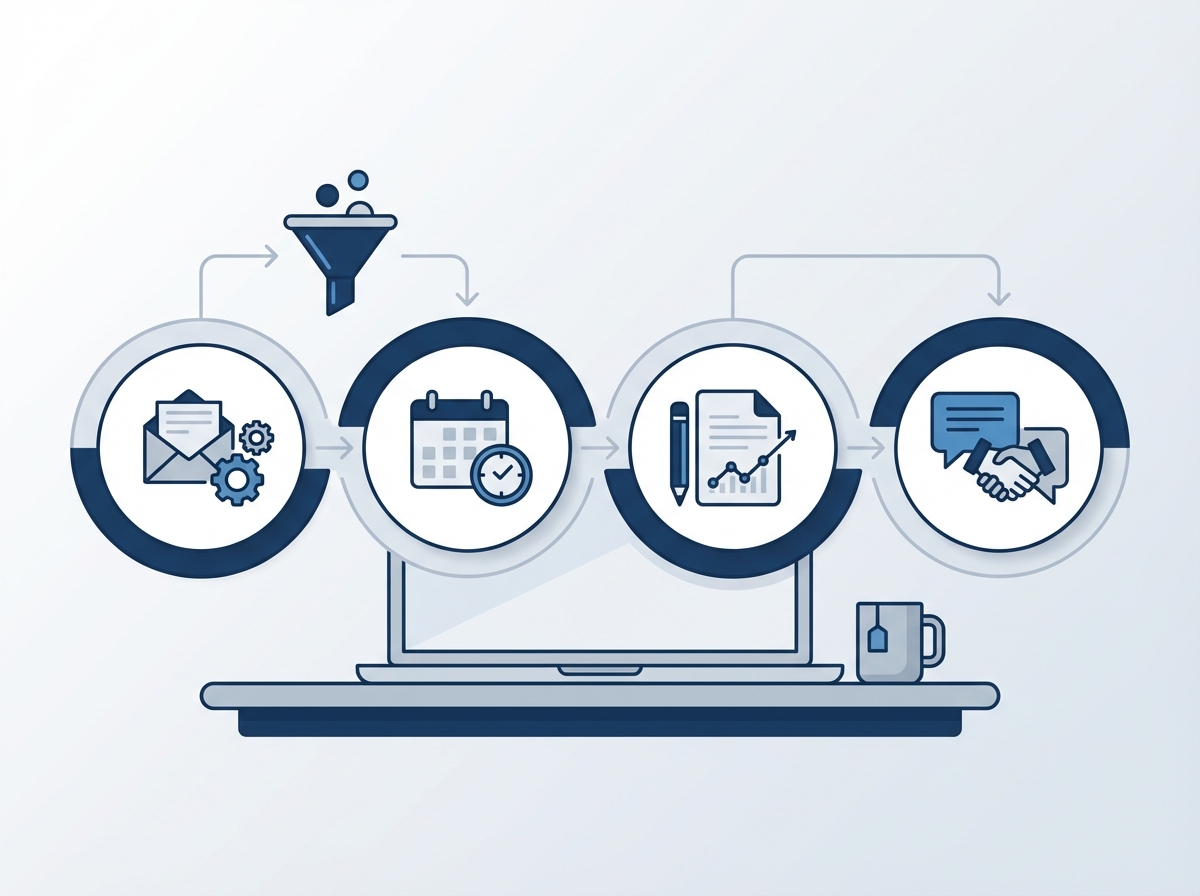
- Lead intake sorting so inquiries do not sit untouched for hours
- Client onboarding prep using templates, reminders, and handoff checklists
- Content support for research, draft prep, repurposing, and publishing workflows
- Admin cleanup around reminders, note organization, recurring status checks, and alerts
Those workflows matter because they protect attention. Most solopreneurs do not fail because they lack tools. They fail because context-switching wrecks the day. If you stop six times to answer routine messages, confirm a call time, hunt for last week’s notes, and rewrite the same proposal intro, the cost is not just minutes. It is lost momentum.
If your business already leans on email and scheduling, start there. That’s why guides like managing calendar and inbox with OpenClaw and automating client onboarding with OpenClaw matter more than flashy demos. They hit real bottlenecks.
Where openclaw for solopreneurs usually gets messy
The setup issues are predictable. OpenClaw gives you a lot of control, and solopreneurs often try to use all of it on day one.
1. Too many channels too early
It is tempting to connect Telegram, Discord, email, browser actions, crons, and memory all at once. But every extra surface adds failure points. If one route behaves strangely, debugging gets harder because you no longer know whether the issue is the gateway, the plugin, the permissions, or the workflow itself.
2. Weak operating rules
OpenClaw relies heavily on instruction files like AGENTS.md, memory files, and workflow prompts. If those rules are vague, the agent gets vague. If they conflict, behavior gets inconsistent. This is one reason polished setups outperform copy-pasted community examples.
3. Unsafe outbound automation
Letting an agent send customer-facing messages without review is risky, especially in a solo business where reputation damage hits hard. A better pattern is draft-first automation: prepare the response, route it to you, then send after approval.
4. No performance guardrails
When a workflow slows down, the issue is often not the model itself. It can be long prompts, bloated instructions, bad channel design, or background tasks stepping on each other. If you have already seen slow response issues in OpenClaw, you know how fast a useful assistant can start feeling heavy.
Another common mistake is trying to make the system sound perfect before it is useful. Solopreneurs will spend an entire weekend tuning voice, formatting, and edge-case behavior while the actual business bottleneck stays untouched. That is backwards. First get the workflow to save time. Polish comes second.
And here is the nuance a lot of people miss: a solopreneur does not need the most advanced setup. You need the most reliable one. Those are different goals.
Want a lean setup that actually holds up?
The goal is not more automation for its own sake. It is fewer moving parts, cleaner workflows, and less founder overhead. That is exactly what a good OpenClaw setup for solo business owners should deliver.
How to set up openclaw for solopreneurs without building a fragile system
The simplest approach is still the best one.
Start with one core lane
Pick the part of the business that repeats every day and pulls you away from sales or delivery. For most solopreneurs, that is either inbox management, follow-up, or intake. Build one lane first and make it boringly dependable.
Install cleanly and keep the environment simple
If the base install is messy, the rest of the stack inherits that mess. Use a clean install path and documented config structure. If you need a refresher, the step-by-step OpenClaw install guide is the right starting point before layering on more automation.
Use memory on purpose
Memory should store stable instructions, client preferences, and useful operating context. It should not become a dumping ground for every thought. When memory gets noisy, retrieval quality drops and the agent starts missing what matters.
Keep approval loops where trust matters
For follow-up emails, proposals, and anything customer-facing, use OpenClaw to draft and organize first. Let it send only after you trust the workflow. You can relax that later if the process proves stable.
Review logs before adding complexity
If the first workflow is not stable, adding more tools will not fix it. It just hides the problem under extra layers.
A good test is simple: if the workflow breaks on a random Tuesday, can you tell what failed in under ten minutes? If the answer is no, the system is too complicated for a one-person business. That standard sounds strict, but it saves a lot of pain later.
For search intent, this is also where AI automation for solopreneurs splits into two camps. One camp wants novelty. The other wants dependable process support. The second group usually gets more value because the workflows attach directly to daily operations instead of abstract experimentation.
Best-fit use cases for solo founders
Not every business needs the same setup. But these are the strongest fits for most one-person operators:
- Consultants and service providers: intake, calendar prep, meeting summaries, proposal drafts, and follow-up reminders
- Creators and educators: research queues, content repurposing, publishing support, comment triage, and sponsor workflow support
- Agency owners without a big team: client updates, internal task routing, reporting prep, and recurring QA checks
- Ecommerce operators: support triage, simple order-status workflows, inventory alerts, and customer-message drafting
The pattern across all four is the same. OpenClaw works best when the founder already knows the operating rhythm of the business. The agent is not there to invent the business model. It is there to reduce the friction inside one that already works.
If you are trying to replace your judgment, OpenClaw is the wrong tool. If you want a system that handles repetitive coordination so you can stay on sales, delivery, and decision-making, it is a strong fit.
When hiring setup help makes more sense than DIY
DIY is fine when you enjoy tinkering and the cost of mistakes is low. But if your calendar is already full and the business depends on reliable communication, the tradeoff changes fast.
Setup help usually makes sense when:
- You know the workflow you want but do not want to learn the full stack
- You have already tried to configure it and hit reliability issues
- You need the system to touch client communication, scheduling, or lead flow
- You want a setup that is documented and maintainable, not a weekend experiment
There is also an opportunity-cost argument here. If your best hour is worth far more when spent selling, serving clients, or building partnerships, burning that hour on troubleshooting is not automatically the smart move. Founders miss this because DIY feels cheaper in the moment. Sometimes it is. Sometimes it is just hidden labor.
That does not mean every solopreneur should outsource on day one. But plenty of founders underestimate how much time debugging costs, especially when the payoff is supposed to be more time in the first place.
If you want OpenClaw working this week, not someday
A done-right setup can give you a daily briefing, cleaner follow-up, and less admin noise without turning your business into an experiment. That is the practical case for an OpenClaw consultant or setup service.
Final take on openclaw for solopreneurs
OpenClaw for solopreneurs is most useful when it removes founder drag, not when it becomes a second business to manage. Start with one narrow workflow. Keep the rules clear. Put approval gates around anything sensitive. Then expand only after the first lane holds up under real use.
That approach is less exciting than the fully autonomous fantasy. But it is the one that usually works.
Sources: U.S. Chamber of Commerce Small Business Index Q4 2025, https://www.uschamber.com/sbindex/key-findings; Forbes coverage of entrepreneur productivity research, https://www.forbes.com/sites/barnabylashbrooke/2023/11/28/new-survey-reveals-productivity-blind-spot-for-entrepreneurs/; OpenClaw documentation, https://docs.openclaw.ai/gateway/troubleshooting.
{
“@context”: “https://schema.org”,
“@type”: “Article”,
“headline”: “OpenClaw for Solopreneurs: Where It Saves Time, Where Setup Gets Messy, and How to Do It Right”,
“author”: { “@type”: “Organization”, “name”: “OpenClaw Ready” },
“publisher”: { “@type”: “Organization”, “name”: “OpenClaw Ready”, “logo”: { “@type”: “ImageObject”, “url”: “https://openclawready.com/wp-content/uploads/2025/02/cropped-openclaw-ready-logo.png” } },
“datePublished”: “2026-04-15T10:20:00+00:00”,
“dateModified”: “2026-04-15T10:20:00+00:00”,
“mainEntityOfPage”: { “@type”: “WebPage”, “@id”: “https://openclawready.com/blog/openclaw-for-solopreneurs/” },
“url”: “https://openclawready.com/blog/openclaw-for-solopreneurs/”,
“description”: “OpenClaw for solopreneurs can automate admin, follow-up, and daily ops. Here is how to set it up without creating a fragile workflow.”,
“image”: “https://openclawready.com/wp-content/uploads/2026/04/openclaw-solopreneurs-hero-0e0dfa97-05f5-473f-91c5-d6eb5a178a3a.jpg”
}