
Want this set up for your business?
Claude AI workflow templates are the difference between a useful assistant and a chat window that starts from zero every morning. If your team is copying the same prompt into Claude, rewriting the same context, or asking different people to “just use the AI,” the problem is not Claude. The problem is that the workflow has not been turned into a repeatable operating pattern.
The better approach is simple: document the job, define the inputs, set the review rules, and decide what Claude should hand back. That sounds basic. It is also where most business AI setups quietly fail.
Anthropic’s own guidance points in the same direction. Claude Projects keep related context together, Artifacts make substantial work easier to revise, Skills package instructions and resources for repeated tasks, and MCP connects Claude-style agents to real tools and data. Templates sit underneath all of that. They are the operating instructions that keep the work from drifting.
Why Claude AI Workflow Templates Matter
A template is not just a prompt. A prompt asks for one output. A workflow template defines how a recurring job should run.
That matters for business teams because the highest-value AI work is usually boring. Inbox triage. Meeting prep. Proposal drafts. CRM cleanup. Internal knowledge retrieval. Status summaries. These tasks do not need a clever one-off prompt. They need a stable process that different people can run without creating five versions of the truth.
For teams already using Claude, this connects directly to Claude Projects for teams. A Project can hold the background material. The workflow template tells Claude what to do with it each time.
Want a cleaner Claude workflow?
Get help turning repeated team work into reusable prompts, guardrails, and review steps.
Claude AI Workflow Templates Need Clear Inputs
The first section of any template should answer one question: what does Claude need before it starts?
For an email triage workflow, the inputs might be the inbox label, the last customer message, the account notes, and the allowed response categories. For meeting prep, the inputs might be the calendar event, attendee list, previous notes, and open tasks. For a proposal workflow, the inputs might be discovery notes, offer scope, constraints, and the target buyer.
Do not leave this vague. “Use the context” is not a real instruction. A better template names the required inputs and tells Claude what to do when something is missing.
For example:
- If account notes are missing, ask for them before drafting.
- If the request involves legal or financial advice, prepare a summary instead of a final answer.
- If the source material conflicts, list the conflict and pause.
That last rule is underrated. A good workflow template does not pretend the data is perfect. It gives Claude a way to handle messy inputs without making things up.
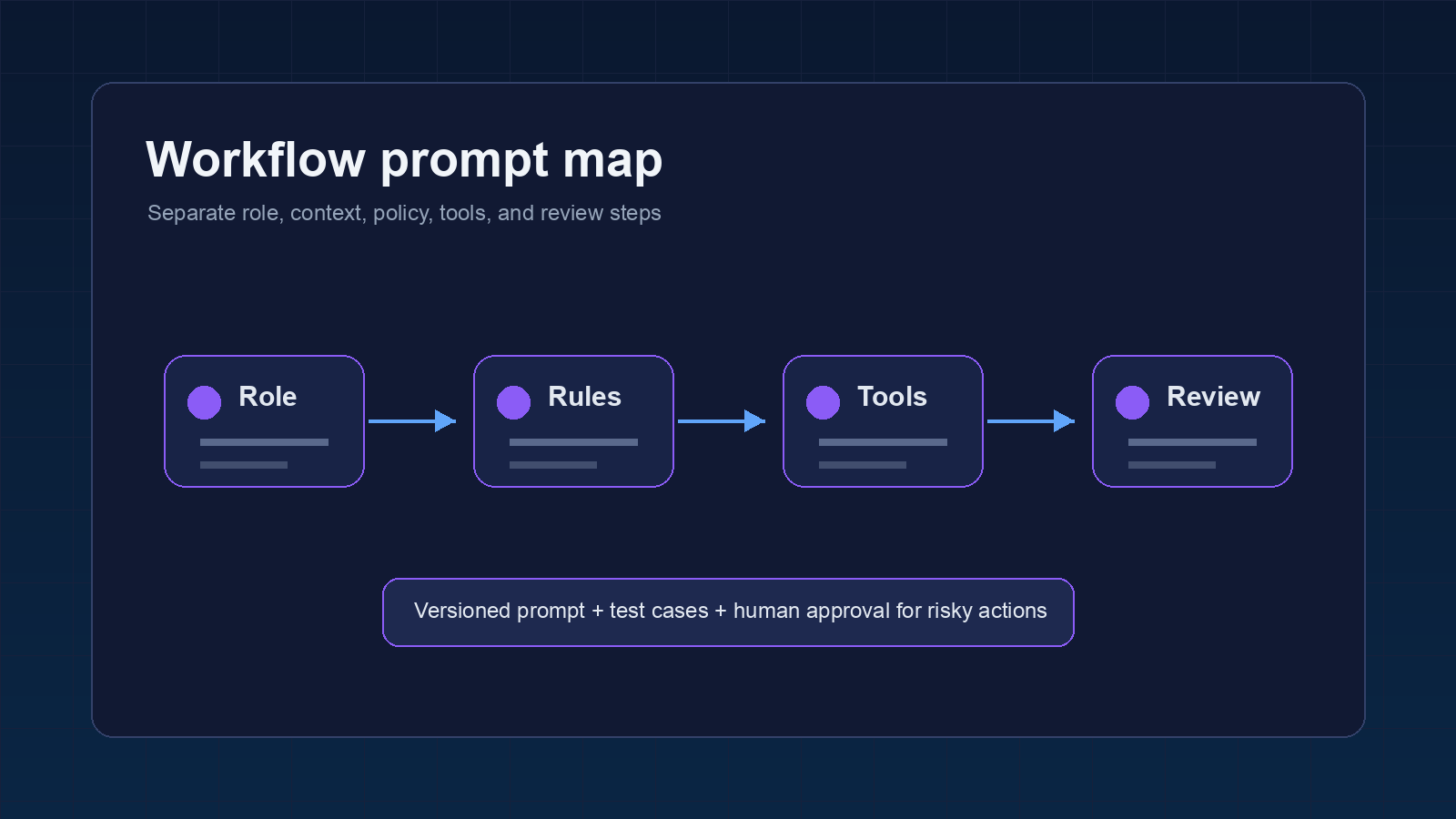
Build the Template Around the Business Decision
Many teams make their templates too output-focused. They ask Claude for a draft, a summary, or a table. Fine. But the better question is: what decision should this workflow help a person make?
A customer support template should help decide whether to answer, escalate, refund, investigate, or wait. A sales follow-up template should help decide the next useful message and whether the prospect is actually qualified. A project management template should help decide what changed, who owns the next step, and what is blocked.
This is where Claude can be genuinely useful, but only if the template includes criteria. Without criteria, the model will produce polished text that may not move the work forward.
Here is a practical structure:
- Goal: Define the business outcome in one sentence.
- Inputs: Name the exact source material Claude may use.
- Decision rules: Tell Claude how to classify, escalate, or reject the request.
- Output format: Specify the final shape of the answer.
- Review gate: Define what a human must check before action.
I would rather see a plain template with strong decision rules than a fancy prompt with weak boundaries. The plain one holds up under real work.
Where Claude AI Workflow Templates Fit With Skills and MCP
Claude templates can live at several layers. The right layer depends on how often the workflow runs and how much tool access it needs.
If the process is mostly thinking and writing, a Project instruction or saved template may be enough. If the process needs packaged resources, reusable files, scripts, or brand rules, a Skill is a better fit. Anthropic describes Skills as folders of instructions, scripts, and resources that Claude loads for specialized tasks. That is useful when a workflow needs more than text in a chat box.
If the workflow needs live systems, MCP becomes relevant. MCP is the standard Anthropic introduced for connecting AI applications to external tools and data sources. In practice, that means a template can describe the work while MCP provides access to the system where the work happens.
This is also where many DIY setups get fragile. They connect tools before they define the operating rules. If you are planning a connected setup, read the Claude MCP servers business setup guide before you wire everything together.
Need templates that connect to real tools?
We can help decide what belongs in prompts, Projects, Skills, and MCP-backed workflows.
A Simple Claude Workflow Template You Can Reuse
Use this as a starting point. Keep it short enough that a teammate will actually maintain it.
Workflow name:
Owner:
Business goal:

Allowed inputs:
-

Do not use:
-

Steps:
1. Restate the task in one sentence.
2. Check whether required inputs are present.
3. Identify missing, stale, or conflicting information.
4. Produce the requested output in the format below.
5. Add a review note for the human owner.

Decision rules:
-

Output format:
- Summary:
- Recommended next action:
- Draft or deliverable:
- Human review needed:

Stop conditions:
-
The stop conditions are the part most teams skip. Do not skip them. They protect the workflow from confident nonsense, especially when the source material is thin.
How to Test Claude AI Workflow Templates Before Rollout
Test the template on old work before you trust it on live work. Pull three real examples from the last month, remove anything sensitive, and run the workflow exactly as a teammate would run it. Then compare Claude’s output against what your team actually needed.
You are looking for practical failure modes. Did Claude ask for missing context, or did it fill the gap with a guess? Did the output match the next step in the workflow, or did someone still need to reshape it by hand? Did the review note make the risk clear enough for a busy manager?
This is where templates improve fast. Change one rule, rerun the same examples, and see whether the output gets cleaner. If it only gets longer, the rule probably made the workflow worse.
For customer-facing work, add one extra check: separate the draft from the send action. Claude can prepare a response, classify the issue, and suggest the next step. A person should still approve the message until the workflow has enough review history to justify tighter automation.
Common Mistakes With Claude AI Workflow Templates
The first mistake is treating a template like a magic prompt. If the underlying process is unclear, Claude will not fix it. It will just make the confusion sound more organized.
The second mistake is hiding too much policy inside prose. Long paragraphs are hard to maintain. Use short rules for permissions, stop conditions, source priority, and output format. Your future self will thank you when the template needs edits.
The third mistake is skipping ownership. Every workflow needs one person who can update the template when the business changes. Without an owner, templates slowly become stale, and stale templates are worse than no template because people keep trusting them.
Turn Templates Into Team Habits
A Claude workflow template only works if the team treats it like part of the operating system. That means naming it clearly, storing it where people already work, and reviewing it after real use.
Start with one workflow that happens every week. Do not try to template the whole company at once. Pick a process with clear inputs and a visible handoff. Run it manually first. Then decide whether it belongs in a Claude Project, a Skill, an OpenClaw workflow, or a more connected automation.
There is a little uncertainty here because every team has different tolerance for automation. Some teams should keep Claude in drafting mode for a while. Others are ready for structured handoffs into tools. The wrong move is pretending those are the same maturity level.
If you need a broader structure, the Best OpenClaw Templates guide is a good next step. It covers the configuration patterns that make reusable agent work easier to manage.
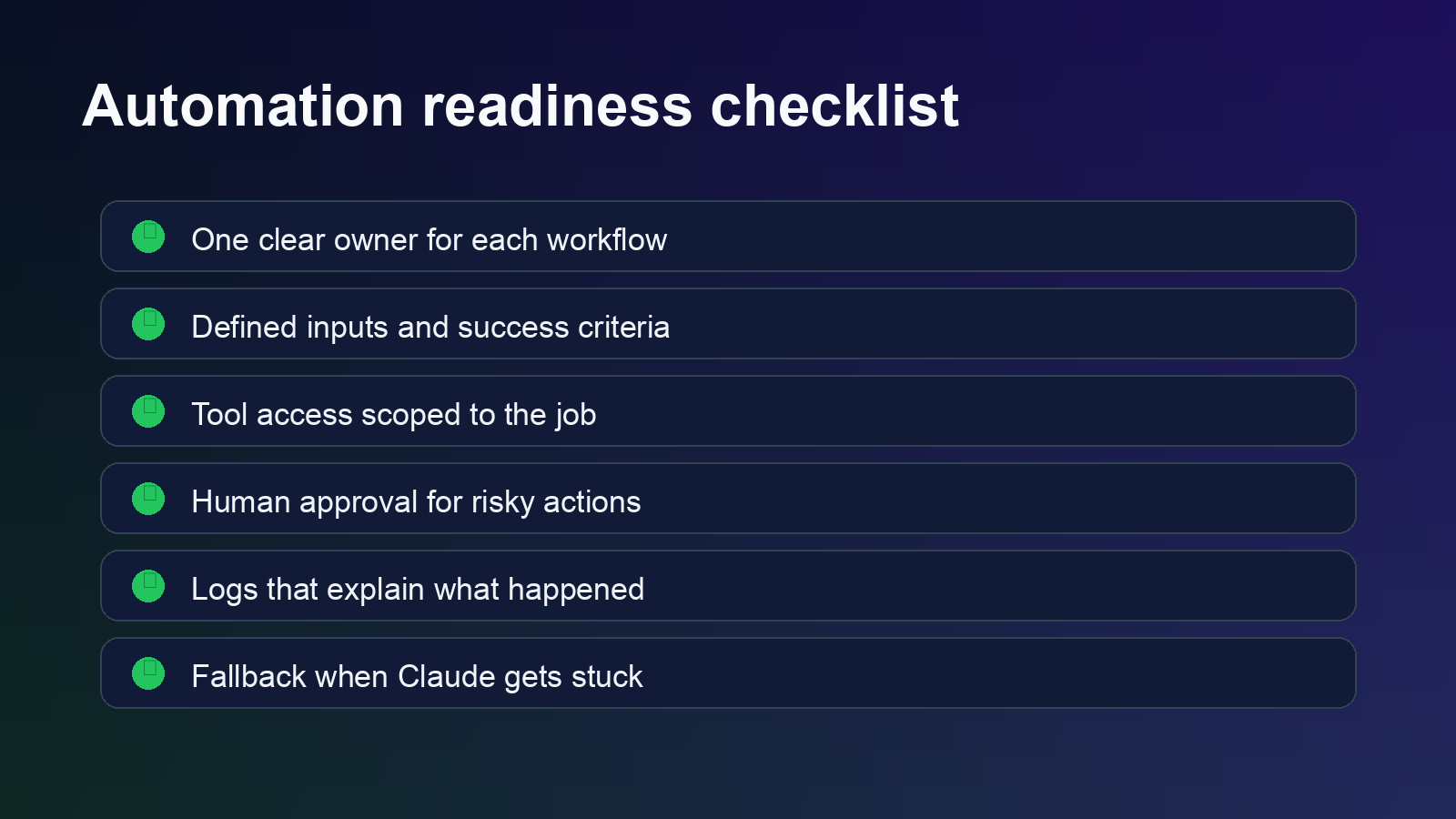
What to Fix Before You Automate
Before you connect a template to a tool, check five things.
- The workflow has one owner.
- The source material is named clearly.
- The output format matches the next step in the business process.
- The template tells Claude when to stop.
- A human review gate exists for risky work.
Once those pieces are in place, automation gets much less dramatic. Claude is no longer guessing from a loose prompt. It is following a process your team can inspect, improve, and hand off.
Build the workflow once, then reuse it.
OpenClawReady can help turn Claude prompts into practical team workflows with clean guardrails.