Most people discover OpenClaw through a demo or a recommendation. They see the agent do something impressive and immediately wonder: “Could I actually use this for my business?” That question is worth taking seriously. The top OpenClaw use cases look different depending on how your business runs, what eats your time, and how much manual work your team does each week.
This guide breaks down the most practical and widely implemented use cases. For each one, you get a clear picture of what it does, who it fits, and where the real complexity lives.
What Makes OpenClaw Different From Other AI Tools
Most AI tools are question-and-answer interfaces. You type something, the model responds, and the interaction ends. OpenClaw is different because it runs persistently on your machine. It can take actions, not just generate text.
It handles scheduled tasks (cron jobs), monitors external inputs like messages and email, spawns sub-agents to parallelize work, and maintains memory across sessions. That combination is what makes recurring automation possible without you having to babysit anything.
And it runs locally. Your workspace, your files, your credentials. No sync to a third-party cloud unless you specifically connect one. For business owners who care about data control, that local-first design is a meaningful distinction from most cloud-based tools.

If you want a broader picture before diving into specific use cases, start with this OpenClaw review covering what works and who it actually fits.
Not Sure Which Use Case Fits Your Business?
We help small business owners figure out the right setup from the start, not after three failed attempts.
Top OpenClaw Use Cases for Small Businesses
These are the use cases that show up most often among small business owners who actually run OpenClaw day to day. Each one solves a specific problem and fits a specific type of business best.
1. Content Automation and Publishing Pipelines
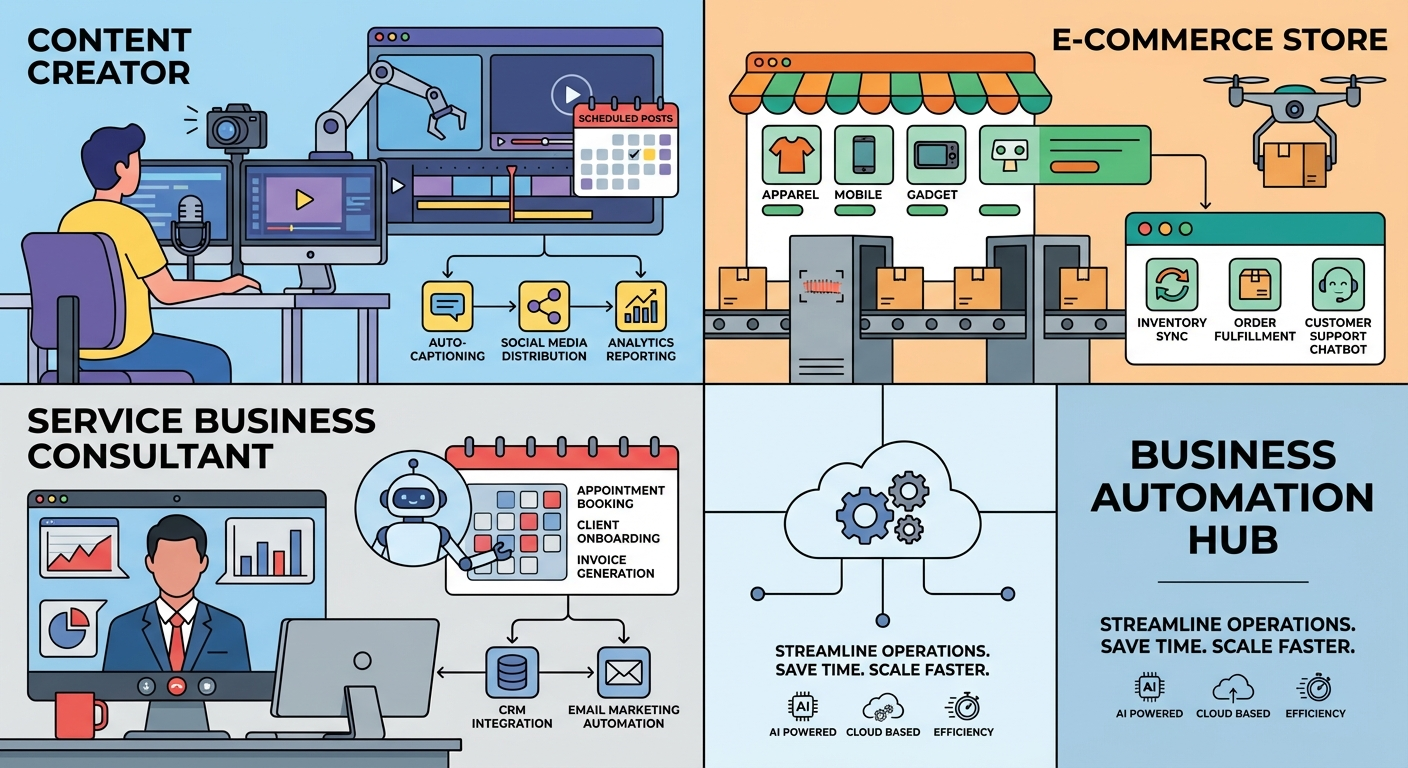
For service businesses, agencies, and e-commerce stores, content is a constant demand. Blog posts, product descriptions, social updates, email newsletters. OpenClaw handles the repetitive parts of that stack without needing a human to trigger each task.
A typical setup runs a cron job at a set time each day or week. The agent pulls a keyword or topic from a queue, researches it, drafts an article, applies formatting rules, and publishes to WordPress via WP-CLI. The whole sequence runs while you sleep. Some teams use this to maintain a publishing cadence of five posts per week with minimal human involvement.
Best for: Agencies, consultants, content-heavy e-commerce stores, solopreneurs running informational sites.
Honest caveat: Initial setup takes real configuration work. You need content rules, quality gates, and a review process in place before you trust the automation completely. Running it unsupervised from day one is a mistake most people only make once.
2. Email Monitoring and Inbox Triage
Inbox management is one of those tasks that sounds small until you calculate how many hours per week you actually spend on it. OpenClaw can watch an email account, categorize incoming messages, draft responses to routine inquiries, and flag urgent items to your phone through Telegram or another channel.
Service businesses and consultants find this particularly useful. An agent monitors the inbox while the owner focuses on delivery work. Routine quote requests get a templated acknowledgment. Urgent client messages get escalated immediately. Nothing sits unread for 12 hours.
Best for: Consultants, freelancers, service-based businesses with predictable inquiry types.
Honest caveat: Email automation that touches replies is high-stakes. Start with monitoring and draft suggestions only. Do not let any agent send on your behalf until you have reviewed its drafts across dozens of real scenarios.
3. Scheduled Reporting and Data Pipelines
Small businesses generate more data than most owners ever look at. Sales numbers, ad spend, website traffic, customer signups. OpenClaw can pull that data on a schedule, format it into a readable summary, and deliver it to your inbox or messaging app each morning.
Some setups go further. An agent syncs lead form submissions into a CRM, triggers onboarding emails for new signups, or generates a daily operations report from multiple sources. These are not complex integrations by enterprise standards, but they eliminate tasks that used to require manual attention every single day.
Best for: E-commerce operators, SaaS founders, marketing agencies managing multiple client accounts.
4. System Monitoring with Heartbeats
OpenClaw’s heartbeat system lets you set up agents that check in on a regular cadence. If a heartbeat stops arriving, you know something went wrong. This pattern works for monitoring websites, API endpoints, scheduled jobs, and even third-party services your business depends on.
Tech-forward small businesses and SaaS startups use this to catch problems before customers notice them. Instead of learning about downtime from a frustrated client, you get an alert at 3am and can respond before the business day starts.
The guide to OpenClaw heartbeats for business monitoring walks through how teams set this up without needing a dedicated ops engineer.
Best for: SaaS startups, businesses running automated workflows that need uptime visibility, anyone who depends on third-party APIs for daily operations.
5. Parallel Task Execution with Sub-Agents
Some workflows have multiple steps that can run at the same time instead of waiting in line. OpenClaw’s sub-agent system spawns separate agents to handle parallel tasks, then aggregates the results. Research multiple topics simultaneously, process a batch of documents at once, or run several client projects in parallel without waiting for each to finish before starting the next.
Agencies see this most clearly. Instead of processing client deliverables sequentially, a properly configured OpenClaw setup can work on five accounts at the same time, each with its own scoped context and output path. The result is throughput that no single-model workflow can match.
Best for: Agencies, teams handling batch work, any workflow where tasks are independent and can run in parallel.
Want to Know Which of These Actually Fits Your Setup?
Most business owners start with one clear use case. We help you find it and build it right.
Which Top OpenClaw Use Case Fits Your Business?
The fastest path to a useful OpenClaw setup is picking one use case and getting it working well before adding anything else. The owners who get the most from OpenClaw started narrow, proved value, and expanded from there.
Solopreneurs and consultants typically start with email triage or a simple content pipeline. Both have clear, measurable time savings and low blast radius if something breaks. You can run either one with minimal infrastructure and review the outputs yourself before trusting them fully.
Small service businesses (agencies, marketing shops, professional services) get the most out of content automation and parallel sub-agent workflows. They have enough volume for automation to matter and enough structure to define repeatable tasks. The setup investment pays back faster when you have ten client accounts instead of one.
E-commerce and SaaS operators gravitate toward data pipelines and system monitoring. These businesses generate the most operational data and have the most to lose from gaps in visibility. A morning briefing that aggregates sales, traffic, and anomalies in 60 seconds beats logging into five dashboards manually.
Avoid the temptation to automate everything at once. The businesses that struggled usually started with five simultaneous configurations and no clear success criteria for any of them. Pick one thing. Make it work. Then expand.
For a broader look at what is possible, the breakdown of the 15 best OpenClaw automations gives concrete examples across business types with setup time estimates.
How to Know If You Are Ready for OpenClaw
Not every business is at the right stage for this kind of automation. A few honest checkpoints help you figure out where you stand before investing setup time.
You have a repeatable process. Automation works best on tasks you already do the same way every time. If a workflow varies widely each time it runs, it is not ready to automate. Variation is a symptom that the process itself needs documenting first.
You can describe the task clearly. If you cannot explain what “success” looks like for a given task, an AI agent cannot execute it reliably. Clarity in the brief matters more than the sophistication of the tool. This is where most early failures happen.
You are okay reviewing outputs regularly. At least in the first few months, you need to check what the agent is producing. This is not a set-and-forget system. It is a significant time-saver for owners who stay engaged with what it generates.
You have some tolerance for configuration work. The initial setup is real work. Most owners who succeed either have a technical background or work with someone who does. Trying to shortcut that part tends to produce unreliable results and erodes trust in the system before it has a chance to prove itself.
If all four of those feel true for at least one task in your business, OpenClaw is worth exploring seriously. And if you are not sure where to start, a single well-chosen use case with proper setup beats a sprawling unconfigured system every time.
Ready to Set Up Your First OpenClaw Automation?
We work through the use case selection, configuration, and testing together so you launch with something that actually works.