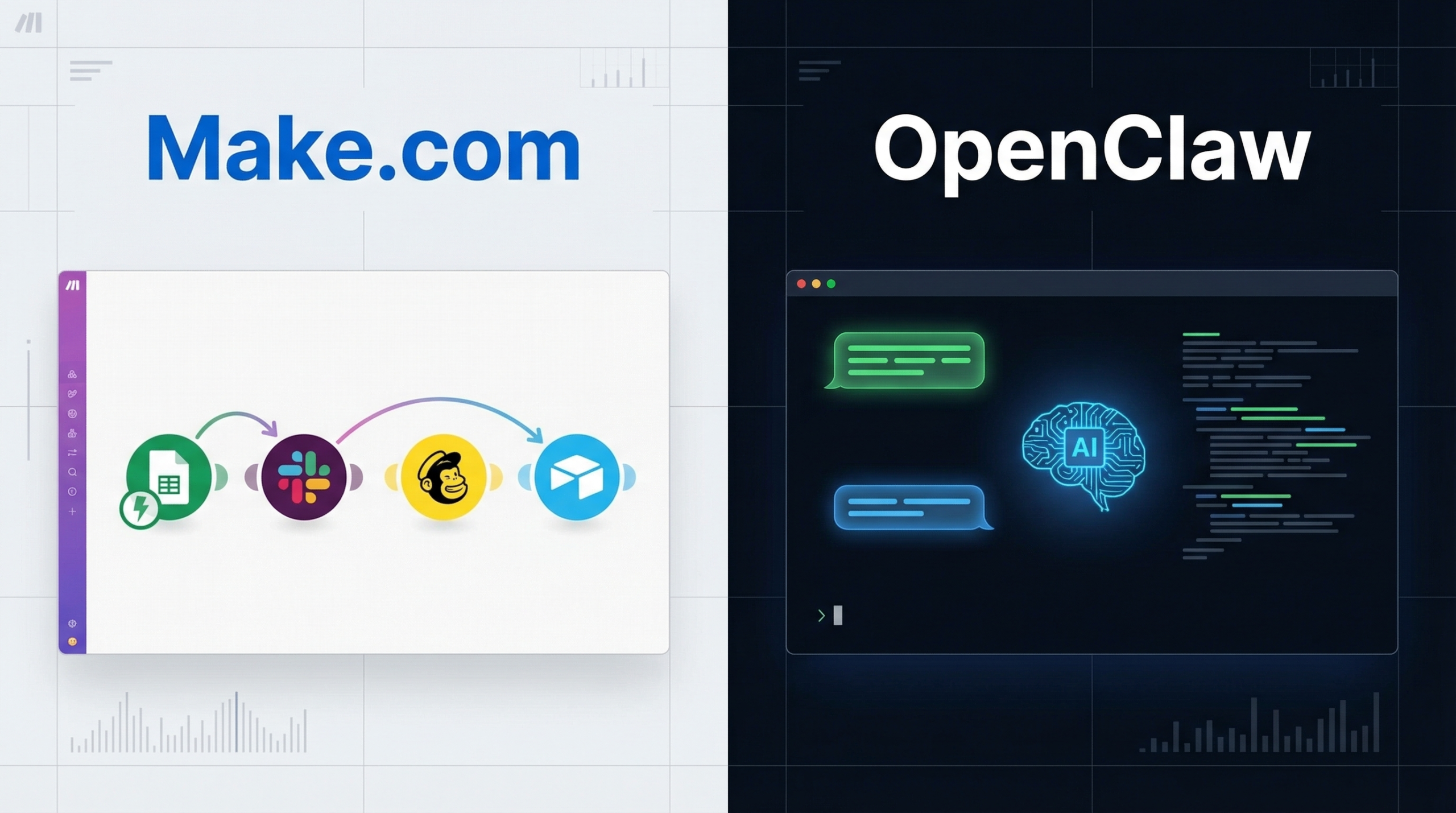
The OpenClaw vs Make.com question comes up constantly from small business owners who’ve outgrown simple automation. Make.com (formerly Integromat) is a visual workflow builder with 1,000+ integrations and no code required. OpenClaw is a self-hosted AI agent platform built for complex, reasoning-heavy tasks. These tools solve different problems – and choosing the wrong one costs you time and money.
This comparison walks through both tools honestly. Neither wins across the board. The right choice depends on what kind of work you’re actually trying to automate – and whether you need deterministic data routing or intelligent decision-making.
What Make.com Is Built For
Make.com is a cloud-based visual automation platform. You build “scenarios” by connecting app modules in a drag-and-drop interface. A trigger fires, data flows through a series of actions, and the job is done.
It handles linear, predictable tasks well:
- New Shopify order triggers a Google Sheets row plus a Slack notification
- Form submission adds a contact to Mailchimp and your CRM simultaneously
- New blog post auto-posts to Twitter, LinkedIn, and Facebook
The app ecosystem covers over 1,000 integrations. If you need to connect two well-known tools in a simple “if this, then that” pattern, Make.com probably has the connector already built.
Pricing is operation-based. Free plans exist with limited operations and run intervals. Paid tiers (Core, Pro, Teams) scale with how many operations your scenarios consume per month. This pricing model is predictable for simple workflows but can get expensive fast once complexity grows.
One thing Make.com does exceptionally well is speed of implementation. A non-technical business owner can build a working scenario in under an hour. That matters when you need automation running this week, not after a month of configuration.
Not Sure Which Tool Fits Your Business?
Talk through your use case with our setup team. We help business owners pick and configure the right tool for their actual workflows.
What OpenClaw Is Built For
OpenClaw is a self-hosted AI agent platform. Instead of connecting app integrations through a visual interface, you configure AI agents that can reason through tasks, use tools, and handle unpredictable inputs.
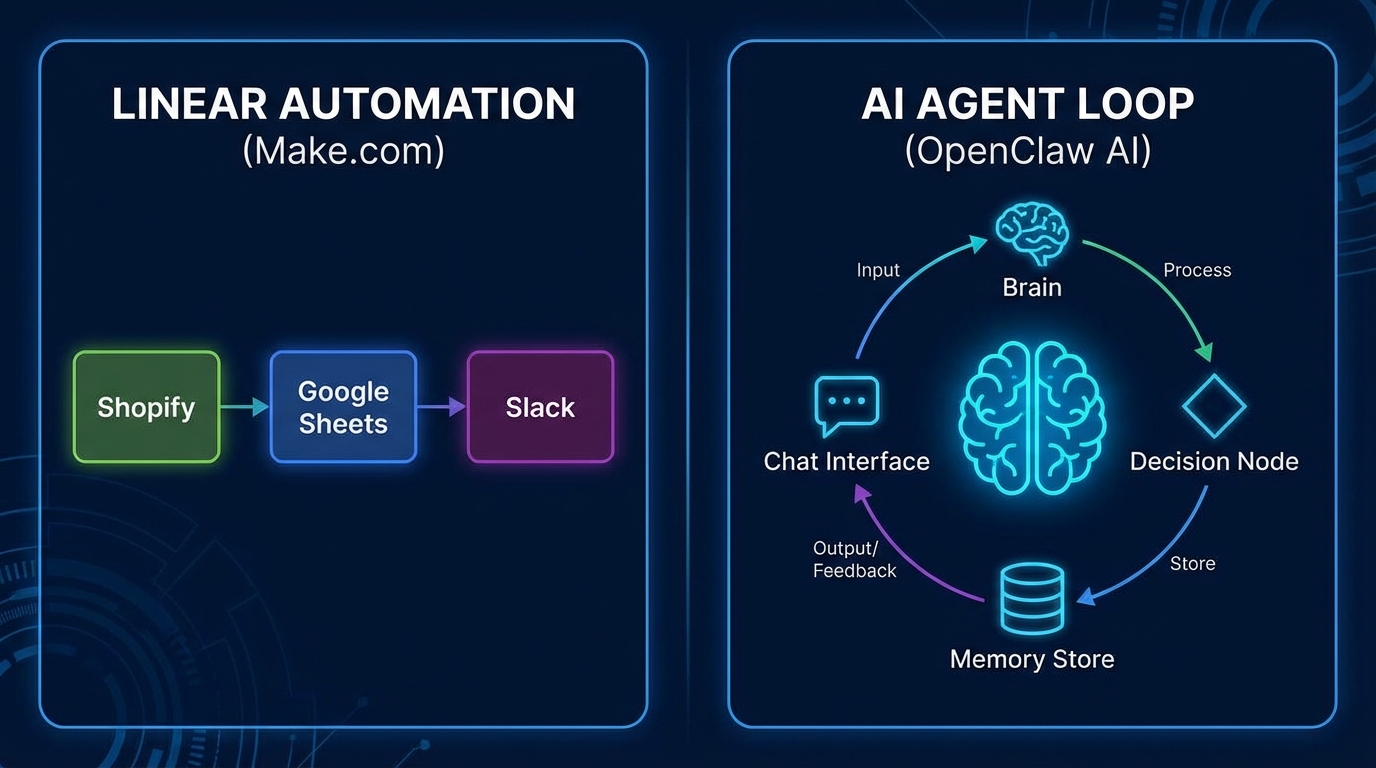
The architecture is different at a fundamental level. Make.com runs scenarios (deterministic data flows). OpenClaw runs agents (decision-making loops that adapt to what they find). The diagram below shows this distinction clearly.
A few things OpenClaw handles that Make.com cannot:
- Research a topic, write a draft, review it, and publish it – as a single autonomous pipeline
- Monitor your inbox, understand which emails need urgent responses, and draft replies with context from previous threads
- Proactively alert you when system metrics look unusual, running diagnostic checks before the notification goes out
- Run as a conversational assistant via Discord or Telegram – you talk to it, it acts
OpenClaw runs on your own hardware. That means no operation limits eating into your budget, full control over your data, and the ability to write custom skills in any language. But it also means you’re responsible for setup and maintenance. That’s the honest tradeoff.
The Actual Differences That Matter
Setup Complexity
Make.com wins this comparison decisively. It’s web-based, no-code, and you can build a working scenario in 15 minutes. OpenClaw requires command-line familiarity, a machine to host it on, and time to configure agents properly.
If you have zero technical background and need something running quickly, Make.com is the practical choice. But if setup complexity is the only thing stopping you from using OpenClaw, there’s a done-for-you path worth knowing about. More on that below.
AI Capability
OpenClaw wins here, and it’s not close. Make.com can call OpenAI’s API as one module in a scenario – but it’s stateless. Each run starts fresh with no memory of what came before. Complex reasoning across multiple steps is genuinely difficult to build in Make.com.
OpenClaw is built from the ground up for AI agents. Memory, context, multi-step reasoning, and tool use are core features, not add-ons you bolt on. This is the platform’s fundamental advantage over every SaaS competitor in this space.
Pricing Model
Make.com charges by operation. A workflow that seems simple – say, checking 500 emails for specific keywords – can consume far more operations than expected. Costs scale with usage in ways that can surprise you at the end of the month.
OpenClaw’s software is open source. Costs are your hardware (often a Mac mini or similar) and the AI API calls your agents make. For businesses with high automation volume, this can be significantly cheaper. For businesses with simple, low-frequency workflows, Make.com’s free or low-tier plan is hard to beat.
Data Privacy
Make.com processes your data on their servers. For most workflows this is fine. But if you’re automating tasks that touch sensitive customer data, financial records, or internal communications, self-hosted OpenClaw keeps everything on your own machine. That’s a meaningful difference for regulated industries or businesses with strict data governance needs.
Flexibility and Extensibility
Both tools are flexible, but in different directions. Make.com is flexible within its ecosystem – if a supported app doesn’t have the exact module you need, you’re often stuck working around it. OpenClaw can be extended with custom skills that call any API, run any script, or perform tasks that have never been built into a SaaS product before.
Want OpenClaw Configured for Your Use Case?
Our done-for-you setup service handles installation, agent configuration, and integrations so you skip the technical learning curve entirely.
Real Limitations: What Each Tool Gets Wrong
Make.com Limitations
The operation-based pricing model is the biggest practical limitation. It’s easy to underestimate how many operations a complex scenario uses. A workflow that processes customer data across 5 apps might consume 20 or more operations per run. What feels like a simple workflow can hit your monthly limit quickly.
Make.com is also stateless by design. Each scenario run starts fresh. Building anything that needs to remember context from a previous run requires workarounds – storing state in a Google Sheet or external database. This works, but it adds friction and failure points.
AI logic in Make.com is limited to what the AI module can do in a single call. You can’t build an agent that loops, reconsiders, and tries a different approach. That kind of adaptive behavior lives outside what Make.com was designed for.
OpenClaw Limitations
Setup is the genuine barrier. OpenClaw is not plug-and-play. You need to be comfortable at the command line, know how to manage a running process on your machine, and have time to configure agents properly. For non-technical users, this is a real cost that shouldn’t be understated.
You’re also responsible for uptime and maintenance. If your Mac mini goes to sleep, your agents stop running. If a software update breaks something, you troubleshoot it. Make.com handles all of this infrastructure on their end.
API costs can also vary unpredictably. A very active agent making many AI calls per day can add up. For light users, Make.com’s flat pricing is more predictable and easier to budget.
Where Each Tool Wins
Choose Make.com when your automations are simple, linear, and repeat on a fixed pattern. When you need to connect mainstream apps without writing code. When you want to be running in an afternoon. When your workflow volume is low enough that operation-based pricing stays manageable.
Choose OpenClaw when your tasks require reasoning – not just data routing. When you want an agent that remembers context between runs. When you need to automate work that’s hard to define in advance (research, writing, analysis). When data privacy matters and you don’t want your workflows processed on third-party servers. When you have high automation volume and operation-based pricing would add up fast.
The Hybrid Approach Worth Considering
Some of the most effective setups use both tools together. Make.com handles the “listening” layer – monitoring hundreds of apps for triggers. OpenClaw handles the “thinking” layer – complex processing that requires intelligence and context.
A practical example: Make.com watches for high-value Stripe transactions. When one triggers, it sends the details via webhook to an OpenClaw agent. The agent pulls that customer’s history, checks support ticket patterns, and posts a contextualized summary to your team’s Discord channel before anyone has to manually look anything up.
Neither tool alone would handle this cleanly. Together, they cover the full stack of what most growing businesses actually need from automation.
The decision isn’t really OpenClaw vs Make.com as competitors. It’s understanding where each tool’s model fits the work you’re automating. Trigger-based, stateless data flows go to Make.com. Contextual, reasoning-heavy tasks go to OpenClaw.
For comparison context, the OpenClaw vs Zapier breakdown covers similar territory if you’re also evaluating Zapier. And if you’re newer to the platform, the full OpenClaw review for 2026 covers what the platform actually does before diving into comparisons. There’s also a look at OpenClaw vs Lindy AI if you’re evaluating AI-native alternatives.
Ready to Get OpenClaw Running Properly?
Skip the configuration headache. Our setup team handles the technical side so your agents are useful from day one.