If you’re exploring AI automation for your business, you’ve probably stumbled across both OpenClaw and Lindy AI. Both promise to handle repetitive work. Both use AI agents. But the comparison between openclaw vs lindy ai reveals two fundamentally different philosophies about how automation should work.
One runs entirely on your own hardware. The other lives in the cloud. One requires technical comfort. The other markets itself to non-coders. Understanding these differences matters more than feature lists because the wrong choice creates friction you’ll deal with for years.
What Lindy AI actually does
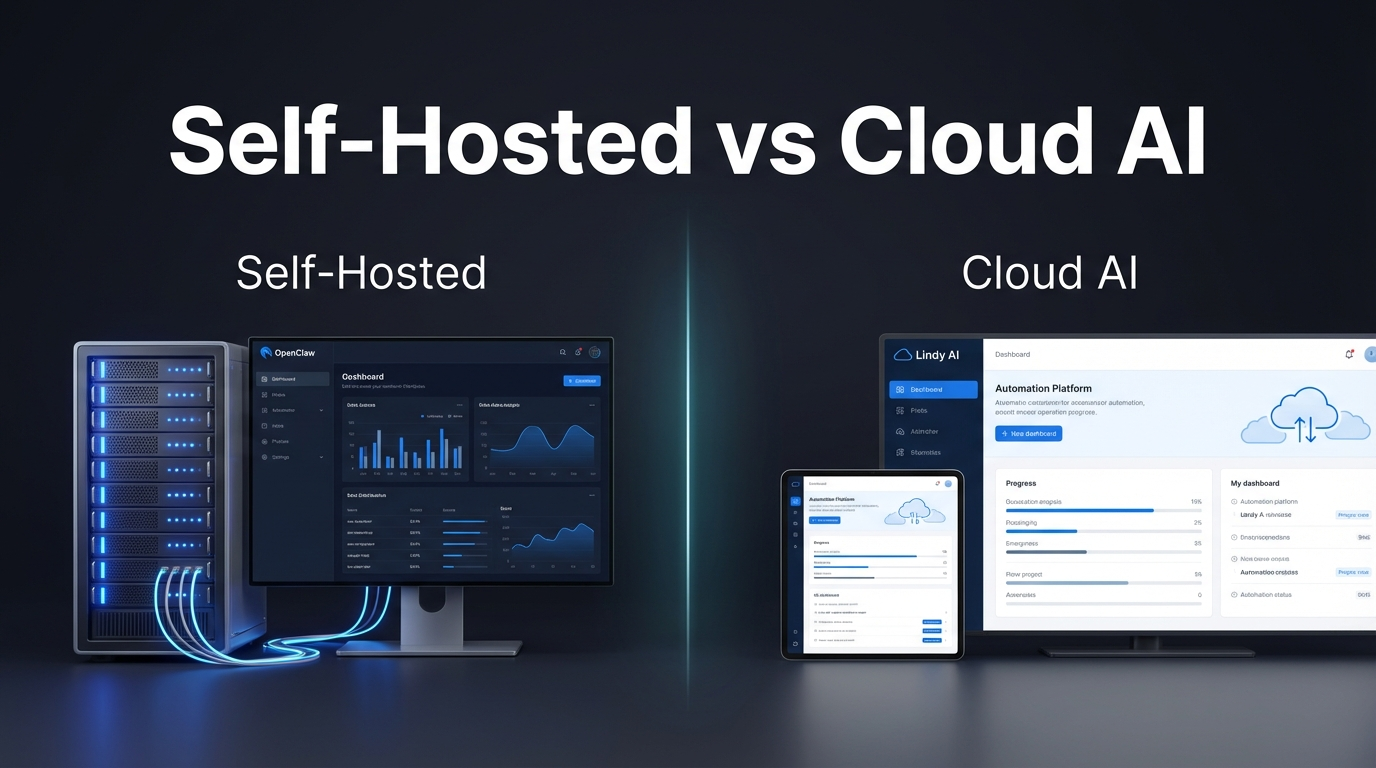
Lindy AI is a cloud-based platform where you build “AI employees” through natural language prompts. No coding required. You describe what you want, connect your apps, and Lindy handles the rest.
The platform integrates with over 3,000 business tools. Gmail, Slack, Salesforce, HubSpot, Google Drive. It covers the standard business stack. You can set up agents for lead qualification, customer support tickets, meeting summaries, email triage, and resume screening.
Voice agents are a standout feature. Lindy can make and receive phone calls for sales and support. The multi-model approach means it picks from GPT-4, Claude 3, and other models depending on the task.
Pricing uses a credit system. Free tier gives you limited experimentation. Starter plans run around $20 per month. Power users and larger teams pay more for additional credits and features.
Where Lindy shines is speed to deployment. If your core workflow involves common business apps and you want something running today, it’s hard to beat. The interface is polished. The onboarding is fast. And the trigger library covers most standard scenarios without any configuration work.
But there are real limits. Users report that complex, multi-step workflows require significant prompt engineering to get right. When an agent breaks, debugging through a web interface has a ceiling. And because everything runs on Lindy’s servers, your data follows their privacy policy, not yours.
Want help deciding which tool fits your workflow?
Our team can walk you through the setup options for your specific use case.
What makes OpenClaw different
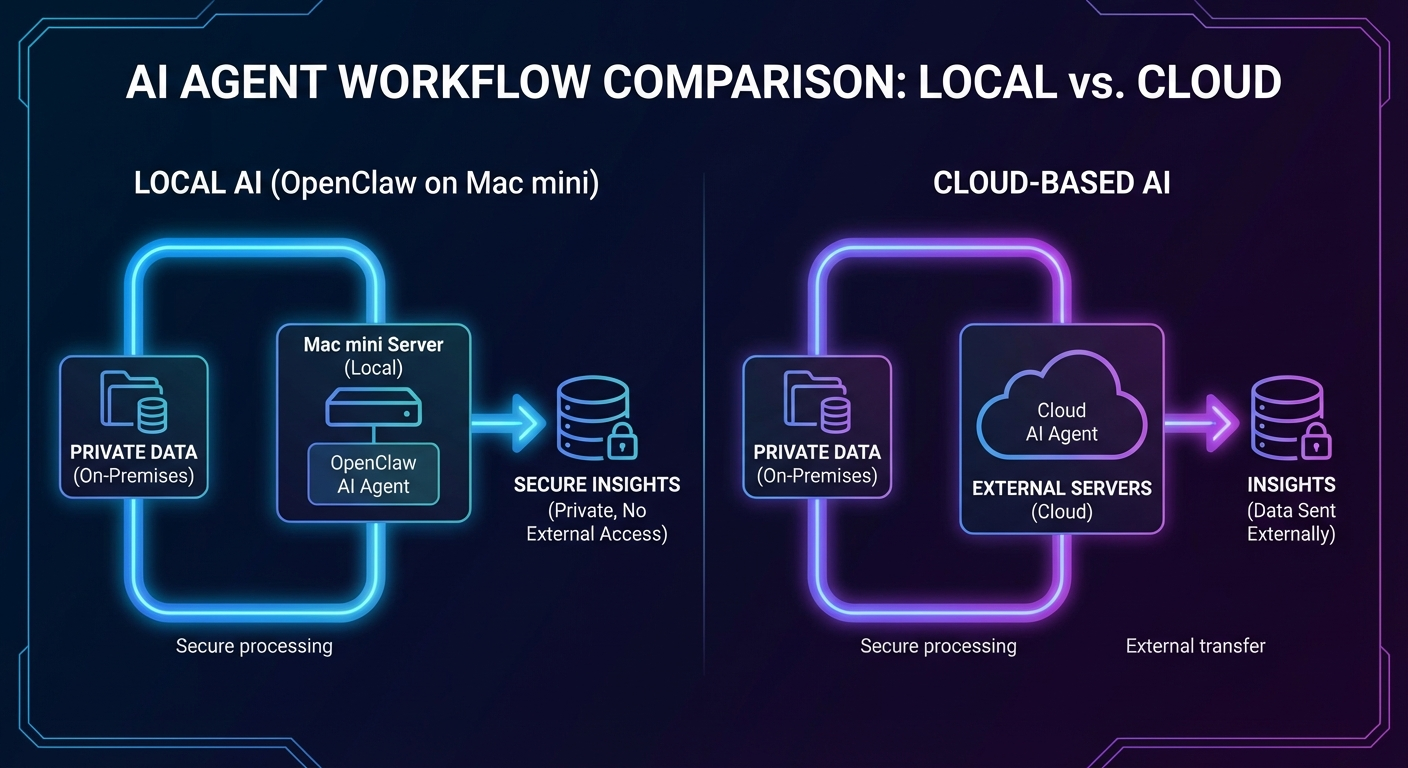
OpenClaw takes the opposite approach. It’s a self-hosted framework for building AI agents that run on your own infrastructure. Your Mac mini. Your VPS. Your home server. The agents never touch someone else’s servers.
This means complete privacy. Your business data, your prompts, your workflows stay on hardware you control. For businesses handling sensitive information, this isn’t a nice-to-have. It’s often a requirement.
OpenClaw agents are deeply customizable. You define an agent’s identity, its tools, its rules, even its personality through configuration files. The top OpenClaw features include persistent memory, custom scripting, and the ability to integrate any command-line tool into your workflows.
The tradeoff? You need technical comfort. OpenClaw runs from the command line. You’ll write configuration files. You’ll manage your own server. This isn’t clicking through a web interface.
Cost structure differs too. No monthly subscription to OpenClaw itself. You pay for your server infrastructure and any API costs for the AI models you choose to use. For high-volume users, this can be significantly cheaper than credit-based systems.
The other thing OpenClaw does that cloud platforms can’t match is deep integration with your existing local tools and scripts. If you have a Python script that does something useful, you can hand it to an OpenClaw agent as a callable tool. No API wrapper required. No waiting for a third-party integration to get built. You just connect it directly.
Openclaw vs lindy ai: use case breakdown
Different tools win in different situations. Here’s where each makes sense.
Lindy AI wins when:
- You need automation running in 30 minutes, not 3 hours
- Your team has zero coding experience and no interest in learning
- Standard integrations cover your needs (Gmail, Slack, CRM systems)
- Predictable monthly billing matters more than cost optimization
OpenClaw wins when:
- Privacy requirements prohibit cloud processing of your data
- You need custom integrations that don’t exist in pre-built catalogs
- High volume makes credit-based pricing expensive
- You want agents that evolve with persistent memory over time
The top OpenClaw use cases include content production pipelines, DevOps automation, and custom business workflows that require deep integration with proprietary systems.
A common scenario where OpenClaw pulls ahead: businesses that handle client data under NDA or regulatory constraints. A law firm, medical practice, or financial advisory firm can’t send case details to a cloud AI platform. But they can run OpenClaw on a local server, process everything internally, and never expose a single document to external infrastructure.
Lindy pulls ahead for sales and marketing automation where your data isn’t sensitive and speed matters. Setting up a Lindy agent to handle inbound leads, qualify them against your CRM, and send follow-up emails can happen in an afternoon. The same workflow in OpenClaw takes longer to build but gives you much more control over the logic.
Not sure which approach matches your business?
We’ve helped solopreneurs and small teams get the right setup from day one.
Which one should you actually use?
Start with an honest assessment of your technical comfort level. If SSH, command lines, and configuration files sound like a foreign language, Lindy AI will get you moving faster. No shame in that. Speed to deployment matters.
But if you’ve ever managed a server, written a script, or felt frustrated by the limitations of no-code tools, OpenClaw opens possibilities that cloud platforms can’t match. The OpenClaw vs ChatGPT comparison highlights how self-hosted agents handle business automation differently than API-only solutions.
Consider your data sensitivity too. Lindy AI requires extensive permissions to Google products. Your emails, files, and calendar data flow through their servers. For many businesses, that’s fine. For others, it’s a dealbreaker.
And think about scale. Lindy’s credit system can get expensive quickly. Users report that free plans run out fast, and paid credits get consumed with complex tasks. OpenClaw’s pay-for-infrastructure model tends to favor high-volume users.
There’s a third factor that doesn’t get discussed enough: longevity. Cloud platforms change pricing, kill features, or shut down entirely. A tool you depend on today might look very different in two years. Self-hosting removes that variable. Your OpenClaw agents run on your hardware regardless of what happens to any company’s roadmap.
Real setup considerations for openclaw vs lindy ai
Let’s be practical about what setup actually looks like.
Lindy AI setup: Sign up. Connect your apps through OAuth. Describe your workflow in English. Test it. Adjust the prompts until it works. Most people can have something running in under an hour.
Complaints focus on the learning curve for complex workflows. The trigger selection screen can overwhelm new users. And when things break, debugging through a graphical interface has limits. Customer support is helpful but operates on cloud-service response times.
OpenClaw setup: Install on your server or Mac. Configure your agent’s identity and tools through markdown files. Set up API keys for your chosen AI models. Write or adapt scripts for your specific integrations. Test iteratively.
This takes longer. Hours, not minutes. But you end up with something you fully understand and control. When something breaks, you have direct access to fix it. The OpenClaw setup service exists specifically for people who want the benefits of self-hosting without spending weeks learning the system.
I should be honest here: not everyone needs that level of control. If your automations are straightforward, Lindy’s approach makes sense. But if you’ve ever hit walls with other platforms, if you’ve thought “I just wish I could…” and found the option didn’t exist, OpenClaw removes those walls entirely.
The other consideration is maintenance. Cloud platforms handle their own infrastructure, updates, and uptime. Self-hosting means you own those responsibilities. For technical people, that’s a feature. For non-technical people, it’s a genuine burden worth factoring in.
The bottom line on openclaw vs lindy ai
These are not competing products in the traditional sense. Lindy AI is a managed service that removes infrastructure concerns at the cost of control and privacy. OpenClaw is a framework that gives you complete control at the cost of setup time and maintenance.
If you’re a solopreneur or small team with standard automation needs and no sensitive data requirements, start with Lindy. Get something working. Learn what automation can do for your business. You can always migrate later.
If you’re dealing with sensitive data, need custom workflows, or have hit the ceiling of what no-code tools can do, OpenClaw is worth the setup investment. The control and privacy you get in return are real advantages, not just technical bragging rights.
And if you want OpenClaw without the learning curve, that’s what professional setup help is for.
One thing worth watching: both platforms are evolving quickly. Lindy keeps expanding its integration library and recently added stronger privacy controls. OpenClaw’s ecosystem of skills and extensions grows as the community builds more tooling. The gap between the two approaches may narrow over time. But the fundamental architecture difference, cloud-managed versus self-hosted, isn’t going away. That choice still shapes everything downstream.
Ready to explore what OpenClaw can do for your business?
Skip the learning curve. Get a customized setup that matches your exact needs.