You set up the openclaw telegram bot, sent a few test messages, and expected instant productivity. Instead, you still check channels manually, your automations feel fragile, and the bot seems less useful than the demo. That gap is normal and fixable. Most users complete the integration without problems. The part they miss is workflow design: the routing rules, prompt conventions, and tool policies that turn OpenClaw into an actual pocket assistant rather than a slow chat window.
What the OpenClaw Telegram Bot Actually Does
The openclaw telegram bot is a messaging endpoint for your OpenClaw runtime, not a magic standalone app. Telegram is the interface. OpenClaw is the execution layer that runs tools, commands, browser actions, subagents, and scheduled tasks through the Gateway.
So when you message the bot, you are not just chatting with a model. You are sending an instruction into a tool-enabled system that can read files, run shell commands, pull web data, control browser flows, and route notifications back to Telegram when work finishes.
Many users expect Slack-style slash commands only. OpenClaw can do that, but its bigger value is mixed natural language plus controlled tool access. You can ask for a summary, trigger a task, receive completion messages, and keep context in one thread.
Need a Clean Baseline Before You Optimize?
If your routing or auth feels shaky, a quick setup review can prevent weeks of weird bot behavior.
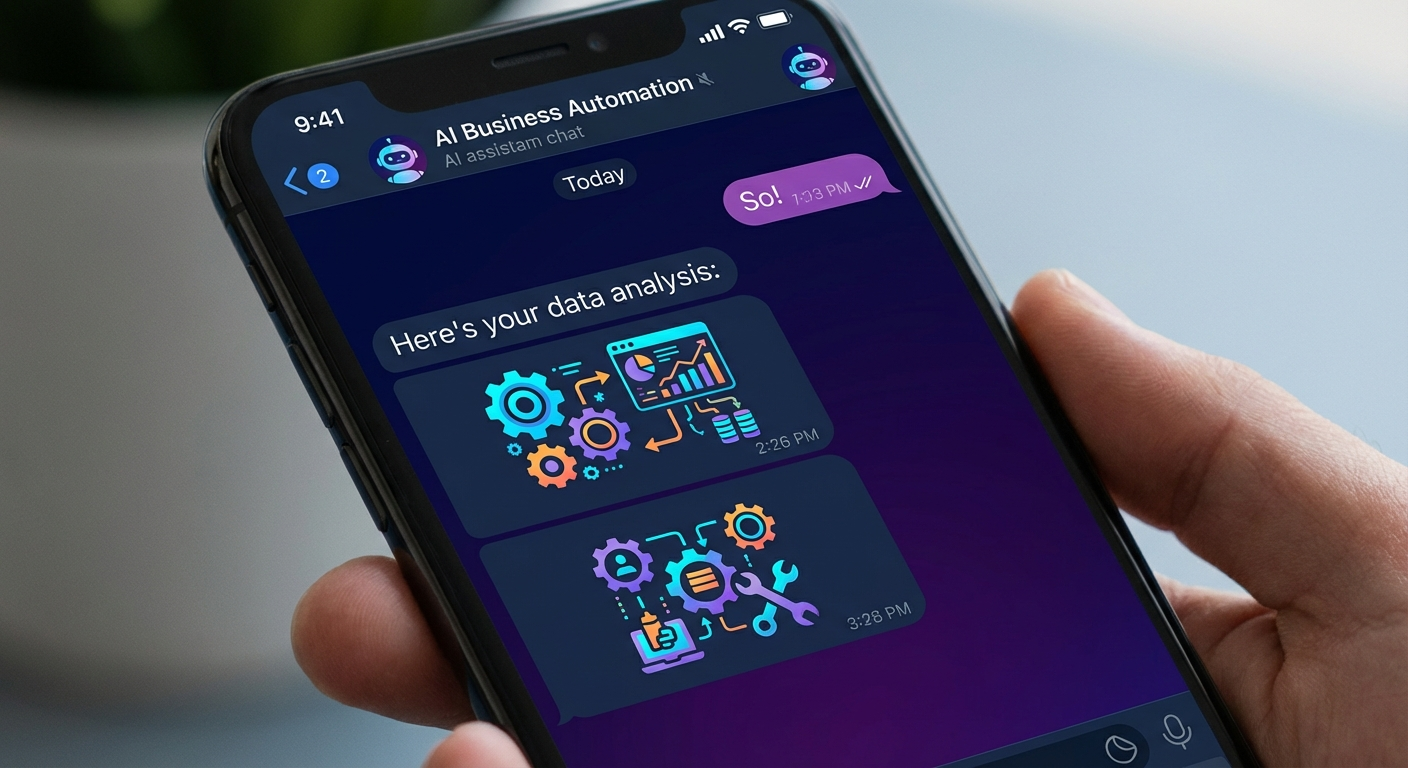
Why the OpenClaw Telegram Bot Feels Underwhelming After Setup
The pattern we see most often is simple. Integration worked, but operating rules were never defined. If the bot does not know what counts as a quick reply versus a long-running task, every interaction feels inconsistent.
Another common issue is channel confusion. People test in one chat, then expect notifications in another, or they forget the bot needs explicit target configuration for replies and alerts. Result: jobs run, but the human never sees the output at the right moment.
Permissions also trip people up. OpenClaw may be correctly connected to Telegram while key tools stay restricted by policy, host security mode, or runtime context. From the user side, it looks like random refusal. In reality, the Gateway is enforcing guardrails.
And sometimes the problem is expectation mismatch. A bot can accelerate decisions fast, but it still needs clear prompts and scoped tasks. If you ask broad, vague requests repeatedly, response quality drops because the system has no stable operating pattern to follow.
Common OpenClaw Telegram Bot Setup Mistakes and How to Fix Them
Start with routing. Confirm that inbound Telegram messages hit the intended OpenClaw session and that outbound responses target the same channel or thread. If you run multiple agents, label ownership clearly so messages do not bounce between sessions.
A routing check takes five minutes. Send a test message, confirm which session processes it, and verify the response comes back to the right chat. Do this after any configuration change, not just during initial setup.
Check Gateway state next. A frequent failure mode is an inactive or restarted Gateway daemon after initial setup. If Gateway is down, Telegram messages may arrive without tool execution. Use gateway status checks as part of your standard troubleshooting path.
Then validate tool policy. If your workflow depends on web fetch, shell execution, or browser actions, verify those tools are available in the current runtime profile. Missing capability is not always obvious from Telegram alone, so inspect session context when responses look partial.
Finally, tighten prompt conventions. Short templates work better than ad hoc commands. For example: “Summarize unread support tickets and flag only urgent items” performs more reliably than “check stuff and tell me what matters.”
If you need a full setup pass, this guide can help anchor your baseline: Connect OpenClaw to Telegram, Discord & WhatsApp in 10 Minutes (2026).
Use Cases Most People Skip After OpenClaw Telegram Bot Setup
Task delegation is where things get practical. You can hand off a structured request in Telegram, let a subagent run in the background, then receive push completion without babysitting terminal output. That removes context switching when you are moving between calls or errands.
Cron notifications are worth setting up early. OpenClaw can run scheduled checks and post useful summaries directly to Telegram. Think morning KPI snapshots, stale lead alerts, or “failed job” summaries that arrive before your day derails. If you want ideas, read Best OpenClaw Cron Jobs: 12 Automations That Run Your Business While You Sleep.
Heartbeat monitoring is where the bot starts to feel proactive. Instead of waiting for you to ask, OpenClaw can notify you when expected signals stop or thresholds drift. That is practical for small teams that do not run full observability stacks. You can see deeper patterns in OpenClaw Heartbeats: How Smart Businesses Use Proactive AI Monitoring.
Quick query workflows are also underrated. You can request compact status pulls from tools and docs while away from your desk, then decide whether deeper action is needed. But keep the query scoped. Telegram is excellent for triage and decision support, less ideal for long editing sessions.
Want Telegram to Deliver Real Outcomes, Not Just Replies?
A workflow tune-up can map your recurring tasks into prompts, cron jobs, and heartbeat alerts that actually stick.
How Gateway Architecture Affects Mobile Reliability
The Gateway is the bridge between your chat interface and execution environment. Telegram delivers the message. Gateway routes it into the active runtime, applies policy, handles tool calls, and returns output to Telegram.
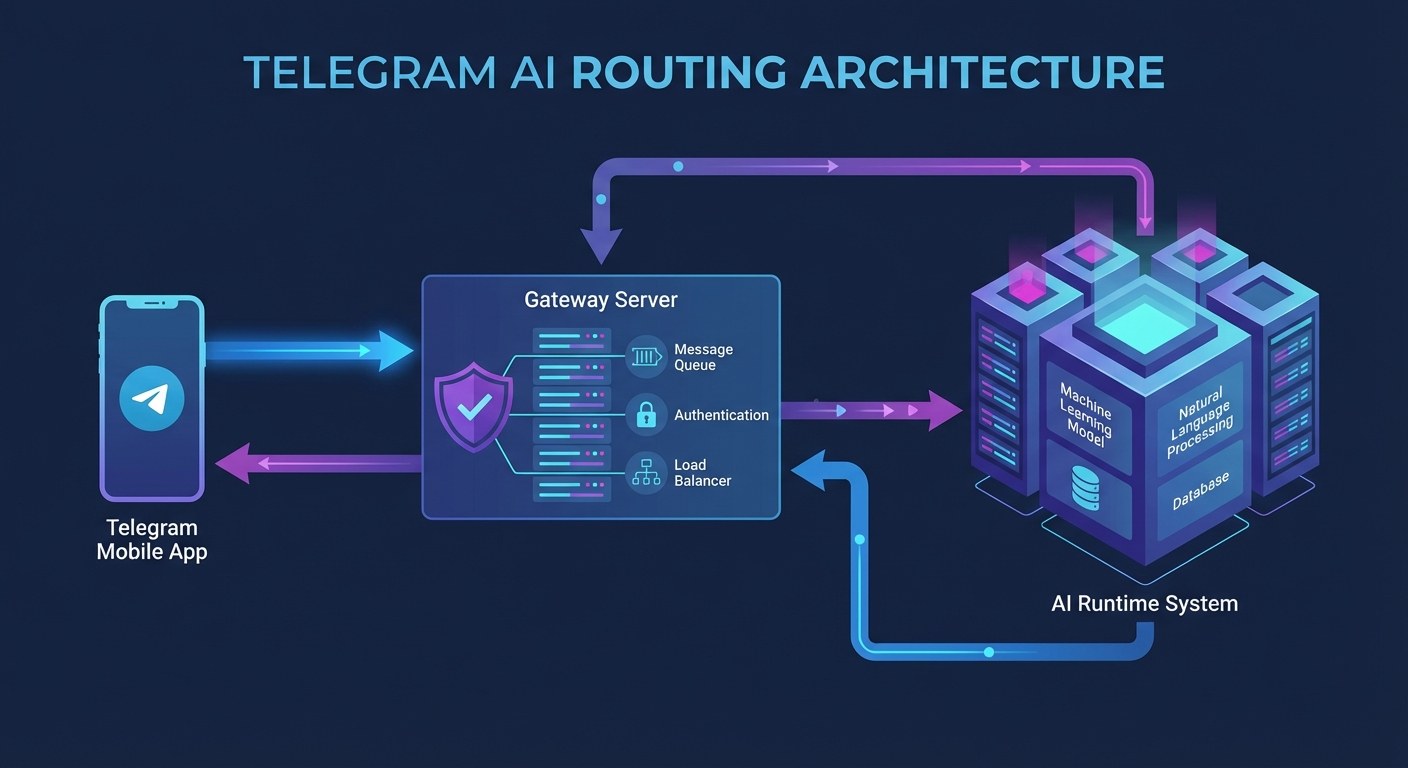
That means mobile reliability depends on more than Telegram uptime. If your host machine sleeps, if the Gateway process dies, or if security mode blocks required actions, the openclaw telegram bot appears unresponsive even though chat delivery still works.
So build a lightweight reliability checklist. Keep the host awake during business windows, monitor Gateway health, and test one known command daily from your phone. Small habits reduce “bot is broken” moments that are really environment drift.
There is one honest tradeoff here. Tight security profiles reduce risk, but they can limit convenience on mobile when you want one-tap automation. Many teams start stricter, then loosen specific permissions after they understand real usage patterns.
The important thing is to make that decision deliberately. Running a loose setup without knowing which tools are exposed is a different problem from running a tight setup that blocks a workflow you actually need. Document what you changed and why. Future-you will appreciate it.
Command Patterns That Make the OpenClaw Telegram Bot Useful Daily
Use explicit intent in the first line. State the job, then include scope limits like time range, source, and desired output format. Clear boundaries reduce retries and keep responses short enough for mobile reading.
Batch related asks into one instruction when context is shared. But do not overload a single message with unrelated objectives. If you need separate outcomes, split them into separate requests so the runtime can prioritize and report completion cleanly.
One pattern that works well for daily operations: send a morning “briefing” request before your first meeting. Ask OpenClaw to summarize pending items across two or three sources, flag anything time-sensitive, and return a compact list. You read it in Telegram, decide what needs attention, and delegate follow-up tasks from the same thread. The whole exchange takes under a minute.
For approvals, create a repeatable template. Example: “Draft response to client email thread X, keep tone calm, max 120 words, wait for my approve before sending.” That pattern turns Telegram into a practical approval console instead of casual chat noise.
And use follow-up prompts deliberately. If the first output is close, request a targeted revision instead of restarting the whole task. Over time, those micro-iterations train your own operating rhythm with the assistant.
Getting the OpenClaw Telegram Bot to Work the Way You Expected
Most friction with the OpenClaw Telegram bot is not a technical failure. The integration works. The gap is usually workflow design: routing that was never validated, tool permissions that were never tested under real conditions, and prompt conventions that were never standardized.
And those things are not hard to fix once you know what to look for. The issues above cover 90 percent of the friction reports we hear from teams working through this for the first time.
Fix those three things and the experience shifts fast. Messages go to the right place, tasks complete without babysitting, and notifications arrive before problems become fires.
If your current setup still feels half-working, that is not unusual. Once routing, policy, and prompt conventions are aligned, the bot starts feeling like the assistant people expected on day one.
Ready to Make Your OpenClaw Telegram Workflow Reliable?
If you want a neutral second set of eyes on your setup, OpenClaw Ready can help you dial it in.