
Your OpenClaw agent just asked you to explain your pricing structure again. You told it last week. And the week before. This is the core problem with the openclaw memory system out of the box: the agent wakes up fresh every session, with no recollection of your vendors, your clients, your preferred tone, or the workflow you spent three conversations getting right. It is not a bug. It is just how large language models work. But it is absolutely fixable, and understanding the fix is what separates businesses that get real value from OpenClaw from the ones that give up after a month.
Why OpenClaw agents start from zero every session
OpenClaw agents are stateless between sessions. The official documentation states this directly: “The files are the source of truth; the model only ‘remembers’ what gets written to disk.” That sentence contains everything you need to understand about why memory breaks down.
When a session ends, the conversation disappears. Nothing carries over unless it was explicitly written to a file on disk. So if your agent learned your preferred invoice format on Tuesday but never wrote it down, Wednesday’s session has no idea that conversation happened.
There is a second failure mode that catches people off guard: compaction. As sessions grow long, OpenClaw automatically summarizes older context to free up token space. The practical effect is that context compaction can silently lose facts that were loaded into the conversation. Your agent might know something, then lose it mid-session as the context window gets trimmed. The summary that replaces the original text is necessarily lossy. “Resolved a vendor pricing issue” is a poor substitute for the actual pricing table you walked through together.
A third problem is that even when memories ARE written to files, the default keyword-based search can miss them. If you wrote notes about your “deployment pipeline” but later ask about your “CI/CD setup,” the words do not match and the search returns nothing. The memory exists. The agent just cannot find it.
These three failures stack on top of each other. An agent that does not write consistently, gets compacted unpredictably, and cannot search semantically is not a business tool. It is a very expensive notepad.
Don’t want to do this yourself? We set up custom OpenClaw assistants for businesses in as little as 48 hours.
Skip the Memory Configuration Headache
We set up custom OpenClaw assistants for businesses in as little as 48 hours.
How the openclaw memory system is actually structured
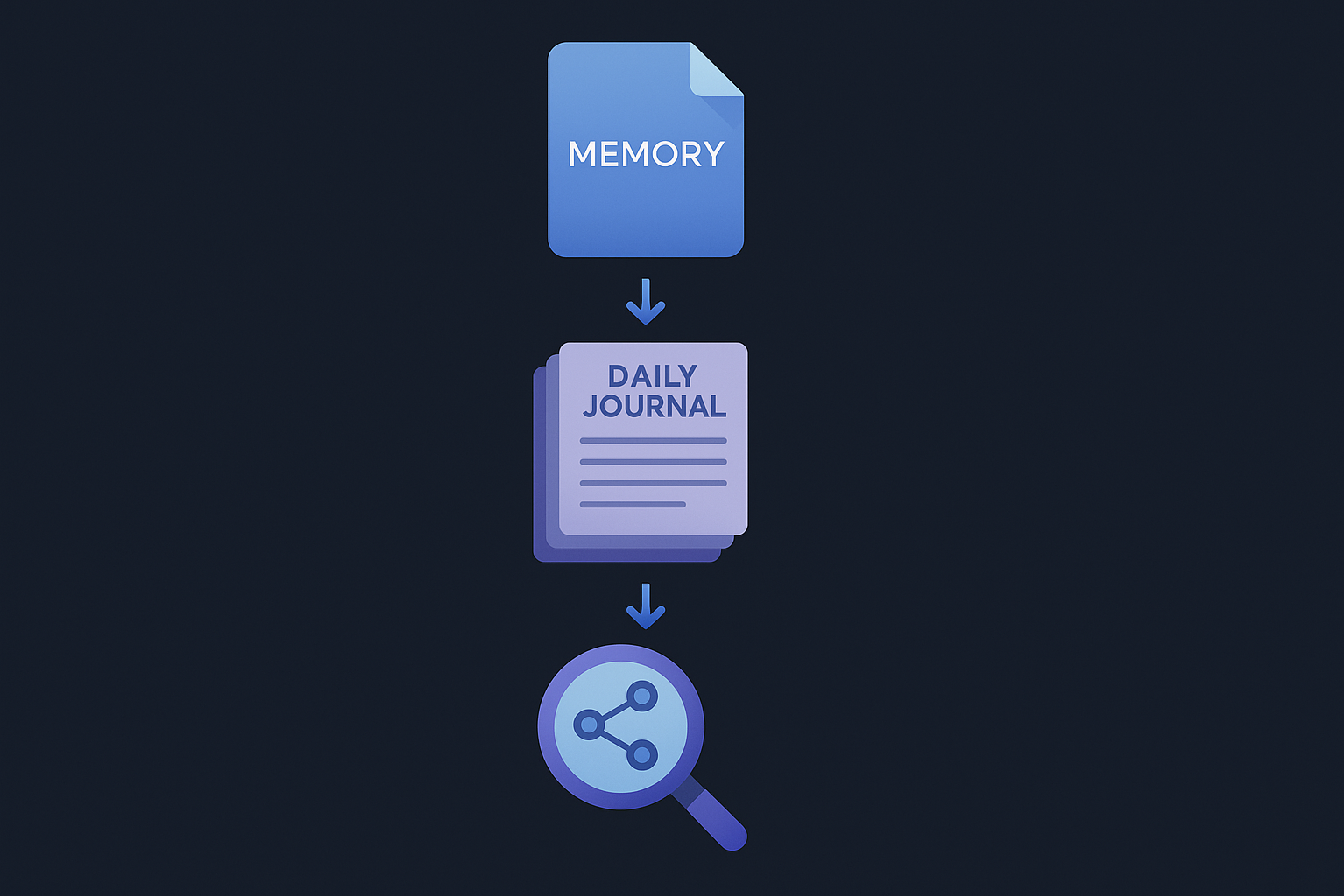
OpenClaw’s memory architecture has three layers, and each one does something different. Most users only know about one of them.
Layer 1: MEMORY.md (long-term, curated facts)
MEMORY.md is a plain Markdown file in your agent’s workspace. This is where durable, permanent information belongs: your business name, your pricing tiers, your key clients, your communication preferences, your standard operating procedures. According to the official docs, this file is meant for “decisions, preferences, and durable facts.”
The critical configuration note: MEMORY.md should only load in private, direct-message sessions. If you are using OpenClaw with a group chat or team channel, loading your full business context there is a security and noise problem. The docs explicitly say to use it only in the “main, private session.”
What goes in MEMORY.md for a typical small business? Think about what you would put in an onboarding document for a new assistant on their first day: your name and preferred communication style, business hours, core service offerings and pricing, the names of your top clients, your preferred vendors, and any non-negotiable rules about how you work. That is the floor.
Layer 2: Daily journals (memory/YYYY-MM-DD.md)
The daily log files are append-only running notes for day-to-day context. OpenClaw reads today’s log and yesterday’s log at session start. This means your agent has a 48-hour rolling window of context automatically loaded each time it starts, without you having to say a word.
This layer is where session-specific notes belong: “Client called about invoice 847, told them we’d resend by Friday.” “Approved the new vendor contract for $2,200.” “Switched the newsletter send from Tuesday to Wednesday.” These are facts with a short shelf life. They matter now but will not matter in six months.
The agent should be writing to this file throughout the day, not just at the end of a session. But here is where the first practical problem surfaces: the agent has to be told to write things down. It does not do this automatically in every situation. Under high cognitive load, when it is juggling multiple tasks or tool calls, it can skip the write. That is why explicitly instructing your agent to record decisions in the daily log, inside your AGENTS.md configuration file, is not optional. It is how you guarantee the behavior.
Layer 3: QMD search (semantic retrieval across everything)
This is the layer most business users never set up, and it is the one that makes the system actually scale.
By default, OpenClaw’s memory search uses keyword matching. QMD (Quick Markdown Search, a local-first search tool) replaces that with a three-mode search system: BM25 keyword search, vector semantic search, and LLM reranking. The combination means your agent can find relevant notes even when the exact words do not match.
According to the official OpenClaw documentation, enabling QMD requires setting memory.backend = "qmd" in your configuration and installing the QMD binary separately. The system then creates a self-contained search index under ~/.openclaw/agents/<id>/qmd/ and refreshes it on a configurable interval (the default is every 5 minutes).
QMD runs completely locally. No API keys required for the search itself. The models download from HuggingFace on first use and everything runs on-device. Your business data does not leave your machine.
There is also a session indexing feature. When memory.qmd.sessions.enabled = true, OpenClaw exports sanitized session transcripts into a dedicated QMD collection, so the agent can search past conversations as well as static memory files. For a business context, this means the agent can recall what was discussed about a client account three weeks ago without you keeping a manual log.
The pre-compaction flush: the feature most people do not know exists
OpenClaw has a built-in defense against the compaction memory loss problem. When a session is approaching the context limit, the system triggers a silent, automatic prompt to the model: “Session nearing compaction. Store durable memories now.” The model writes important context to disk before the window resets, and then the session compacts cleanly.
This is controlled by agents.defaults.compaction.memoryFlush in your configuration. It is enabled by default, but the default thresholds may not match your usage patterns. If your sessions tend to run long with dense technical content (tool call logs, code, data tables), the flush might trigger too late or with too little reserve.
The configuration allows you to set a custom system prompt for the flush turn, adjust the token threshold at which it triggers, and control whether the agent can respond to the user during the flush (it should not, and the default correctly uses NO_REPLY). Getting these thresholds right for your typical session length is one of those details that looks minor on paper but matters more than it looks on paper.
Proper memory setup eliminates the cycle of re-explaining context at the start of every conversation. Businesses that get this right stop wasting 5 to 10 minutes at the start of every session re-explaining who their clients are. That adds up fast when multiplied across every working day of the year.
Stop Re-Explaining Your Business Every Session
Our team configures memory, journals, search indexes, and recall protocols so your agent remembers everything from day one.
What a properly configured openclaw memory system actually looks like
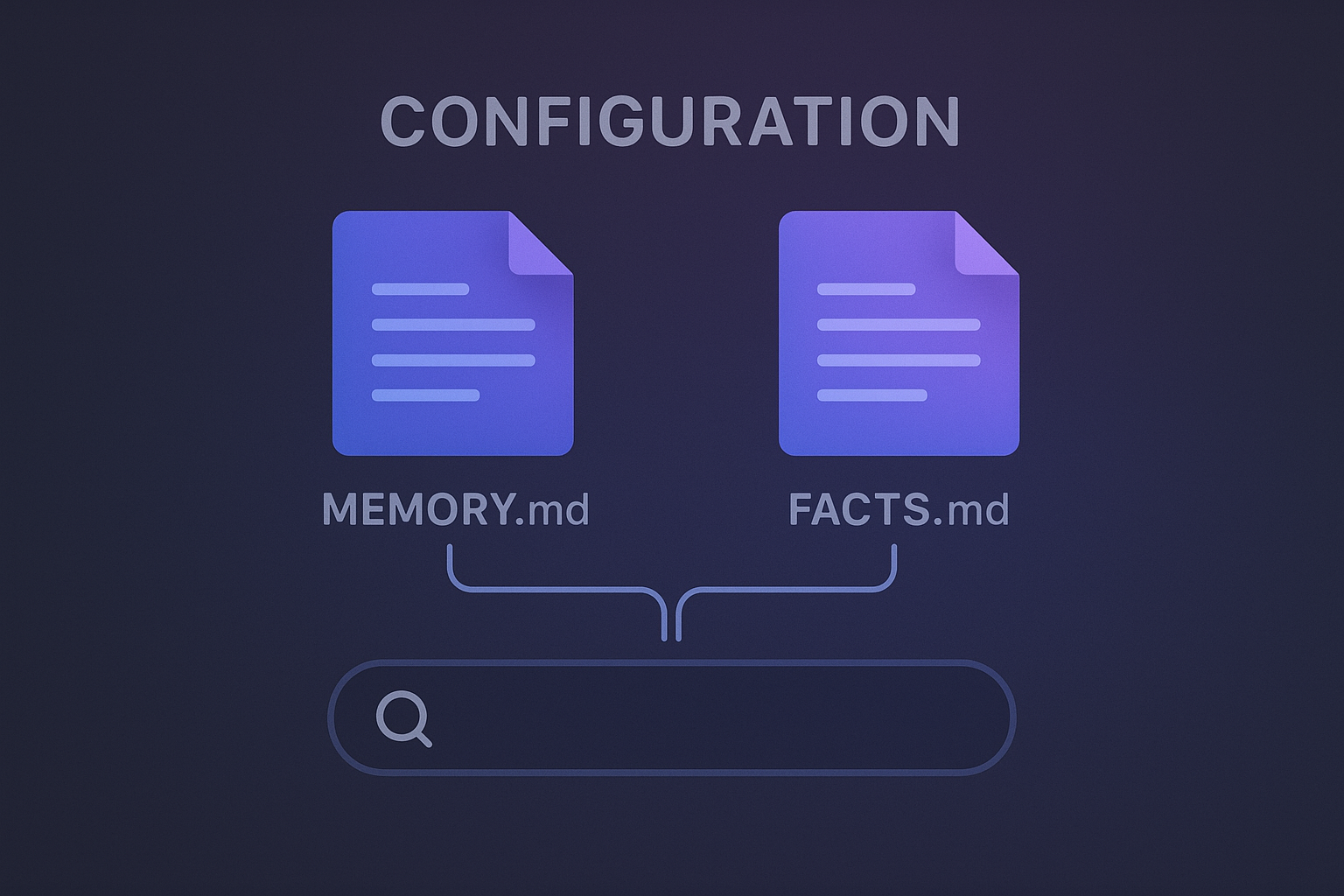
Here is the practical setup for a small business. Not the minimal viable config, but the one that actually holds up.
Step 1: Write a real MEMORY.md. Not a template. Not placeholder text. An actual document with your real business details. Include your pricing (so the agent never quotes the wrong number), your top client names and their key details, your standard response times and communication preferences, and any hard rules about how you operate. Treat it like writing a briefing document for a new human assistant on day one.
Step 2: Set up your AGENTS.md to enforce journal writing. The agent needs explicit instructions to write to the daily log. Something like: “After any session where you learn new facts about clients, vendors, or ongoing projects, write a summary to the daily memory log.” This instruction goes in your AGENTS.md configuration file and runs every session. Without it, writing is inconsistent.
Step 3: Install and configure QMD. Install the QMD binary, add memory.backend = "qmd" to your openclaw.json, and enable session indexing. Set searchMode based on your hardware: “search” (BM25 keyword) works on any machine; “vsearch” (semantic) needs at least 8GB of RAM; “query” (full hybrid plus reranking) needs comfortable headroom above that. For most business users on modern hardware, “vsearch” is the right default.
Step 4: Tune the compaction flush thresholds. Check your typical session lengths and set reserveTokensFloor high enough that the flush trigger fires with enough context still active to be meaningful. The default 20,000-token floor is reasonable for average sessions, but if you run long research or analysis sessions, you may want to increase it.
Step 5: Consider a FACTS.md for structured business data. Some setups keep a separate FACTS.md with structured reference information: a vendor contact table, current project statuses, a product catalog. This file gets indexed by QMD alongside MEMORY.md, making all of it searchable. The separation keeps MEMORY.md focused on behavioral preferences while FACTS.md holds reference data.
One honest note: the right configuration varies by how you actually use your agent. If you primarily use OpenClaw for automations and workflows, your memory needs look different than if you use it mainly for conversation and drafting. There is not one correct setup. The architecture is flexible, which is part of why getting it right requires deliberate thought.
The setup complexity problem, and where professional configuration makes sense
Reading through the official memory documentation, one thing becomes clear: the configuration surface area is large. QMD alone has configuration options covering search mode, embedding intervals, session retention, result limits, scope rules for which channels can access memory, and citation formatting. Each one has a default that may or may not match your actual usage.
Then there is the interaction between memory configuration and other OpenClaw systems. The pre-compaction flush interacts with session management. QMD’s indexing interval interacts with how frequently your agent writes new context. Scope rules interact with which channels your agent runs in. And if you have cron jobs and scheduled tasks running, those sessions need their own memory access rules configured correctly or they will not surface the right context.
For a developer who enjoys this kind of configuration work, it is an afternoon project. For a business owner who wants an AI assistant that actually remembers things, it is a time sink that delays real value by weeks. The DIY path exists, but it is not trivial. And the cost of getting it wrong is invisible: you just have an agent that seems to forget things randomly, with no easy way to know which configuration layer is the problem.
Based on the setup support requests we handle, memory configuration is the most common source of frustration in the first 90 days. Not the install. Not the channel connections. The memory. Getting it right at the start changes the entire experience.
Get Your OpenClaw Memory System Set Up Right
Business setups start at $4,497. Memory configuration, search indexing, recall protocols, and team training included.
If you want to go deeper on how OpenClaw’s proactive systems work alongside memory, the heartbeats guide covers how the agent monitors and reports context changes without you needing to ask. Memory and heartbeats together are what make OpenClaw feel like a persistent, attentive assistant rather than a stateless chatbot.
The underlying technology is solid. OpenClaw’s memory architecture, when properly configured, works well when configured correctly: persistent Markdown files as source of truth, semantic search through QMD, automatic flush before compaction, and session indexing for long-term recall. The gap is not the tool. It is the setup.