Key Takeaways
- “Clawbot” and “OpenClaw” refer to the same AI assistant platform – the name changed, the capabilities grew.
- OpenClaw runs 24/7 on your own hardware, connecting to Telegram, Discord, WhatsApp, and more.
- Real business use cases include automated content publishing, client communication, financial monitoring, and workflow orchestration.
- Unlike ChatGPT or generic chatbots, OpenClaw executes tasks autonomously with persistent memory across sessions.
- Setup takes under an hour for technical users, or you can hire a pro to handle the full deployment.

If you have been hearing about a clawbot AI assistant and wondering what it actually does, you are in the right place. Clawbot is what many people still call OpenClaw – the AI assistant platform that runs on your own machine and handles real business tasks around the clock.
This is not another chatbot that answers questions and forgets everything. OpenClaw remembers your projects, your preferences, your clients, and your workflows. It connects to your real tools and takes action without you having to babysit every step.
This guide covers what the clawbot AI assistant actually does, how businesses are using it today, and how to get started whether you are technical or not.
What Is the Clawbot AI Assistant?
OpenClaw (formerly known as Clawbot or Clawdbot) is an AI agent platform that sits on your Mac, Linux box, or server and works as a persistent digital employee. It uses Claude, GPT, Gemini, or other AI models as its brain, but adds something none of those services offer alone: memory, tools, autonomy, and always-on availability.
Here is what makes it different from just using ChatGPT or Claude directly:
- Persistent memory – It remembers conversations, facts, and decisions across sessions. According to research from Stanford’s Human-Centered AI Institute, persistent context is one of the top factors that separates useful AI agents from basic chatbots. (Source: Stanford HAI)
- Tool access – It can read and write files, run shell commands, browse the web, control browsers, and manage databases.
- Multi-channel messaging – It connects to Telegram, Discord, WhatsApp, Slack, and more. You talk to it wherever you already are.
- Scheduled automation – Cron jobs let it perform tasks on a schedule without any human trigger. Over 67% of businesses report that scheduled automation reduces operational overhead by 20% or more, according to Zapier’s State of Business Automation report. (Source: Zapier)
- Sub-agents – It can spawn specialized worker agents for parallel tasks like research, coding, or content writing.
For a deeper comparison against other AI platforms, see our OpenClaw vs ChatGPT comparison.
How Businesses Actually Use the Clawbot AI Assistant
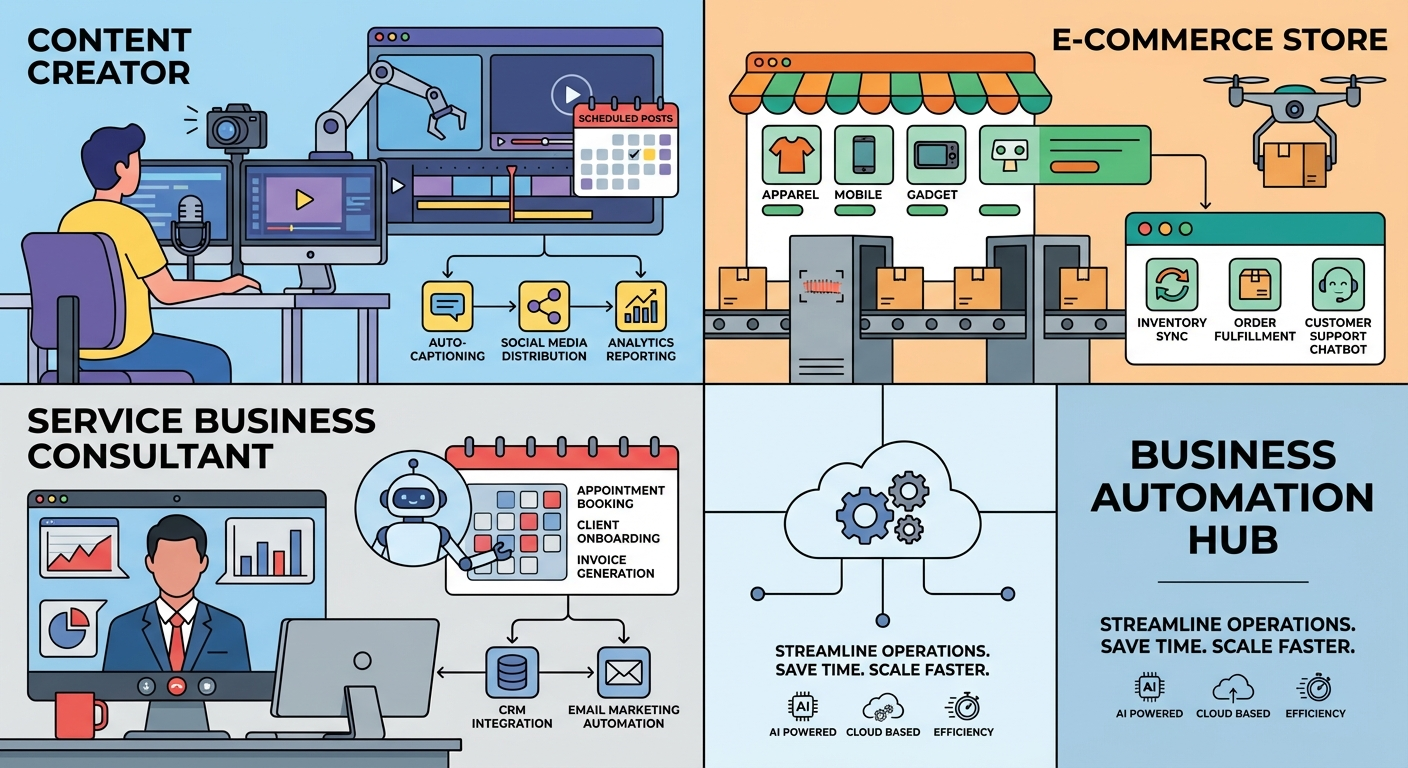
The most common question from new users is “what would I even use this for?” Here are real workflows that businesses run through OpenClaw every day.
Content publishing on autopilot
OpenClaw can research topics, write articles, run them through quality checks, publish to WordPress, and verify the live page – all while you sleep. Some users publish 5-10 articles per week across multiple blogs without touching a single draft manually. Our automation guide covers 15 of the most popular setups.
Client communication management
OpenClaw monitors incoming messages, drafts responses based on your style and history, and flags urgent items. For agencies managing multiple client channels, this alone saves 10-15 hours per week.
Financial and market monitoring
Connect it to stock APIs, crypto feeds, or accounting tools. It can alert you to price movements, generate daily summaries, or track revenue across multiple properties. Gartner reports that AI-augmented decision-making can improve financial analysis speed by up to 40%. (Source: Gartner)
Development and code management
OpenClaw can spawn coding agents (Codex, Claude Code, Gemini CLI) to build features, review pull requests, and fix bugs. It handles the orchestration while specialized models handle the code.
Research and competitive intelligence
Need to know what competitors are doing? OpenClaw can search the web, scrape public data, summarize findings, and store them in your knowledge base for future reference.
The Clawbot to OpenClaw Evolution
Many users still search for “clawbot” because that is the name they first heard. The platform has gone through several naming iterations:
- Clawdbot – the original community name
- Clawbot – the shortened version most people used
- OpenClaw – the current official name, reflecting the open-source direction
The underlying technology kept improving through each name change. Today’s OpenClaw is significantly more capable than the early Clawdbot versions, with better memory systems, more integrations, improved security, and a growing skill ecosystem.
If you want the full story on what changed, read our OpenClaw Review 2026.
Getting Started with the Clawbot AI Assistant
There are two paths depending on your comfort level with technical setup.
Path 1: Self-install (technical users)
If you are comfortable with the terminal, Node.js, and basic system administration, you can install OpenClaw yourself in about 30-60 minutes. The process involves:
- Installing Node.js and the OpenClaw package
- Running the configuration wizard
- Connecting your AI provider (Anthropic, OpenAI, or Google)
- Setting up your messaging channel (Telegram is most popular)
- Customizing your workspace files (AGENTS.md, SOUL.md, MEMORY.md)
Our step-by-step installation guide walks you through every command.
Path 2: Done-for-you setup (non-technical users)
If you would rather skip the technical work entirely, a professional setup service handles everything from installation to integration to testing. You get a working system without touching a terminal.
McKinsey estimates that 60% of all occupations have at least 30% of their activities that could be automated. The question is not whether AI automation makes sense for your business – it is how fast you can get a reliable system running. (Source: McKinsey)
What Makes the Clawbot AI Assistant Different from Other AI Tools
The market is full of AI tools. Here is what specifically separates OpenClaw from the rest:
- Runs locally – Your data stays on your machine. No third-party servers storing your business conversations.
- Always on – It does not stop when you close your browser. It runs 24/7 on a Mac Mini, Raspberry Pi, or any server.
- Actually executes – It does not just suggest actions. It runs commands, writes files, publishes content, and sends messages.
- Model agnostic – Use Claude, GPT, Gemini, or local models. Switch anytime without rebuilding your setup.
- Extensible skills – Community-built skills add new capabilities. WordPress publishing, stock monitoring, calendar management, and hundreds more.
For the best AI personal assistant comparison, see our detailed breakdown.
Cost of Running a Clawbot AI Assistant
The OpenClaw software itself is free and open source. Your costs come from:
- AI model usage – Typically $10-50/month depending on which models you use and how heavily
- Hardware – A Mac Mini ($599 one-time) is the most popular always-on setup, though any computer works
- Optional setup service – If you want professional installation and configuration
Total monthly cost for most solo users: $10-30. For businesses running heavy automation: $30-100. Compare that to hiring a virtual assistant at $500-2,000/month for similar task coverage.
Who Should Use a Clawbot AI Assistant?
OpenClaw is not for everyone. It works best for people who have recurring tasks they want automated, manage multiple tools or platforms, and value having a system that improves over time as it learns their workflows. Solo entrepreneurs, small agencies, content creators, and traders tend to get the fastest ROI because they have high task volume with limited team bandwidth.
If your workday involves repetitive switching between email, messaging apps, spreadsheets, CMS platforms, and reporting tools, that is exactly the kind of workflow that a clawbot AI assistant can collapse into automated pipelines.
Common Mistakes New Clawbot Users Make
Based on hundreds of user reports, these are the top pitfalls to avoid:
- Skipping the workspace setup – AGENTS.md and MEMORY.md are not optional. They are how your assistant learns your business.
- Using expensive models for everything – Use Gemini (free) for research, Codex for coding, and reserve premium models for complex decisions.
- Not setting up cron jobs – The real power is in scheduled automation. A clawbot AI assistant that only responds when you message it is using 20% of its capability.
- Ignoring security hardening – Your assistant has access to your tools and accounts. Lock down credentials properly from day one.
- Expecting perfection immediately – It takes 1-2 weeks of tuning to get your workflows dialed in. The investment pays off quickly after that.
Frequently Asked Questions
Is Clawbot the same as OpenClaw?
Yes. Clawbot and Clawdbot are older names for the same platform now officially called OpenClaw. All features and documentation have been updated under the OpenClaw name.
What can a Clawbot AI assistant do for my business?
OpenClaw handles content publishing, client communication, market monitoring, code management, research, and workflow automation. It runs 24/7 and connects to Telegram, Discord, WhatsApp, and other messaging platforms.
How much does it cost to run Clawbot?
The software is free and open source. AI model costs typically run $10-50 per month depending on usage. Hardware like a Mac Mini is a one-time $599 purchase. Total monthly cost for most users is $10-30.
Do I need to be technical to use Clawbot?
You can self-install if you are comfortable with terminal commands and Node.js. Otherwise, a done-for-you setup service handles everything from installation to configuration to testing.
Is my data safe with Clawbot?
OpenClaw runs locally on your own hardware. Your data, conversations, and credentials stay on your machine. It connects to AI providers for model inference only, and you control which providers to use.