
Most OpenClaw users set it up, connect it to Telegram, maybe configure an AGENTS.md file, and then… talk to it when they remember. That’s fine. But it’s also leaving the most powerful part of the platform completely untouched.
Cron jobs are how OpenClaw goes from “chatbot you use sometimes” to “employee that works 24/7 without being asked.” The best openclaw cron jobs can handle monitoring, reporting, security checks, and client follow-ups while you sleep or work on things that actually require a human brain.
But which cron jobs are actually worth setting up? That’s the question. There are hundreds of possible automations. Some save five minutes a week. Others save five hours. Here are the cron jobs that consistently deliver the highest return on time invested, based on the most common business pain points OpenClaw solves.
Why best openclaw cron jobs matter more than manual commands
Here’s the basic problem. According to Kissflow’s 2026 workflow automation report, 94% of companies still perform repetitive, time-consuming tasks manually. And 68% of employees report having too much daily work to handle.
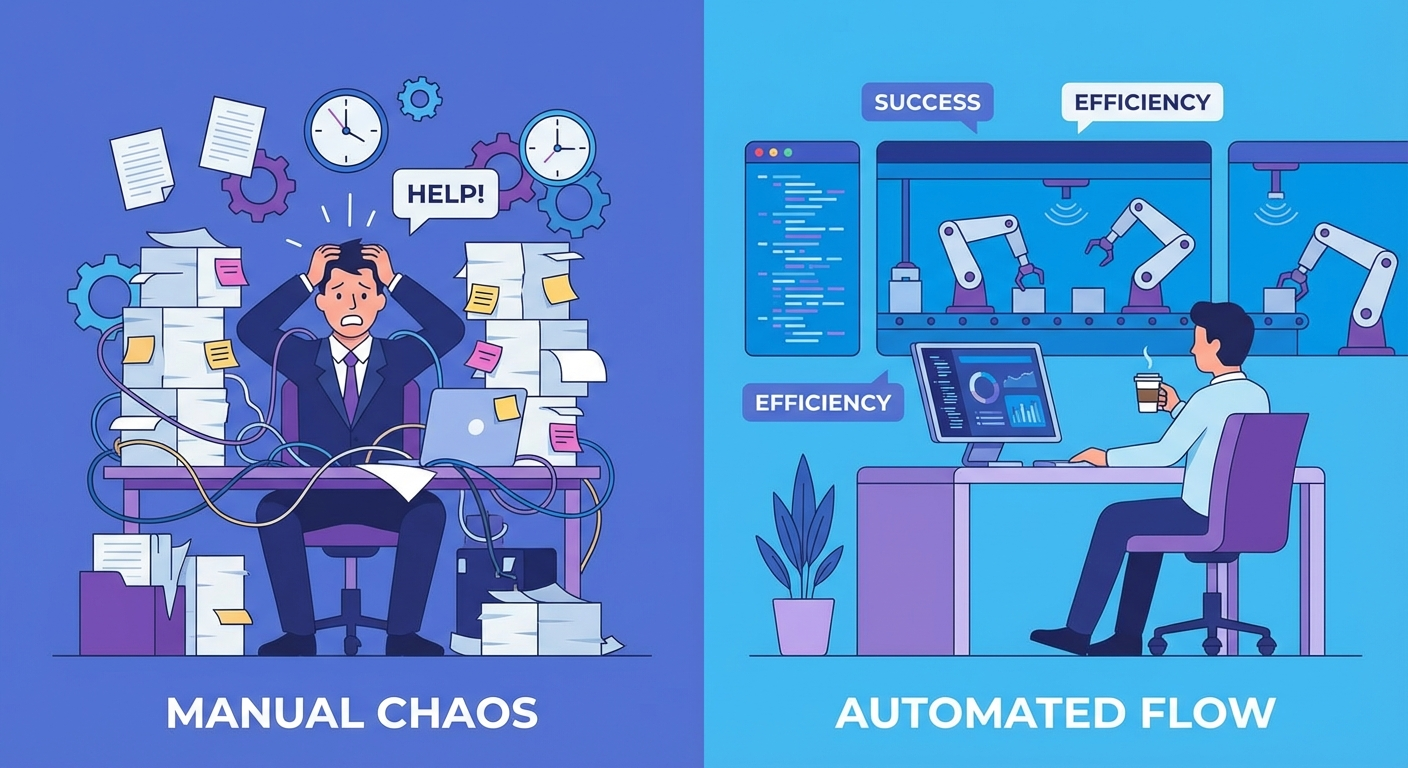
OpenClaw, without cron jobs, is reactive. You ask it something, it answers. You tell it to do something, it does it. But you have to remember to ask. You have to be available. You have to think about what needs doing.
Cron jobs flip that. They make OpenClaw proactive. Your AI runs its morning checks at 6am whether you’re awake or not. It monitors your email inbox every 30 minutes whether you remember to check or not. It generates that weekly report every Friday at 4pm whether you had a chaotic week or not.
What does that actually look like in numbers? According to the same research, organizations that implement automation see 25-30% productivity increases in automated processes. And 60% achieve full ROI within the first 12 months.
Want these cron jobs configured for your business?
We set up custom OpenClaw assistants for businesses in as little as 48 hours – cron jobs included.
The 12 best openclaw cron jobs for business (ranked by ROI)
Not all cron jobs are created equal. Some are novelties. These twelve are the ones that, across different industries and business sizes, consistently save the most time and prevent the most problems.
1. Morning briefing (daily, 6-7am)
This is the gateway cron job. Almost everyone who gets serious about OpenClaw starts here. Your agent wakes up before you do and compiles a summary: overnight emails flagged by priority, calendar for the day, weather, relevant news in your industry, any alerts from overnight monitoring.
Time saved: 15-25 minutes per day. That’s roughly 2 hours per week just from having your morning already organized before your first coffee.
The key is customization. A real estate agent’s morning briefing looks nothing like a SaaS founder’s. The briefing should pull from the data sources you actually care about, not generic news feeds.
2. Email monitoring and triage (every 15-30 minutes)
This is probably the highest-ROI cron job for anyone who receives more than 50 emails a day. OpenClaw checks your inbox on a schedule, categorizes messages by urgency, and can even draft replies to routine inquiries.
The real value isn’t reading emails faster. It’s catching time-sensitive messages that would otherwise sit in your inbox for hours. A client complaint at 2pm that you don’t see until 5pm is a different situation than one you’re alerted to within 15 minutes.
For a deeper walkthrough on setting this up, see our guide on OpenClaw email monitoring and auto-replies.
3. Client follow-up reminders (daily, late afternoon)
Sales teams lose deals to silence. A prospect sends a proposal request, you respond, and then… nobody follows up. The cron job scans your CRM or email for conversations that have gone quiet past a threshold (say, 3 business days) and either alerts you or drafts a follow-up.
For agencies and consultancies, this single automation can be worth thousands in recovered revenue per quarter. Deals don’t die from rejection. They die from neglect.
4. Content research and idea generation (2-3x per week)
If you publish content regularly, this one pays for itself fast. The cron job monitors competitor blogs, trending topics in your niche, and Google Trends data, then compiles a short brief of content opportunities. Some users have it go further and draft outlines or even full first drafts.
We’ve written about building a full automated content pipeline with OpenClaw if you want the complete picture. But even the research step alone saves 2-3 hours per week for most content teams.
5. Security and uptime monitoring (every 5-15 minutes)
For anyone running websites, SaaS products, or internal tools, this is non-negotiable. OpenClaw pings your endpoints, checks SSL certificate expiration, monitors error logs, and alerts you instantly if something breaks.
The difference between catching a site outage in 5 minutes versus 3 hours? For an e-commerce store doing $10,000/day, that’s roughly $1,250 in potential lost revenue. One prevented incident pays for a year of OpenClaw hosting.
6. Financial snapshot (daily or weekly)
A morning financial summary that pulls from your payment processor, bank feeds, or accounting software. Revenue yesterday. Expenses this week. Outstanding invoices that need chasing. All in one message instead of logging into four different dashboards.
This is particularly useful for business owners who find themselves “checking Stripe” fifteen times a day out of anxiety. Set it up once, get the numbers when you need them, and stop refreshing dashboards.
Best openclaw cron jobs for specific industries
The first six work for almost any business. These next six are more specialized, but if they apply to your situation, they can be the most valuable automations you run.
50% of business leaders plan to automate more repetitive tasks this year
Don’t fall behind. Our team builds production-ready cron automations tailored to your business.
7. Social media monitoring (2-4x daily)
Brand mentions, competitor activity, industry hashtag tracking. The cron job compiles what’s being said and surfaces anything that needs a response. For agencies managing multiple client accounts, this can replace an entire monitoring tool subscription that costs $100-300/month. The difference: OpenClaw doesn’t just flag mentions. It can analyze sentiment and draft responses, so you’re acting on the data instead of just reading it.
8. Inventory and stock alerts (daily for retail/e-commerce)
If you sell physical products, running out of stock is a revenue killer. This cron job monitors inventory levels and alerts when items drop below reorder thresholds. Some users connect it to supplier APIs to automatically trigger reorders.
9. Competitor price monitoring (daily or weekly)
For e-commerce and SaaS businesses, knowing when competitors change pricing is useful intelligence. The cron job checks competitor pricing pages and alerts you to changes. Nobody does this manually because it’s tedious. But the business that notices a competitor dropped prices by 20% on the same day it happened has a real advantage over the one that finds out two weeks later from a customer cancellation email.
10. Appointment prep briefs (30 minutes before each meeting)
This is a favorite among consultants and sales teams. Thirty minutes before a scheduled meeting, OpenClaw pulls up everything relevant about the person or company you’re meeting with: previous emails, CRM notes, their recent LinkedIn activity, company news. You walk into every meeting prepared without spending 10 minutes researching.
11. Weekly performance reporting (Fridays)
End-of-week reports that nobody wants to write but everyone wants to read. OpenClaw compiles data from your analytics, CRM, project management tools, and financial dashboards into a formatted report. Some teams send these to clients, others use them internally.
For a broader look at high-ROI workflows like these, check out our roundup of the best OpenClaw automations worth setting up in 2026.
12. Database and file backups (nightly)
Simple but critical. Automated backups of databases, important documents, or project files to a secondary location. It’s the cron job you’ll never appreciate until you need it, and then you’ll be extremely glad it was running.
How to structure your cron schedule without creating chaos
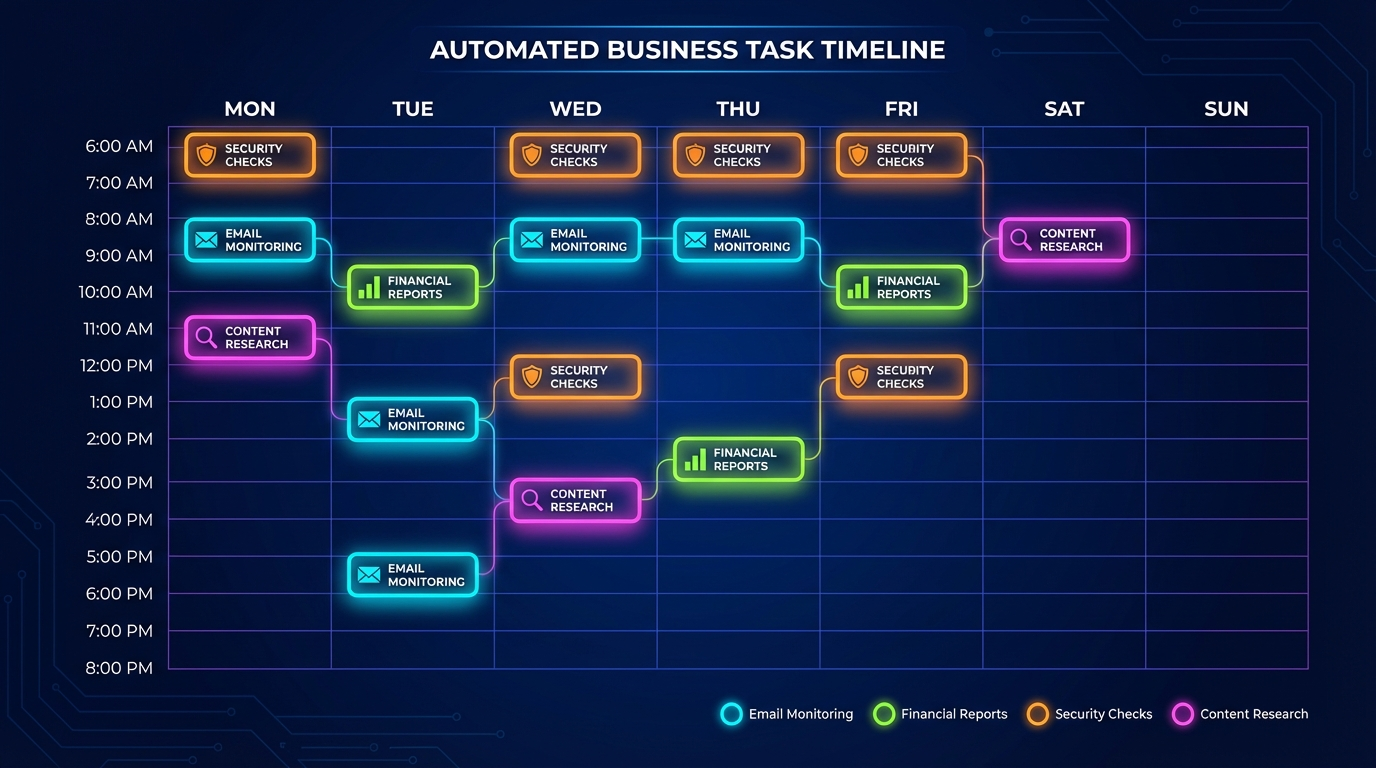
One mistake people make with OpenClaw cron jobs is enthusiasm. They set up twenty automations in one afternoon, all running at similar intervals, and their system slows to a crawl because everything fires at once.
A few guidelines that work well in practice:
Stagger your schedules. Don’t run five cron jobs at 6:00am. Run them at 6:00, 6:15, 6:30, and so on. OpenClaw handles concurrent tasks, but staggering reduces resource contention and makes logs easier to read.
Match frequency to actual need. Email monitoring every 5 minutes makes sense. Competitor price checks every 5 minutes do not. Think about how quickly the underlying data changes and how urgently you need to know about it.
Use isolated sessions for autonomous work. Cron jobs that do real work (writing, analyzing, generating reports) should run in isolated sessions so they don’t interfere with your main conversation. Alerts and reminders can go to your main session.
Start with three, then add. Morning briefing, email monitoring, and one industry-specific job. Get those working reliably. Then expand. The businesses that get the most value from OpenClaw cron jobs are the ones that tuned a few automations well rather than setting up a dozen half-baked ones.
The setup complexity question
Here’s the honest part. Setting up a single cron job in OpenClaw is straightforward. You define a schedule, write a prompt, configure session behavior, and test it. Maybe 20 minutes for someone comfortable with the platform.
Setting up a well-orchestrated suite of 8-12 cron jobs that work together, don’t conflict, handle edge cases gracefully, and actually deliver reliable results day after day? That’s a different thing entirely. It requires understanding cron syntax, session management, error handling, rate limits on external APIs, and how to structure prompts that produce consistent output at 3am with no human in the loop.
This is, honestly, where most DIY setups fall short. Not because the individual pieces are hard, but because making them work together reliably is an engineering problem. The gap between “I set up a cron job” and “I have a production-grade automation system” is real.
That’s also why professional setup services exist. The best openclaw cron jobs need proper architecture from the start, not patches applied after something breaks at 2am on a Sunday.
Getting started: your first week of cron jobs
If you’re doing this yourself, here’s a practical first-week plan:
Day 1-2: Set up your morning briefing. Customize it for your industry and data sources. Run it manually a few times to test the output before scheduling it.
Day 3-4: Add email monitoring. Start with 30-minute intervals and adjust based on your volume. Configure alert thresholds so you’re not getting pinged for every newsletter.
Day 5-7: Pick one industry-specific cron job from the list above. The one that maps to your biggest time sink. Configure it, test it, and let it run over the weekend as a trial.
By the end of week one, you should have a tangible sense of how much time these three automations save. For most users, it’s somewhere between 5 and 10 hours per week. That alone justifies the entire OpenClaw setup.
Skip the learning curve. Get production-ready cron jobs from day one.
Our Starter package ($4,497) includes full cron job architecture, 3 automations configured and tested, and 30 days of email support.